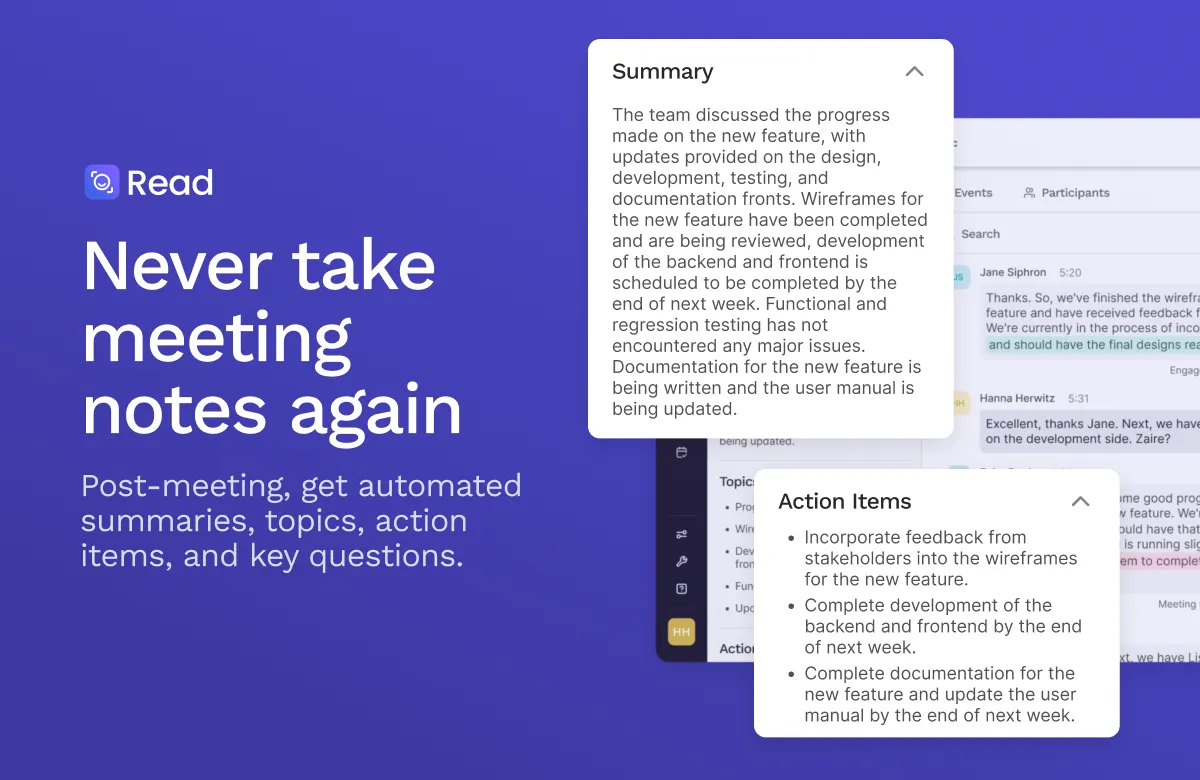

The market for AI meeting assistants has settled into a familiar shape: a bot joins your video call, transcribes what everyone says, and hands back a summary with action items when the meeting ends. Read.ai operates in that space but leans harder on one thing most of its peers treat as an afterthought — what actually happened in the room, measured. Alongside the standard transcript and recap, it produces engagement and sentiment analytics for each speaker, which reframes the product from a note-taker into something closer to a conversation-analytics layer. Whether that distinction matters depends heavily on why you're recording meetings in the first place.
The tool connects to the four platforms that cover most business video traffic — Zoom, Microsoft Teams, Google Meet, and Webex — and is available as Windows and macOS desktop apps, Android and iPhone apps, and a Chrome extension. That breadth matters because meeting assistants are only useful if they show up reliably, and organizations rarely standardize on a single platform. A team running Zoom for external sales calls and Teams for internal standups can keep one assistant across both.
What it actually does
The core loop is automated. Read.ai's assistant joins a scheduled call, records and transcribes it, and afterward delivers a recap with highlighted topics, decisions, and extracted action items. This is table stakes for the category, and the practical value is straightforward: it removes the person who would otherwise be half-listening while typing notes, and it produces a consistent artifact every time rather than notes whose quality depends on who volunteered to take them.
Several features push beyond that baseline and are worth weighing individually:
- Engagement and sentiment analytics. Read.ai scores speaker participation and sentiment during a call. For a manager reviewing one-on-ones or a sales lead reviewing discovery calls, this can surface patterns — who dominated, where energy dropped — that a plain transcript hides. Treat these as directional signals, not measurement: automated sentiment scoring is inherently approximate, and reading too much into a number is a real risk.
- AI search across meetings, emails, and chats. The search feature returns answers with citations across your recorded meetings and connected email and chat. This is where the product's value compounds over time — a single recap is useful once, but a searchable, cited archive of months of conversations answers questions like "what did we promise this client in Q1" without hunting through calendars.
- Meeting playback and video highlights. Audio and video playback plus clipped highlights let you jump to the moment something was said rather than trusting the summary. Note that playback and highlights sit behind the higher paid tiers rather than the free plan.
- Speaker coaching. The tool offers coaching feedback on speaking habits, aimed at people who want to improve how they run or participate in calls.
- Multilingual support. Read.ai advertises 20+ languages, which is relevant for distributed teams whose calls aren't exclusively in English.
On the connectivity side, output doesn't have to stay locked in Read.ai. It integrates with Slack, Gmail, and Outlook for delivery; HubSpot and Salesforce for CRM logging; Asana, Notion, Jira, Confluence, and Linear for project tracking; plus Google Calendar, Google Drive, Google Docs, OneNote, Zapier, and webhooks. It also connects to AI platforms including ChatGPT, Claude, and MCP. The CRM and project-management hooks are the ones that change daily workflow most — automatically writing call notes into Salesforce or a Notion database is what turns a summary from something you read into something your systems act on.
Who gets the most out of it
The engagement analytics and CRM integrations point clearly at revenue and people-facing roles. Sales teams logging discovery and demo calls into a CRM, recruiters running screening interviews, and managers doing recurring one-on-ones will get proportionally more value than someone who just wants a transcript of an occasional call. Distributed and hybrid teams are the other natural fit, since the whole premise — reliable capture without a designated note-taker — solves a problem that's sharpest when nobody is in the same room.
For security-conscious buyers, Read.ai states it is SOC 2 Type 2 certified, GDPR compliant, and HIPAA compliant, and that it does not train on your data by default. The HIPAA-relevant controls and the SAML/SCIM, domain capture, and custom data-retention options are gated to the top Enterprise+ tier, which is the honest place to put them.
Where it may not fit
Two categories of concern are worth being clear-eyed about before adopting any always-joining meeting bot, Read.ai included:
- The visible-bot problem. An assistant that joins calls to record is not invisible to participants, and recording conversations carries consent obligations that vary by jurisdiction. This is a category-wide reality rather than a Read.ai-specific flaw, but it's a policy question you should settle before rolling it out, not after.
- Analytics can be over-trusted. Sentiment and engagement scores are the differentiator, but they're also the feature most easily misread. Using them to rank or evaluate people crosses from insight into something that automated scoring isn't reliable enough to support.
- The free tier is genuinely limited. Five meetings per month is enough to evaluate the product, not to run on. Anyone using it regularly will hit the wall quickly and need a paid plan.
- Feature gating. Several capabilities people assume are core — video playback, highlights, premium integrations like Salesforce and HubSpot — aren't in the free tier. Map the features you need to the tier that includes them before assuming the free plan represents the full product.
Pricing
Read.ai uses a freemium model. The free plan is $0 and capped at 5 meetings per month, but includes the essentials: summaries, transcription, search, the meeting coach, basic integrations, 20+ languages, and the mobile and desktop apps, with no credit card required. Paid plans move to unlimited transcripts and unlimited meeting reports and storage, with prices billed per user and discounted about 25% when paid annually.
| Plan | Monthly | Annual (per mo.) | Notable inclusions |
|---|---|---|---|
| Free | $0 | $0 | 5 meetings/month, summaries, transcription, search, coach, basic integrations |
| Pro | $19.75 | $15 | Unlimited transcripts, priority processing, 100 file-upload credits/mo, premium integrations |
| Enterprise | $29.75 | $22.50 | Audio/video playback, video highlights, 200 file-upload credits/mo, premium support |
| Enterprise+ | $39.75 | $29.75 | HIPAA, SAML & SCIM, domain capture, custom retention, 300 credits/mo (5+ licenses) |
The tier that fits most individual paying users is Pro, since it removes the meeting cap and adds the CRM and project-management connectors. The playback and highlight features that many buyers consider essential only appear at the Enterprise tier, and the compliance and identity controls that larger organizations require are Enterprise+ only, with a five-license minimum.
How it compares and how to decide
The AI meeting-assistant category is crowded, and most entrants cover transcription and summaries competently, so those features rarely decide the choice. What separates tools is what they do with the transcript afterward. Read.ai's bet is on analytics and a searchable cross-source archive; if participation metrics, sentiment trends, and cited search across meetings map to a real need, it's differentiated. If you only want clean notes delivered to Slack, that need is met by much of the field, and the deciding factors become platform coverage, integration fit, and price rather than any single feature. Browse the full AI meeting assistant category to weigh options side by side, or start from the broader tools directory if you're still scoping the problem.
A reasonable evaluation path: run the free plan for a few real meetings to judge transcription accuracy and summary quality on your actual accents, jargon, and platforms; separately test whether the CRM or project-management integration you care about writes data cleanly; and only then decide whether the analytics justify a paid tier. For more on choosing between assistants, our blog covers the category in more depth.
Common questions about Read.ai
Which video platforms does Read.ai support?
Read.ai works with Zoom, Microsoft Teams, Google Meet, and Webex. It's also offered as Windows and macOS desktop apps, Android and iPhone apps, and a Chrome extension.
How many meetings does the free plan cover?
The free plan is capped at 5 meetings per month and requires no credit card. It still includes summaries, transcription, search, the meeting coach, basic integrations, 20+ languages, and the mobile and desktop apps. Paid plans provide unlimited transcripts.
Can Read.ai send meeting data to my CRM or project tools?
Yes. It integrates with HubSpot and Salesforce for CRM, and with Asana, Notion, Jira, Confluence, and Linear for project tracking, alongside Slack, Gmail, Outlook, Google Workspace apps, Zapier, and webhooks. Premium integrations such as Salesforce and HubSpot are part of the paid plans rather than the free tier.
Is Read.ai suitable for regulated or security-sensitive organizations?
Read.ai states it is SOC 2 Type 2 certified, GDPR compliant, and HIPAA compliant, and that it does not train on your data by default. HIPAA compliance, SAML and SCIM, domain capture, and custom data retention are part of the Enterprise+ plan, which has a five-license minimum.
Does it do more than transcription and summaries?
Yes. Beyond recaps and extracted action items, it produces speaker engagement and sentiment analytics, offers AI search with citations across meetings, emails, and chats, provides audio and video playback with highlights on higher tiers, and includes speaker coaching. It also connects to AI platforms including ChatGPT, Claude, and MCP.