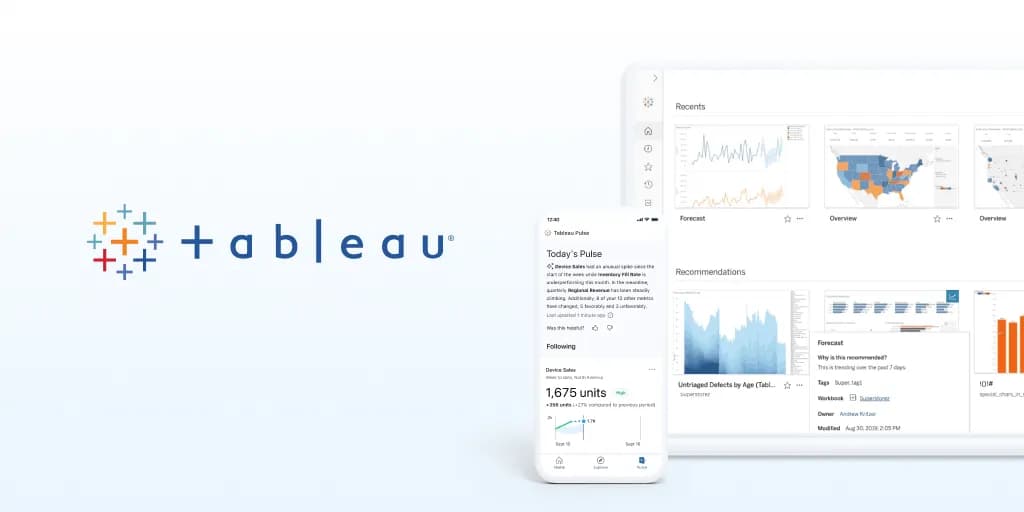

Most modern business intelligence platforms are converging on the same promise: let people ask questions of their data in plain language and get charts, explanations, and forecasts back without building anything from scratch. Tableau AI is Salesforce's version of that bet, and it takes a specific route. Rather than shipping as a separate product you adopt alongside your existing stack, it is an AI layer woven into the Tableau visual analytics platform itself, drawing on the same Salesforce Einstein technology that powers AI features across the wider Salesforce ecosystem. That framing matters more than any single feature, because it tells you who this is really for and what you are signing up to.
The core idea is to make analytical work that historically required a trained analyst accessible to a broader group of people inside an organization. Instead of hand-building a chart, writing a calculation, or interpreting a dashboard on your own, Tableau AI aims to generate the visualization, describe what changed, and suggest what to look at next. It is best understood as an augmentation of the existing Tableau workflow, not a replacement for it.
What the AI layer actually does
The capabilities cluster into a few practical categories, and it is worth understanding the benefit of each rather than treating them as a checklist.
- Natural-language querying through Einstein Copilot for Tableau. You can describe what you want to see, and the system generates charts and dashboards automatically. The practical value is speed for people who know their business questions but not Tableau's authoring surface. The tradeoff is that generated output still needs a human eye: a chart that answers the literal question is not always the chart that answers the real one.
- Automated data explanations. When a metric moves, the platform can describe the key drivers behind that change in text. This is useful for shortening the gap between noticing a number and understanding it, and for handing context to stakeholders who will not dig through a workbook themselves.
- AI-assisted data preparation. Within Tableau Prep, the system can suggest cleaning and transformation steps. Data prep is where a large share of analytics time is quietly spent, so suggestions here target a real bottleneck, though they remain suggestions you should review rather than blindly accept.
- Predictive modeling via Einstein Discovery. Forecasts and predictions can be surfaced directly inside dashboards, which keeps the prediction next to the decision instead of in a separate modeling tool. For teams without dedicated data scientists, this lowers the barrier to using predictions at all.
- Anomaly detection. The platform can proactively flag unexpected shifts in data rather than waiting for someone to notice, which is valuable for monitoring metrics that would otherwise only get looked at on a reporting cadence.
- Accessibility support. Auto-generated alt text and descriptions for published visualizations help make dashboards more usable for people relying on assistive technology, and can ease compliance obligations that many enterprises now carry.
Underlying all of this is tight integration with Salesforce CRM data, so customer and business analytics can live in one place. If your revenue, pipeline, and service data already sit in Salesforce, that unification is one of the strongest reasons to look at Tableau AI specifically rather than a generic analytics assistant. You can compare it against other options in the AI data analytics category.
Who gets the most out of it
The value concentrates in a fairly narrow but sizable audience. Enterprise data teams and business analysts who already build in Tableau are the clearest fit, because the AI features extend a platform they know rather than asking them to migrate. Organizations that are already Salesforce customers gain a second layer of advantage from the native CRM data integration and the shared Einstein foundation. And within any of these organizations, the people who benefit most are semi-technical business users who understand their domain but are not fluent in dashboard authoring or statistical modeling.
By the same logic, some teams should look elsewhere. If you are not already committed to Tableau and do not use Salesforce, adopting this stack purely for its AI features is a heavy lift for what you get. Small teams and individuals wanting a lightweight, standalone way to chat with a spreadsheet will find the platform's footprint and licensing model oversized for the job.
Limitations and honest caveats
The most important limitation is structural: Tableau AI is not a product you buy on its own. It is delivered inside the broader Tableau platform, which means your cost, complexity, and administrative overhead are the cost and complexity of Tableau as a whole, not of a focused AI add-on. There is no standalone free tier for the AI capabilities.
- Ecosystem lock-in. The benefits lean heavily on being inside the Salesforce and Tableau world. That is a strength if you live there and a real constraint if you do not, and it makes switching later more involved.
- Feature availability varies by plan. Einstein Copilot and the more advanced AI features may require specific Tableau Cloud plans or Salesforce Einstein add-ons rather than being uniformly available. This makes it important to confirm exactly which capabilities your intended license actually includes before you plan around them.
- Generated output needs review. Natural-language chart generation, automated explanations, and prep suggestions accelerate work but do not remove the analyst's judgment. Treat the AI as a fast first draft, especially where a wrong interpretation could drive a real decision.
- It assumes an existing data foundation. The tool is most effective on top of well-modeled, connected data. If your data is scattered or poorly governed, the AI layer will surface that mess faster rather than fix it.
How licensing works
Tableau AI's features are included within Tableau Cloud and Tableau Server licenses across the platform's role-based tiers, commonly framed as Creator, Explorer, and Viewer, where Creator covers full authoring and the lighter roles cover interaction and viewing. There is no standalone free tier for Tableau AI, though free trials are available and Tableau Public offers a free but limited public version of the core platform. As noted above, the more advanced AI features, including Einstein Copilot, may depend on particular Tableau Cloud plans or Salesforce Einstein add-ons.
Specific per-seat prices are set by the vendor and by tier, and current figures are not reproduced here because they were not verifiable at the time of writing; check the official Tableau pricing page for authoritative numbers before budgeting. When you do, the useful question is not the headline seat price but how many Creator seats you truly need versus Explorer and Viewer seats, since that mix drives real cost far more than any single rate.
Weighing it against other options
Because the AI capabilities are bundled into a full BI platform, the meaningful comparison is rarely against a single-purpose AI chat tool. It is against other enterprise analytics platforms that offer their own AI assistants, and against the practical baseline of your current reporting workflow with an analyst in the loop. The decision usually comes down to platform gravity: if your organization already standardizes on Tableau or Salesforce, staying inside that ecosystem is the low-friction choice. If it does not, a lighter or more neutral analytics assistant may deliver most of the day-to-day value at a fraction of the commitment. Browse the wider data analytics tools or the full tool directory to line up candidates against your existing stack.
Common questions about Tableau AI
Is Tableau AI a separate product I can buy on its own?
No. It is a set of generative and predictive AI capabilities embedded across the Tableau visual analytics platform, delivered within Tableau Cloud and Tableau Server licenses rather than sold as a standalone product.
What is Einstein Copilot for Tableau?
It is the natural-language feature that lets you describe what you want and have Tableau generate charts and dashboards automatically. Its availability may depend on specific Tableau Cloud plans or Salesforce Einstein add-ons.
Does Tableau AI have a free version?
There is no standalone free tier for the AI features. Free trials are offered, and Tableau Public provides a free but limited public version of the core platform.
Do I need to use Salesforce to benefit from Tableau AI?
You do not have to, but the platform integrates natively with Salesforce CRM data and is built on the Salesforce Einstein AI layer, so existing Salesforce customers gain the most from unified customer and business analytics.
Can I trust the charts and explanations it generates without review?
Treat them as a fast first draft. Automated visualizations, data explanations, and prep suggestions speed up analysis but still benefit from human judgment, particularly when the output will inform a real decision.