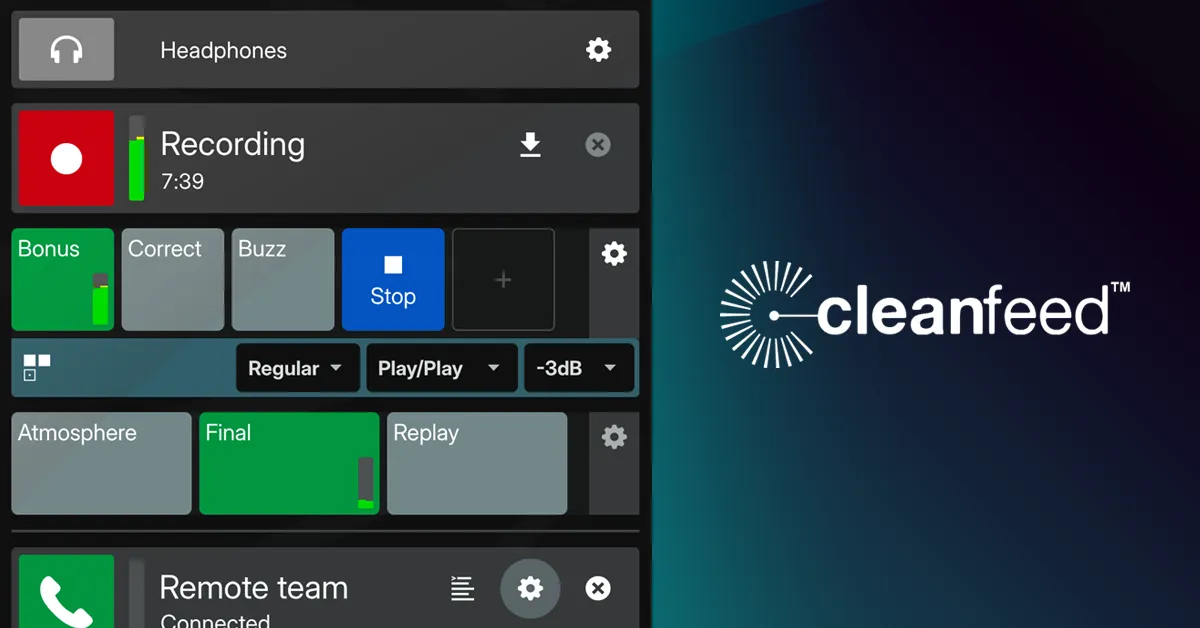

Recording a remote guest usually means fighting two problems at once: the connection quality drops the moment someone's Wi-Fi wobbles, and getting everyone to install and configure the same recording app is its own small support job. A phone call or a standard video-chat platform compresses audio heavily, so what you capture is rarely good enough for a polished podcast or a radio segment. Cleanfeed sets out to solve exactly that gap, and it does so by putting the whole recording studio inside a web browser rather than an installed application.
The tool is built for a specific audience: podcast hosts recording remote interviews, radio producers running live or pre-recorded segments, and journalists capturing conversations that will end up on air. If you fit that description, the core promise is that a guest clicks a link, joins a session, and you capture their audio at a quality that stands up in post-production. Cleanfeed positions itself in the Voice & Audio AI space, and it has enough of a track record that its user list includes broadcasters such as the BBC, Global, NBC Universal, Warner Brothers, and Discovery Network, and the software has received a Primetime Emmy Award for its contribution to the field.
How it tackles the remote-audio problem
The central design decision is that everything runs in the browser. There is no download, no plugin, and no walk-your-guest-through-the-install phone call. That matters more than it sounds. The single biggest source of failed remote recordings is a guest who cannot get the software working; removing the install step removes that failure mode almost entirely. You send a link, they open it, and they are in the session.
On top of that, Cleanfeed transmits audio in high definition in real time and keeps latency low. Low latency is the difference between a natural back-and-forth conversation and the awkward talk-over-each-other rhythm that happens when there is a noticeable delay on the line. For live radio in particular, where an interview goes out as it happens, that responsiveness is not a nicety but a requirement.
The feature that separates Cleanfeed from a good-sounding call is multitrack recording, available on the paid Pro tier. Each participant is captured to an isolated track. In practice that means if a guest coughs, has a barking dog, or speaks too quietly, you can fix that one person's audio in your editor without touching everyone else. The alternative, a single mixed-down file, forces you to accept whatever balance you captured live. Cleanfeed also lets you route those isolated participant feeds directly into a digital audio workstation; the vendor explicitly documents routing individual isos into DAW tracks and names Pro Tools as a supported destination. For producers who already work in a DAW, this keeps the recording inside their existing workflow rather than adding an export-and-import step.
What each account level actually gives you
Cleanfeed's capabilities are tiered, and the practical differences between tiers are significant enough that choosing the wrong one will limit you quickly. Here is what the verified plans include:
- Cleanfeed Lite (free): up to 2 guests, unlimited recording time, clean remote audio, mono remote channels, and one local audio source. Commercial use is allowed. It does not include multitrack recording, privacy controls, markers and notes, studio tools, audio repair, volume controls, or support.
- Cleanfeed Pro: up to 32 guests, unlimited recording time, multitrack recording, privacy controls, markers and notes, studio tools, audio repair, stereo remote channels, four local audio sources, volume and buffer control, auxiliary outputs, multiple accounts, and email support.
- Cleanfeed Cinema (annual): up to 16 guests, all Pro features, plus DCI 2K 60fps video, centre-stage video, customised branding, and gallery features. Priced for professional video-and-audio production.
- Enterprise (5+ seats): volume discounts, custom branding, flexible payment, and academic-year pricing, arranged by contacting the vendor.
The dividing line worth understanding is the jump from Lite to Pro. Lite is genuinely usable for a simple one-on-one recording and, unusually for a free tier, it does not cap your recording length or forbid commercial use. But without multitrack recording and privacy controls, it is not really a production tool; it is a way to capture a clean two-person conversation as a single stream. The moment you need per-person tracks, more than one other participant, or any control over who can access a session, you are into Pro territory.
Where the limits and tradeoffs are
The most honest way to frame Cleanfeed is that it is an audio-first tool that happens to have added video at the top end. If your project is fundamentally a video production, the Cinema tier exists, but it is priced as a specialist product rather than a casual video-call replacement. For pure podcast and radio work that reflects the design intent well; for anyone hoping to use it as a general-purpose video conferencing tool, it is the wrong shape and the wrong price.
The free Lite plan's omissions are deliberate and worth reading carefully before you commit a workflow to it. No privacy controls means you should not treat a Lite session as a secure, access-restricted room. No audio repair or studio tools means any cleanup happens later in your own editor. And the two-guest ceiling rules out any panel or group format. None of this is hidden, but it does mean Lite is a trial and a light-use tier rather than a scaled-down version of the full product.
Because the platform is browser-based, your experience also depends on the guest's browser and connection behaving. The vendor describes the tool as working across devices, but it does not publish a detailed per-browser or per-operating-system compatibility matrix on the pages reviewed here, so if you have an unusual setup it is worth testing with the free tier before a real session. Reliability of any browser-based real-time audio tool ultimately rests on the weakest network link in the call, which is a constraint of the category rather than of Cleanfeed specifically.
What it costs
Cleanfeed Lite is free with no time limit and commercial use permitted. Cleanfeed Pro is billed monthly or annually, with roughly a 20% discount for paying annually. The vendor lists a personal rate of around $12 USD (about £13 / €17) per month and a business rate of around $36 USD (about £24 / €29) per month, and it offers the subsidised personal rate to individuals working on personal projects, registered charities, and educational institutions. Cleanfeed Cinema is an annual product priced at roughly $2,500 USD (about £2,000 / €2,400) for the first seat, with additional seats available to buy or rent. Enterprise pricing for five or more seats is negotiated directly with the vendor. Exact current figures and any regional variation should be confirmed on the pricing page before purchase.
Who should use it, and who should look elsewhere
Cleanfeed is a strong fit if remote audio quality is the thing you cannot compromise on and you want your guests to join without friction. The combination of no-install access, low latency, and per-guest multitrack recording addresses the exact failure points that make remote recording frustrating, and the broadcaster adoption and Emmy recognition are reasonable signals that the audio engineering is serious. The free tier is generous enough to be a real test of whether the connection quality works for your guests before you pay.
It is a weaker fit if you primarily need video, if you want an all-in-one recorder that also edits and publishes, or if you need a documented, guaranteed compatibility guarantee for a locked-down corporate environment. In those cases you would want to weigh other options in the tools directory against your specific requirement. For its intended job, though, Cleanfeed is a focused, credible choice, and the low cost of trying the free plan means there is little reason not to test it against your own guests and network before deciding. You can compare it with other options in the voice and audio AI category or read more evaluations on the blog.
Common questions about Cleanfeed
Do guests need to install anything to join a session?
No. Cleanfeed runs entirely in a web browser, so a guest joins by opening a link with no software download or plugin required. Removing the install step is one of the tool's central design choices.
Can I record each participant on a separate track?
Yes, but only on the paid Pro tier. Pro includes multitrack recording that captures each participant as an isolated track, and those isolated feeds can be routed into a DAW such as Pro Tools. The free Lite plan does not include multitrack recording.
How many guests can join a Cleanfeed session?
It depends on the plan. Cleanfeed Lite supports up to 2 guests, Cleanfeed Pro supports up to 32 guests, and Cleanfeed Cinema supports up to 16 guests.
Is the free plan good enough for a real podcast?
For a simple one-on-one recording it can be, since Lite allows unlimited recording time and commercial use. But it lacks multitrack recording, privacy controls, and studio tools, so for group shows or productions that need per-person tracks and post-production flexibility, the Pro tier is the practical choice.
Does Cleanfeed offer a discount for personal or charitable use?
Yes. The vendor lists a subsidised personal Pro rate for individuals on personal projects, registered charities, and educational institutions, priced lower than the business rate. Paying annually also carries roughly a 20% discount.