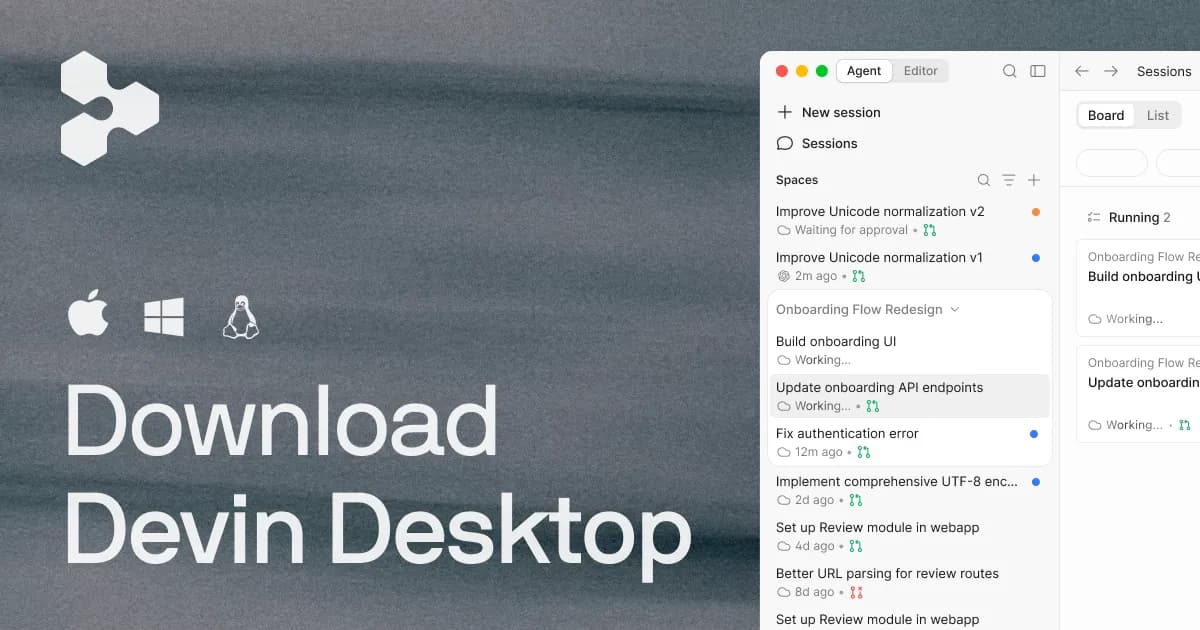

Windsurf set out to be less an autocomplete plugin and more an editor that codes with you, using an agent that keeps the whole project in view instead of reacting to one prompt at a time. It is worth stating up front what changed since the tool first shipped: the vendor's own domain now redirects to devin.ai, and the product is being rebranded as Devin Desktop under Cognition. That transition matters for anyone evaluating it today, so this review separates what the editor does from where its ownership and pricing are heading.
What Windsurf actually is
At its core, Windsurf is an integrated development environment built on the open-source foundation of VS Code, produced by Codeium. Because it inherits the VS Code editing surface, developers get a familiar layout: a file explorer, an integrated terminal, and Git integration sit where you would expect them. The differentiator is not the shell but the agent layered on top. Windsurf's Cascade is designed to read, write, run, and debug code across an entire project rather than emitting isolated suggestions, and the company markets a "Flows" approach meant to keep the agent aware of the codebase, terminal output, and editor state as a task unfolds.
In practice this means the intended workflow is different from a chat-in-the-sidebar assistant. You describe an outcome, the agent proposes a multi-step plan, edits several files, and can run commands to check its work. That is a meaningful shift in where a developer spends attention: less time typing boilerplate, more time reviewing diffs and deciding whether the agent's plan is sound. Whether that trade is worthwhile depends heavily on the codebase and the reviewer's discipline, a point the pros-and-cons below return to.
Capabilities worth weighing
The features that distinguish Windsurf are the ones tied to autonomy and context, not the editor chrome it borrows from VS Code. The table summarizes the notable ones and why each carries practical weight.
| Capability | Why it matters in practice |
|---|---|
| Cascade agent (read/write/run/debug) | Handles multi-step work such as adding a feature or fixing failing tests, which reduces manual context-shuffling but requires careful diff review before you trust the output. |
| Flows contextual awareness | The agent tracks project files, terminal output, and editor state, so instructions can stay high-level rather than re-explaining the codebase each turn. |
| Inline autocomplete | Fast fill-in-the-middle completions cover the everyday typing that agents are overkill for; this is the low-friction baseline most users lean on daily. |
| Multi-file edits with diff previews | Changes are shown as reviewable diffs before applying, which is the main safeguard against an agent silently rewriting code you did not intend to touch. |
| MCP (Model Context Protocol) support | Lets teams extend the agent with external tools and data sources instead of being boxed into built-in capabilities. |
| VS Code foundation | Familiar keybindings and layout lower the switching cost for developers already comfortable in VS Code. |
Windsurf advertises support for all major programming languages and frameworks, and the current site documents concrete language-server integrations for Python (Pyright), Rust (rust-analyzer), Go (gopls), and C/C++ (clangd). On the tooling side, the vendor lists integrations with services including Slack, Linear, Jira, GitHub, Vercel, Stripe, and Datadog, which signals an intent to sit inside a real engineering workflow rather than a sandbox. If you already use those tools, that integration surface is a genuine reason to look; if you do not, it is largely irrelevant to your decision.
Practical considerations and the ownership shift
The single most important thing to understand before adopting Windsurf is that it is mid-transition. The official site redirects to devin.ai and presents the product as "Devin Desktop," the successor branding under Cognition, alongside newer capabilities such as multi-agent coordination through "Spaces" with Git worktrees, a Kanban-style board for tracking agent tasks, and a "Supercomplete" prediction feature. It also surfaces a house model, SWE-1.6, offered for free within the product. For a buyer, a rebrand of this scale is a caution flag worth respecting: naming, plan structure, and roadmap can move quickly, and documentation written for the Codeium-era "Windsurf" may not match what you install.
There is also a platform caveat. The current download page prominently offers macOS; broad Windows and Linux availability is not clearly documented on the page reviewed here, so cross-platform teams should confirm support directly before committing. Treat any older claim of universal desktop support as unverified until you see it on the live download page.
An honest expectation-setting note: an autonomous agent is only as safe as the review process around it. On a well-tested codebase with good CI, letting Cascade run and self-correct can save real time. On a sprawling legacy project with thin test coverage, the same autonomy can produce plausible-looking changes that are hard to audit. The diff-preview step is the control that keeps this manageable, and skipping it defeats the purpose.
Pricing and where the value sits
Windsurf is a freemium product. As listed on the current site, the individual tiers are a Free plan at $0 per month with a light quota, limited model availability, and unlimited inline edits and Tab completions; a Pro plan at $20 per month with increased quotas, access to OpenAI, Anthropic (Claude), and Google (Gemini) models, and free use of SWE-1.6 and leading open-source models; and a Max plan at $200 per month that adds significantly higher quotas. Team plans start at $80 per month plus $40 per developer seat, with centralized billing, an admin dashboard, analytics, and priority support. Enterprise pricing is custom and adds SAML/OIDC SSO, centralized admin controls, a dedicated deployment option, and the highest support tier.
The vendor does not publish concrete credit-allowance numbers on the pricing page; quotas are described as varying by model and task complexity, so heavy agent users should budget for the possibility of buying extra usage at API rates on Pro. The free tier is a legitimate way to evaluate autocomplete and light agent use before paying, and the $20 Pro step is the tier that unlocks the premium third-party models most teams will want. The jump to $200 Max is aimed at a narrow group whose agent usage is high enough to justify it; most individuals will not need it.
Where it falls short
- Roadmap uncertainty. The Windsurf-to-Devin-Desktop rebrand under Cognition means the name, packaging, and feature set are in flux, which complicates long-term planning.
- Opaque quotas. Credit and usage limits are not published as specific numbers, making it hard to predict costs for agent-heavy workflows before you hit them.
- Platform clarity. Current download material emphasizes macOS; broad Windows/Linux support is not clearly documented and should be confirmed.
- Review burden. Autonomy shifts effort from writing code to auditing it; teams without solid tests and diff discipline may gain less than the marketing implies.
Final assessment
Windsurf is a credible take on the agentic IDE: a familiar VS Code base, an agent that can genuinely operate across files and the terminal, MCP extensibility, and a pricing ladder that lets you start free and pay $20 for premium models. Its target user is a developer or team that wants the editor itself to carry multi-step tasks, not just suggest lines, and who is willing to review agent output rather than trust it blindly. The strongest reservation is not technical but organizational: the product is actively rebranding to Devin Desktop under Cognition, so evaluate it on the free tier now, confirm your platform is supported, and revisit the plan details on the live site before you standardize a team on it. Compare it against other options in the AI code generator category, browse the broader tools directory, or read related coverage on the blog before deciding.
Common questions about Windsurf
What is the Cascade agent?
Cascade is Windsurf's agentic AI. Rather than answering one prompt at a time, it is built to read, write, run, and debug code across an entire project, planning and executing multi-step tasks while staying aware of the codebase, terminal output, and editor state.
Is Windsurf built on VS Code?
Yes. Windsurf is built on the open-source foundation of VS Code, so the editor layout, keybindings, integrated terminal, and Git tooling are familiar to existing VS Code users.
How much does Windsurf cost?
There is a Free plan at $0 per month, a Pro plan at $20 per month that adds premium OpenAI, Claude, and Gemini models, and a Max plan at $200 per month with much higher quotas. Team plans begin at $80 per month plus $40 per developer seat, and Enterprise pricing is custom.
Does Windsurf support external tools and integrations?
Yes. It supports the Model Context Protocol (MCP) for extending the agent, and the vendor lists integrations with services including Slack, Linear, Jira, GitHub, Vercel, Stripe, and Datadog.
Is Windsurf changing names?
Yes. The official site now redirects to devin.ai and presents the product as Devin Desktop under Cognition. The editor and its capabilities carry over, but branding, packaging, and plan details are in transition, so confirm current specifics on the live site.