
The short version
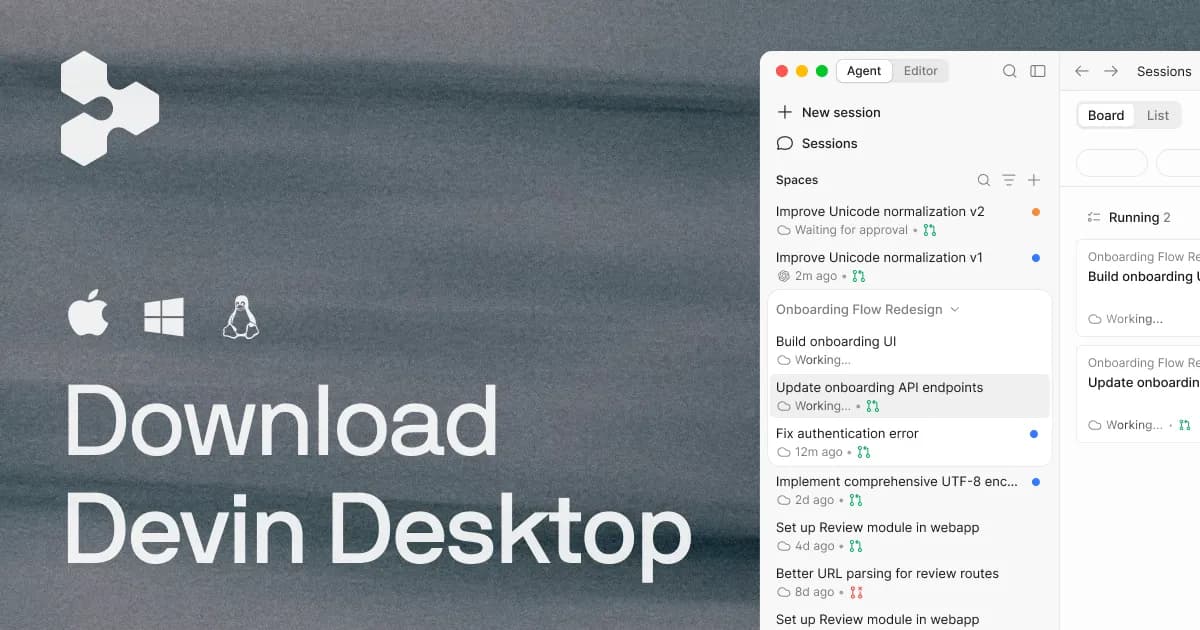
If you remember Codeium as the free, no-strings AI autocomplete that dropped into VS Code and JetBrains alongside a paid enterprise tier, that reputation was earned. But there is a caveat you need before anything else: the codeium.com domain now redirects onward, and the product's own site states that the successor tool "is now Devin Desktop." So the honest recommendation splits in two. Codeium as a distribution model — a lightweight plugin you install into your existing editor — is best for individual developers who wanted capable completion without paying and without switching editors. It is not a safe pick today if you expect that exact plugin-first, editor-agnostic product to still be there under the Codeium name, because the brand has moved on. Treat this as a review of what Codeium was and what its current form implies, not a promise about a standalone "Codeium" you can sign up for unchanged.
Why the brand history matters before the features
Most tool reviews can skip corporate lineage. This one cannot, because it changes your buying decision. When you visit the official address in the facts on file (codeium.com), it redirects, and the destination product's site plainly says the editor "is now Devin Desktop," describing the shift as a rebrand where existing plans, pricing, extensions and settings carry over via an over-the-air update. The Codeium name today survives mainly in configuration paths such as ~/.codeium/windsurf rather than as a front-facing product. If you are researching "Codeium" in 2025 and beyond, you are really researching where that lineage ended up. I flag this up front so nothing below reads as a claim that the classic free plugin is still being marketed under its old name.
Who Codeium was genuinely a good fit for
Based on what Codeium documented as its offering, the tool made the most sense for a few specific profiles:
- Individual developers on a budget. Codeium's headline was a free individual plan with unlimited code completions and no feature gating for personal use. For a solo developer or student who wanted multi-line, full-function autocomplete without a subscription, that was the core appeal.
- Polyglot programmers. Support spanned more than 70 languages — Python, JavaScript, Go, Rust, Java and beyond — so someone bouncing between a Go backend and a TypeScript frontend got one assistant instead of several.
- Teams that wanted AI coding without shipping code to a shared cloud. The paid Teams and Enterprise tiers advertised self-hosting, SSO, and models fine-tuned on a private codebase — the requirements that matter to regulated or IP-sensitive engineering orgs.
- Developers loyal to their editor. Because it shipped as plugins for VS Code, JetBrains, Vim/Neovim, Emacs and other editors, you did not have to adopt a new IDE to get AI help.
Conversely, it was a weaker fit for anyone who wanted a fully agentic, "write the whole feature for me" experience, or a buyer who needed long-term brand and roadmap stability — which, given the subsequent rebranding, turned out to be a real concern.
The capabilities, and what each one actually bought you
Real-time autocomplete
The center of gravity was AI autocomplete that offered multi-line and full-function suggestions in real time. The practical value here is not "it types for you" — it is that low-latency, in-flow suggestions reduce the small context switches that break concentration. Codeium specifically emphasized fast inference and low latency, which matters more than raw model cleverness for completion: a smart suggestion that arrives after you have already typed the line is worthless. The tradeoff is the usual one for all completion tools — confident-but-wrong suggestions still need review, and for unfamiliar APIs you should verify rather than accept on faith.
In-editor chat
A built-in chat handled code explanation, refactoring, and debugging assistance without leaving the editor. The realistic use case is asking "what does this function do" on an unfamiliar codebase, or requesting a refactor of a gnarly block. It is a convenience over pasting into a separate chat window; it is not a replacement for understanding the code you ship.
Codebase-aware search
Codeium offered search that understood project context rather than plain text matching. On a large repository, context-aware search is the difference between "find every string that says auth" and "find where authentication is actually implemented." This is one of the features that scales in value with codebase size, so it mattered more to teams than to someone hacking on a small side project.
Broad editor and language reach
The plugin distribution across VS Code, JetBrains, Vim/Neovim, Emacs and others, paired with 70+ language support, was the strategic differentiator. Many assistants force an editor choice; Codeium met developers where they already worked. That breadth is exactly what makes the later consolidation into a single desktop product notable — the current successor's documentation states you cannot install extensions through any marketplace on it, which is a meaningfully different distribution philosophy from the plugin-everywhere approach that defined Codeium.
Enterprise controls
For organizations, the differentiators were self-hosting, SSO, admin controls, and fine-tuning on proprietary code. Fine-tuning on a private codebase is the feature that turns generic completion into suggestions that match your internal conventions and libraries — the single biggest lever for making an assistant feel like it "knows" your code. Self-hosting addresses the objection that stops many enterprises cold: not wanting source to leave their perimeter.
The limitations you should weigh
- Brand and product continuity is the headline risk. The official domain redirects, and the successor product's own site announces it "is now Devin Desktop." If you standardized a team on Codeium expecting stability, that transition is disruption you have to plan around.
- The plugin-first model appears to have narrowed. The current successor's documentation states extensions cannot be installed through any marketplace on it, and that other AI code-completion extensions are incompatible. That is a departure from Codeium's original "install into any editor" pitch.
- Free-plan specifics are not currently published under the Codeium name. The facts on record describe an unlimited free individual plan, but the vendor does not currently publish Codeium's free-tier limits at that brand; exact quotas are not publicly documented today.
- Completion still needs a human. As with any AI assistant, suggestions can be plausible and wrong, so it does not remove code review or testing.
What the pricing looked like, and what it looks like now
Codeium's own pricing model was freemium: a fully free individual plan with unlimited completions and no feature gating for personal use, plus paid Teams and Enterprise tiers that added private deployment, admin dashboards, self-hosting, SSO, and fine-tuning. Codeium did not publish a fixed starting price for the paid tiers in the facts on record, and enterprise pricing for this class of tool is typically quoted rather than listed.
The successor product publishes concrete tiers, which are useful as a directional signal of where the lineage priced itself, though these are for the current tool rather than the old Codeium plugin:
| Tier | Listed price |
|---|---|
| Free | $0 |
| Pro | $20/month |
| Max | $200/month |
| Teams | $80/month plus $40/month per full seat |
| Enterprise | Custom pricing |
The gap worth noting: Codeium's draw was an ungated free tier for individuals. The successor still lists a $0 plan, but the surrounding product and constraints have changed, so do not assume the old free experience transfers unchanged.
How to think about alternatives
Because the Codeium brand has moved, your real choice is between (a) following the lineage into its current form and accepting the new product model, or (b) picking a different AI coding assistant that still ships as an editor plugin with broad language support. The market for AI code generators includes several editor-integrated completion and chat tools; rather than name-drop competitors I cannot verify against your requirements, the more durable advice is to evaluate on four axes: does it install into the editor you already use, does it cover your languages, does it offer the deployment posture (cloud vs. self-hosted) your organization allows, and does the vendor look stable enough to standardize on. You can compare options in the broader tools directory or read deeper technical breakdowns on the blog.
Questions developers ask about Codeium
Is Codeium still available under that name?
The official codeium.com address now redirects, and the successor product's site states it "is now Devin Desktop." The Codeium name persists mainly in configuration file paths rather than as a front-facing product, so you should not expect to sign up for a standalone "Codeium" unchanged.
Was Codeium actually free?
Codeium's model was freemium, and it advertised a fully free individual plan with unlimited code completions and no feature gating for personal use, alongside paid Teams and Enterprise tiers. The precise current free-tier quotas are not publicly documented under the Codeium name.
Which editors and languages did Codeium support?
It shipped plugins for VS Code, JetBrains, Vim/Neovim, Emacs and other popular editors, with support for more than 70 programming languages including Python, JavaScript, Go, Rust and Java.
What did Codeium offer enterprise teams?
The paid tiers advertised self-hosting, SSO, admin dashboards, and models fine-tuned on a private codebase — aimed at organizations that need AI assistance without their source leaving their own environment.
Can it do more than autocomplete?
Yes. Beyond real-time multi-line and full-function autocomplete, it included in-editor chat for explanation, refactoring and debugging, plus codebase-aware search that understands project context rather than doing plain text matching.