
TL;DR: Speechify is a text-to-speech reader that takes almost any written source you throw at it and plays it back in AI voices at speeds well beyond normal reading. It is genuinely useful if listening is a real workflow for you rather than a novelty, but the free tier is deliberately limited and the features most people want live behind a Premium subscription.
What Speechify actually does, and why the details matter
At its core, Speechify is a listening layer for text you would otherwise have to read on a screen or page. The company positions the product as covering "anything" you want read aloud, and in practice the supported sources are broad: PDFs, Word and Google Docs, web pages, emails, ebooks, online articles, and physical printed text captured through your phone camera. That last one relies on OCR, which lets you snap a photo of a page and have it read back, and it is the feature that pushes Speechify past being a browser plugin and into something you can use with paper.
The value here is not that a computer can read words aloud; screen readers have done that for decades. It is the voice quality and the control layer around it. Speechify advertises over 1,000 AI voices across 60-plus languages and accents, with adjustable pitch, tone, pace, and pronunciation. The practical payoff of natural-sounding synthesis is endurance: robotic voices are tolerable for a paragraph and exhausting over an hour, so if you intend to listen to a long report or an ebook, the difference between a flat voice and a natural one decides whether you actually finish.
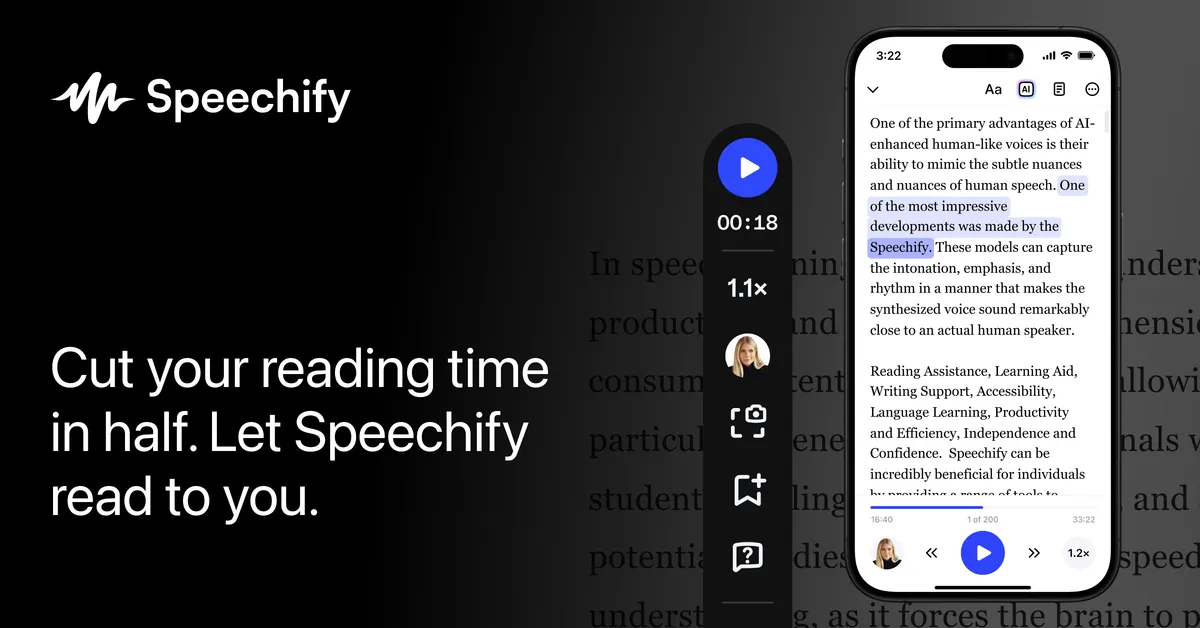
Speed control is the other feature that separates habitual listeners from casual ones. The reader supports playback well above conversational pace, with the marketing pages citing up to 4x on the reader and up to 5x on Premium. Most people cannot follow speech at 4x cold, but the skill builds, and the point of the range is that you can push your listening rate over time the same way audiobook regulars creep from 1x to 2x. If you have a genuine reading queue, compressing an hour of material into twenty or thirty minutes is where the tool earns its keep.
Two more features are worth calling out because they change how the tool fits into a day. Real-time highlighting syncs the on-screen text word by word with the audio, which matters for comprehension and for anyone who reads along while listening rather than listening blind; it is also the feature that makes Speechify a legitimate accessibility aid rather than just a convenience. And offline listening, reserved for Premium, means downloaded content plays without a connection, which is the difference between the tool working on a subway or a flight and not.
The creator side: Speechify Studio
Separate from the reader, Speechify runs a production tool called Studio (its AI Voice Over platform) aimed at people making content rather than consuming it. Studio includes an AI voice generator, voice cloning from a short recording (the vendor cites around 20 seconds), AI dubbing that swaps original audio for AI voices in other languages, AI avatars, and automated captions. This is a different product with a different buyer. If you came to Speechify to get through your inbox, Studio is not what you need; if you produce videos, e-learning, or ads and want narration or localization without booking voice talent, it is the relevant half. Treat them as two distinct offerings that happen to share a brand and a voice library.
Where it fits in real workflows
The most defensible use case is a large, ongoing reading load. Students facing dense course material, professionals with reports and long email threads, and anyone who prefers to consume writing hands-free during a commute or workout all get concrete value: you convert stationary reading time into time you can spend doing something else. The browser extension makes this incidental rather than deliberate; you land on a long article, hit play, and keep moving.
The accessibility case is equally real and, historically, the reason the product exists. For people with dyslexia, visual impairments, or reading fatigue, the combination of natural voices and synchronized highlighting is a working aid, not a gimmick. That framing also sets realistic expectations for everyone else: Speechify is at its best when reading is a chore you want to offload, and least compelling when you would have read the material quickly anyway. If your daily reading is short and scattered, the subscription math is harder to justify.
Because it runs as a web app, Chrome and Edge extensions, iOS and Android apps, and Mac and Windows clients, it can follow you across devices, which matters for a listening habit since the whole premise is filling in-between moments. If your reading lives inside cloud storage, the reader integrates with Google Drive, Dropbox, and OneDrive on Premium, so files do not have to be manually shuffled in.
What it costs
Speechify uses a freemium model. The free plan is functional but intentionally constrained: the pricing page lists it at $0 with listening capped around 1.5x and roughly ten standard (the vendor's word is "robotic") voices. It is enough to decide whether listening suits you; it is not enough for sustained use, because the two things serious listeners rely on most, higher speed and better voices, are the things held back.
Premium is where the full reader lives. The vendor lists it at $29 per month, with a yearly billing option it advertises at a substantial discount over paying monthly. Premium unlocks the 1,000-plus natural voices, the 60-plus languages, listening up to 5x, scan-and-listen OCR, AI summaries and chat, voice typing, cloud storage integrations, and offline access. The honest read on pricing is that the headline monthly figure looks steep for a reader, so the annual commitment is effectively the intended price point; budget accordingly and treat the monthly rate as the trial-and-cancel option rather than the plan you keep.
Studio's creator features and the developer API (offered as "Speechify for Developers") are separate tracks. The company does not publish clear standalone prices for those on the pages reviewed here, so if you need voice cloning, dubbing, or API access, expect to price those independently rather than assume Premium covers them.
What works well
- Genuinely broad input coverage, including PDFs, docs, web pages, emails, ebooks, and printed text via OCR, so most reading you encounter can be routed into it.
- A large, natural-sounding voice library across many languages, which is what makes long-form listening bearable.
- Aggressive speed control for compressing a reading backlog, plus word-by-word highlighting that supports comprehension and accessibility.
- Present on essentially every platform a listening habit needs: web, two browser extensions, both mobile OSes, and both desktop OSes.
- A real, no-cost free tier to test whether audio-first reading fits you before paying.
Where it falls short
- The free plan withholds exactly the features that make the product worthwhile, so an honest evaluation almost requires trying Premium.
- The listed $29 monthly price is high relative to the job, which pushes most users toward an annual commitment.
- The reader and the creator-focused Studio are separate products under one brand, which can be confusing when you are figuring out what your subscription actually includes.
- Standalone pricing for the Studio creator tools and the developer API is not clearly published, making budgeting for those uses harder up front.
- Value depends heavily on whether you genuinely listen; if your reading is short and infrequent, the subscription is hard to justify.
The verdict
Speechify is a mature, well-distributed text-to-speech reader that does the main job well: it turns a pile of unread text into audio in voices you can stand to listen to for a long time, at speeds that let you get through more of it. The strongest recommendation is for people with a steady reading load or an accessibility need, where the natural voices and synchronized highlighting pay off daily. The weakest fit is the casual user, because the free tier is too limited to lean on and Premium is priced for people who will use it constantly. Try the free version to confirm that listening actually works for your brain and your schedule, then decide whether the annual plan is worth it before you commit. If you are a creator rather than a reader, look at Studio specifically rather than assuming the Premium reader covers you. For more options in this space, browse other AI text-to-speech tools or the wider tool directory.
Common questions about Speechify
What kinds of files and text can Speechify read aloud?
According to Speechify, the reader handles PDFs, Word and Google Docs, web pages, emails, ebooks, and online articles, and it can also read physical printed text by scanning it with your phone camera using OCR.
How many voices and languages does Speechify offer?
The vendor states over 1,000 AI voices across 60-plus languages and accents, with adjustable pitch, tone, pace, and pronunciation. The free plan is limited to about ten standard voices, with the full library reserved for Premium.
Is there a free version of Speechify?
Yes. Speechify offers a free plan at $0 that includes basic text-to-speech, but it caps listening speed around 1.5x and limits you to roughly ten standard voices. Higher speeds, natural voices, OCR, offline listening, and integrations require the Premium plan.
How much does Speechify Premium cost?
Speechify lists Premium at $29 per month, with an annual billing option the company advertises at a large discount versus monthly. Premium unlocks the full voice library, 60-plus languages, speeds up to 5x, scan-and-listen, AI summaries, voice typing, cloud integrations, and offline access.
What is the difference between Speechify and Speechify Studio?
The main Speechify reader is for consuming text as audio. Speechify Studio is a separate creator-focused platform for producing audio and video, offering an AI voice generator, voice cloning from a short recording, AI dubbing, avatars, and captions. They share a voice library but serve different users and are priced separately.