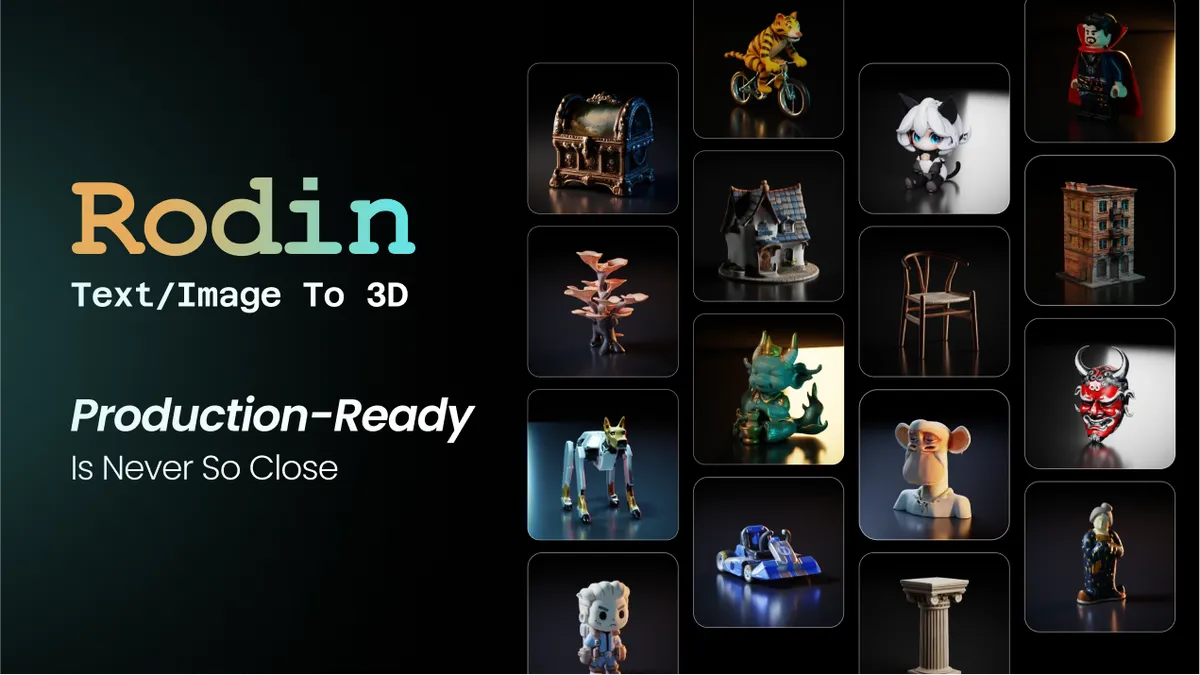

What Rodin is
Rodin, built by Deemos and offered through Hyper3D, is an AI 3D model generator that converts a text description or a reference image into a finished 3D asset. Instead of modeling geometry by hand in Blender or Maya, you describe what you want, or upload a picture of it, and Rodin produces a textured mesh you can drop into a scene. It is aimed squarely at people who need 3D content faster than traditional modeling allows: indie game developers, 3D artists blocking out concepts, and creators working toward 3D printing or AR.
How it works
Rodin accepts three kinds of input. You can type a text prompt, supply a single reference image, or feed it multiple reference images. With multiple images it offers different blending behaviors, so you can stack views of the same object or fuse separate references into one combined model. From there the model generates geometry and applies textures automatically. The latest generation, Rodin Gen-2.5, is built for speed, producing base geometry in just a few seconds and a fuller model shortly after, with high polygon density and clean structure intended for real production use.
Standout features
Text-to-3D and image-to-3D
The two main entry points cover most workflows. Text-to-3D is great when you have an idea but no reference; image-to-3D is the faster path when you already have concept art or a photo of the object you want to recreate.
Quad topology and clean meshes
Rodin outputs quad-mesh geometry by default, which artists care about because quads are far easier to edit, subdivide, and animate than messy triangulated soup. Depending on the tier, you can target different face densities, so you can choose a lighter mesh for real-time use or a denser one for detail.
4K PBR materials
One of Rodin's strongest points is texturing. Models come with 4K PBR texture maps, including albedo, normal, roughness, and metallic channels, so assets look correct under modern game and rendering lighting without a separate texturing pass.
Wide export support
Generated assets export to GLB, FBX, OBJ, USDZ, and STL. That range covers game engines like Unity and Unreal through FBX and GLB, AR via USDZ, and 3D printing via STL, so the output slots into most downstream pipelines.
Who it is for
Rodin fits game developers who need props, characters, and environment pieces quickly; 3D artists who want a fast starting mesh to refine rather than building from a blank scene; and makers preparing models for 3D printing. Marketing and AR teams also benefit from the USDZ export. It is less suited to projects that demand exact, engineering-grade dimensions, since AI-generated geometry is approximate by nature and usually needs a cleanup pass before final use. Treated as a powerful first draft generator, it saves a lot of time.
Common use cases
The fastest way to understand Rodin is by what people actually do with it. A solo game developer can generate a crate, a barrel, a weapon, and a stylized character in an afternoon, then refine the few that need it instead of modeling each from scratch. Concept artists use it to spin a 2D sketch into a rotatable 3D draft they can present from any angle. AR and product teams export USDZ to preview an object on a phone, and hobbyists send STL straight to a printer. Because Rodin handles geometry and texturing in one pass, the time saved is most obvious when you need many assets rather than a single hero model. The multi-image input is handy when a single photo does not show every side of an object; feeding several views helps the model reconstruct parts it would otherwise have to guess.
Pricing and plans
Rodin uses a credit-based model with a free tier so you can test it before paying. New users can start with a trial period, and paid plans are organized around different users: a Creator plan for individuals, a Business plan for commercial work, and a discounted Education plan for students and educators. Enterprise pricing is custom. Because credit costs and plan details change, confirm the current numbers on the Hyper3D pricing page before subscribing.
Verdict
Rodin is one of the more polished AI 3D generators available, and its texturing and clean quad output are what set it apart from rivals that produce lumpy, triangle-heavy meshes. The fast generation times in Gen-2.5 make it practical for iterating on ideas rather than waiting around. If you generate a lot of 3D assets and want results that need minimal rework, Rodin is a strong pick. Just plan for a light cleanup step when precision matters, and you will get a lot out of it.