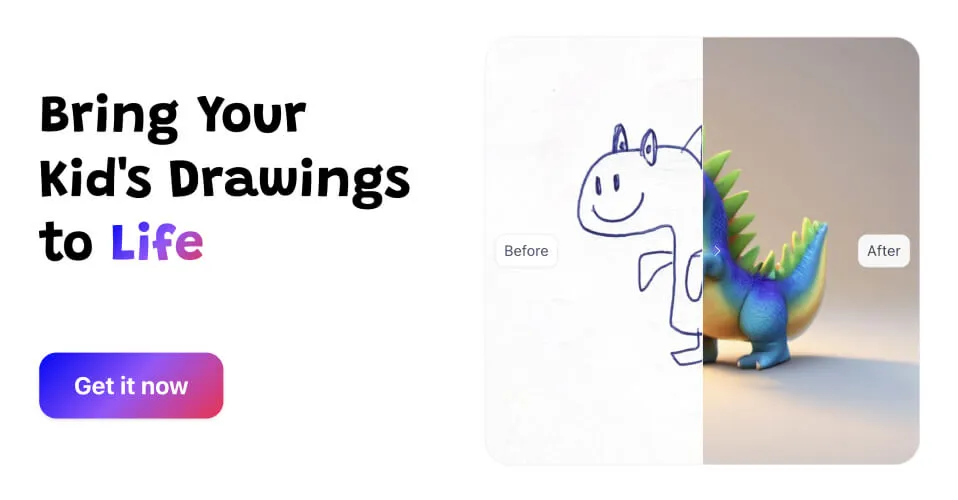

What Drawings Alive is
Drawings Alive is a mobile and web app that takes a child's drawing and brings it to life with AI. A kid scribbles a monster, a house, or a spaceship, the app enhances it into polished artwork, and from there it can spin that same drawing into a short animated video or a 3D model you can view in augmented reality. It markets itself as the number one AI app for kids' drawings and points to a community of more than 20,000 families, so the framing is squarely family and classroom, not professional design.
The appeal is simple and emotional. Children's art is full of imagination but rough on execution, and Drawings Alive keeps the original idea intact while making it move, glow, or stand up in 3D. That is a different goal from a generic AI image tool, which would replace the drawing rather than honor it.
How it works
You either upload a photo of a drawing or draw directly inside the app, accepting common image inputs like JPG and PNG. You add a short description of what the picture is, and the AI generates a transformed version. From that starting point you choose what to make next: a still artwork, an animated clip, or a 3D model. The flow is built to be simple enough for a child to follow with light help from a parent or teacher.
Image transformation
The core feature cleans up and enriches a sketch into a brighter, more finished image while preserving the child's original concept. This is the entry point for everything else the app produces.
Video generation
Drawings Alive can produce roughly 6-second animations from a drawing, turning a static character into a short moving clip. These are easy to share with family and make a kid's creation feel genuinely alive rather than just retouched.
3D models and AR
The app also generates 3D models from drawings and lets children view them in the real world through augmented reality. Seeing your own drawn creature appear on the kitchen table is the kind of moment that makes the app stick with younger users. It also nudges kids toward 3D and AR concepts early, in a playful way that feels like a toy rather than a lesson, which is part of why teachers find it useful in a classroom.
Style options
Transformations come with style choices including Toy Bricks, Plush toy, and Blocks Game, so the same drawing can be reimagined as a brick build, a soft plush, or a game-style block scene. The styles give repeat play value, since one picture can become several very different results.
Platforms and ownership
Drawings Alive runs on iOS through the App Store, on Android through Google Play, and has a web app, so families can use it on whatever device is handy. A notable differentiator is that it grants a full commercial license and ownership over generated outputs. Plenty of AI tools keep restrictive usage terms, so parents who want to print a child's animated character on a mug, a book, or merchandise have clear rights to do so here.
Pricing
The app is subscription-based with three tiers. The Starter plan is around 5 dollars per month, the Hobby plan, marked as most popular, is around 8 dollars per month, and the Artist plan is around 17 dollars per month, each with discounted yearly options. Higher tiers raise the monthly limits on how many images, videos, and 3D models you can create. Because exact allowances and prices can change, confirm the current numbers in the app before subscribing.
Who it is for and the verdict
Drawings Alive is made for children, parents, and teachers who want to celebrate kids' creativity rather than produce professional design assets. It is a delightful keepsake-maker and a fun classroom activity, less a serious art tool. The combination of animation, AR 3D, playful style packs, and genuine commercial ownership is what sets it apart from a plain photo filter. If you have a child who fills notebooks with drawings, the chance to watch those drawings move and stand up in your living room is an easy sell, with the only real consideration being whether you create often enough to justify a monthly plan. Light or occasional users may find the lower tier or a yearly plan the better value, while a household of busy young artists will get the most out of the higher limits.