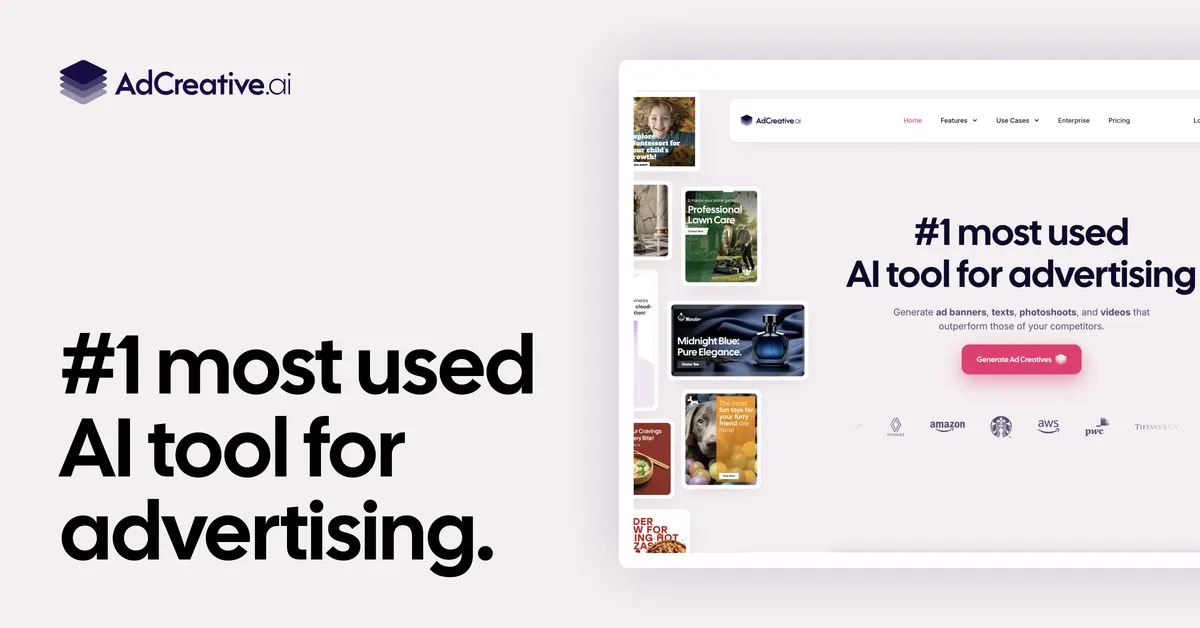

AdCreative.ai is a production tool for paid-media teams: it turns brand assets into large batches of ad visuals, headlines and video, then assigns each output a predicted-performance score so you can decide what to ship before spending budget. That scoring layer, rather than the generation itself, is what separates it from a generic image or copy generator.
What the platform actually does
At its core the product does two distinct jobs. The first is generation. You supply a brand (logo, colours, product images or a URL) and it produces conversion-focused ad creatives across common formats, plus matching headlines and descriptions from its text generator. Beyond static banners, the vendor lists product videos, UGC-style videos, fashion videoshoots and AI-generated product and fashion photoshoots, so a single tool covers both the still and moving assets a campaign usually needs. Buyer personas, a compliance checker and custom templates round out the workflow.
The second job is prediction. The Creative Scoring AI analyses generated assets and forecasts how they are likely to perform, with the company claiming over 90% accuracy on ad performance and brand recall. In practice this reorders a batch of twenty variants by likely outcome so a marketer can promote the top few instead of running blind A/B tests across all of them. That is the genuinely useful idea here: the bottleneck in paid media is rarely making more creatives, it is deciding which of the many you already have deserve budget. A score gives a defensible starting point for that triage. It is worth treating the 90%+ figure as a vendor claim rather than an independently audited benchmark, and as a relative ranking signal rather than a guaranteed prediction of your specific account's results.
Competitor Insights adds outside context by surfacing the best-performing ads competitors are running across platforms, which is helpful for briefing and for spotting formats you are not testing. On integrations, the site references ad-platform connections and names Google as a partner, with Meta/Facebook referenced through the competitor tooling; the exact list of supported destinations is not fully enumerated on the public pages, so confirm your specific channels before committing.
The company reports scale figures of 4.2 million businesses and one billion ad creatives generated. Those are adoption signals, not quality guarantees, but they do indicate the tool is a mature, widely used product rather than an experiment. You can compare it against other options in the AI ad generator category.
Where it earns its keep
- Scoring turns volume into direction. Generating many variants is cheap; knowing which to fund is not. The predicted-performance score is the feature most likely to change how a team works day to day.
- One tool spans stills, copy and video. Banners, headlines, product photography and product/UGC video sit in the same workflow, reducing the number of separate subscriptions and handoffs.
- Brand consistency is built in. Outputs are produced from your logo, colours and product inputs, so batches stay on-brand without manual reformatting.
- Competitor Insights aids briefing. Seeing rivals' live creatives is a practical input for planning and for catching formats you have overlooked.
- Unlimited iStock photography is bundled on paid plans, which removes a recurring stock-image cost for teams that lean on it.
- It scales by brand and seat. Tiers move from a single brand to 25, so an agency managing many clients can grow within the same product.
Where to be cautious
- No free plan. There is a 7-day trial that requires registration, but no permanent free tier, so evaluation is time-boxed rather than open-ended.
- The price step between tiers is steep. Starter is $39/month, but the next tier jumps to $249/month. Solo users and small teams can outgrow Starter's 10 credits quickly and land at a much higher bill.
- Work is metered by credits. A download credit is consumed when you export a finished creative, and credits reset each cycle without rolling over, so heavy generation pushes you toward the more expensive plans or an Enterprise agreement.
- The accuracy claim is the vendor's own. The 90%+ scoring figure is not independently verified in the materials reviewed; treat it as guidance for ranking, not a promise of results in your account.
- Integration coverage is not fully published. The site references ad-platform integrations without a complete public list, so anyone depending on a specific channel should confirm it first.
- Automated compliance is a starting point. A compliance checker helps, but regulated advertisers still need human review of claims and disclosures.
Plans and what they include
AdCreative.ai is a paid product with no permanent free tier; a 7-day free trial requires registration. Billing is credit-based, where a credit is spent when you download a finished creative, and credits reset each cycle rather than rolling over. Longer commitments cut the effective cost: the vendor advertises around a 40% saving on annual billing, so the headline monthly figures are the pay-monthly rates. The public tiers:
| Plan | Monthly price | Download credits | Brands |
|---|---|---|---|
| Starter | $39 | 10 | 1 |
| Professional | $249 | 100 | up to 10 |
| Ultimate | $599 | 500 | 25 |
| Enterprise | Custom | Custom | Custom |
Exact credit and brand allowances shift as the vendor updates its packaging, so treat these as a snapshot and confirm on the pricing page. User seats also scale with the tier, from a single user on Starter up to roughly 20 on the Ultimate plan. The practical read: Starter suits a single brand testing the concept, Professional fits an in-house team or small agency, and Ultimate or Enterprise is where multi-client agencies land. Because credits, not seats, usually run out first, estimate your monthly volume of downloads before choosing.
Who should consider it
The clearest fit is performance marketers, e-commerce brands and agencies that run paid advertising at volume and need to produce and test many creative variants without a large design team. If your workflow already revolves around iterating ad creatives and picking winners, the scoring layer maps directly onto that. It is a weaker fit for occasional advertisers, brands that ship only a handful of hand-crafted creatives a quarter, or anyone who needs a free tool to experiment indefinitely; for those, the credit model and pricing steps make it hard to justify. Teams with strict brand-safety or regulatory requirements can use it, but should not treat the compliance checker as a substitute for legal sign-off.
The bottom line
AdCreative.ai is a credible choice for teams whose real problem is prioritising creative rather than producing it. The generation breadth (stills, copy, product and UGC video) is competitive, but the predicted-performance score is the reason to pick this over a general-purpose generator. The caveats are commercial rather than technical: no free plan, a sharp jump from the $39 Starter tier to $249, and a credit model that rewards higher spend. If you advertise at volume and can put the scoring output to work, it is worth trialling; if you produce ads occasionally, the economics are harder to defend. Browse more options on the tools directory or read comparisons on the blog before deciding.
Common questions about AdCreative.ai
Does AdCreative.ai have a free plan?
No. There is no permanent free tier. The company offers a 7-day free trial that requires registration, after which continued use needs a paid plan.
What is the Creative Scoring AI?
It is a model that analyses generated ad assets and predicts their likely performance, which the vendor states is over 90% accurate on ad performance and brand recall. It is best used to rank a batch of creatives by predicted outcome rather than as a guaranteed forecast.
How much does AdCreative.ai cost?
Pay-monthly plans start at $39 for Starter (10 download credits, 1 brand), rising to $249 for Professional (100 credits, up to 10 brands) and $599 for Ultimate (500 credits, 25 brands), with custom Enterprise pricing. Annual billing advertises around a 40% saving. Confirm current allowances on the pricing page, as the vendor adjusts packaging over time.
Can it produce more than static image ads?
Yes. Alongside static creatives and banners, it generates ad copy, product photography, product videos, UGC-style videos and fashion videoshoots, so still and moving assets sit in one workflow.
Which ad platforms does it work with?
The site references ad-platform integrations and names Google as a partner, with Meta/Facebook referenced through its competitor tooling. A complete list of supported destinations is not fully published, so confirm your specific channels before subscribing.