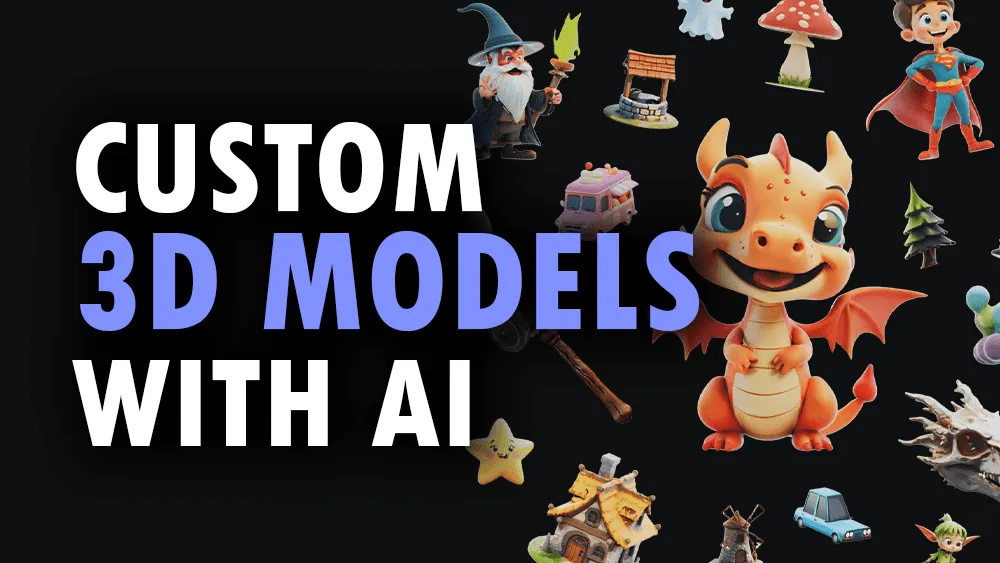

From a prompt to a printable model
3D AI Studio is an AI 3D model generator that takes a text description or a reference image and returns a textured 3D model in seconds. The pitch is simple: instead of sculpting geometry by hand, you describe an object or upload a sketch, and the platform produces a mesh you can export and use. Around that core sit a set of cleanup and texturing tools that handle the unglamorous work of making a generated model actually usable in a real project.
What you can do
Text to 3D and image to 3D
The two flagship modes are Text to 3D, which builds a model from a written prompt, and Image to 3D, which converts a 2D image, sketch, or photo into a textured, export-ready model. The image route is useful when you already have concept art or a product photo and want a faithful 3D version rather than something invented from scratch. Generations cost credits, with each 3D task running roughly in the 20 to 60 credit range depending on which underlying AI model you select.
Texturing and PBR
AI Texturing applies materials and PBR maps to a model so it reads correctly under real-time lighting. Tools like PBR map generation, UV unwrapping, and vertex color conversion are included with any plan rather than billed separately, which keeps the cost predictable once you are past the generation step.
Optimization and remeshing
Raw AI output is often too dense to drop straight into a game. 3D AI Studio includes quad-remeshing, LOD generation, and remeshing tools to reduce polygon counts and clean up topology. This is the difference between a model that looks fine in a viewer and one that performs in an engine.
Free supporting tools
A handful of utilities are completely free, including SVG to 3D, a 3D Text generator, and a 3D Viewer, so you can experiment without spending credits. The SVG to 3D path is a quietly useful one: it lets you extrude a logo or a flat icon into a real 3D shape, which is handy for branding mockups and product visualizations that do not warrant a full generation. The viewer also means you can inspect a model from every angle before deciding whether to export or regenerate it.
Multiple generation models
Rather than locking you to a single engine, 3D AI Studio lets you choose among different AI models for a given task, which is why the credit cost per 3D job varies. In practice this means you can spend more credits on a higher-fidelity model for an important asset and fall back to a cheaper, faster one for rough drafts or background props. That flexibility keeps both quality and budget under your control instead of forcing a one-size-fits-all result.
Formats and compatibility
Export coverage is broad. Models can leave as GLB, OBJ, FBX, STL, USDZ, and PLY, with additional support for BLEND for Blender, 3MF for color 3D printing, and Collada (DAE). Because of that range, the output drops cleanly into Blender, Unity, Unreal Engine, Godot, and the rest of the major 3D ecosystem. The STL and 3MF support specifically signals that 3D printing is a first-class use case, not an afterthought.
Who it is for
The tool targets game developers and studios who need props and assets quickly, indie and solo creators who cannot afford a full art team, product designers, AR and VR developers reaching for USDZ output, and 3D printing enthusiasts who care about STL and 3MF. It also fits educators who want students producing 3D work without a long modeling learning curve.
An honest caveat: AI-generated geometry still benefits from a human pass for hero assets and anything that needs clean, animation-ready topology. The remeshing tools help, but if your project demands hand-crafted precision, treat 3D AI Studio as a fast starting point rather than the final word.
Pricing
3D AI Studio runs on a credit system tied to subscription tiers, and new users get free credits to try it. Published plans have included a Basic tier at 19 dollars per month for 1,000 credits, a Studio tier at 29 dollars per month for 3,500 credits, and a Pro tier at 149 dollars per month for 18,000 credits, plus a one-time pack of 2,000 non-expiring credits. Plans are cancelable, and commercial rights are granted on generated models. Because pricing shifts, confirm the current numbers on the official pricing page before committing.
Verdict
3D AI Studio is a practical choice when speed and volume matter more than artisanal control. The combination of multiple generation models, included texturing and PBR tools, and genuinely wide export support makes it more than a novelty prompt-to-mesh toy. Pair it with a light manual cleanup step and it slots neatly into game, AR, and 3D printing pipelines.