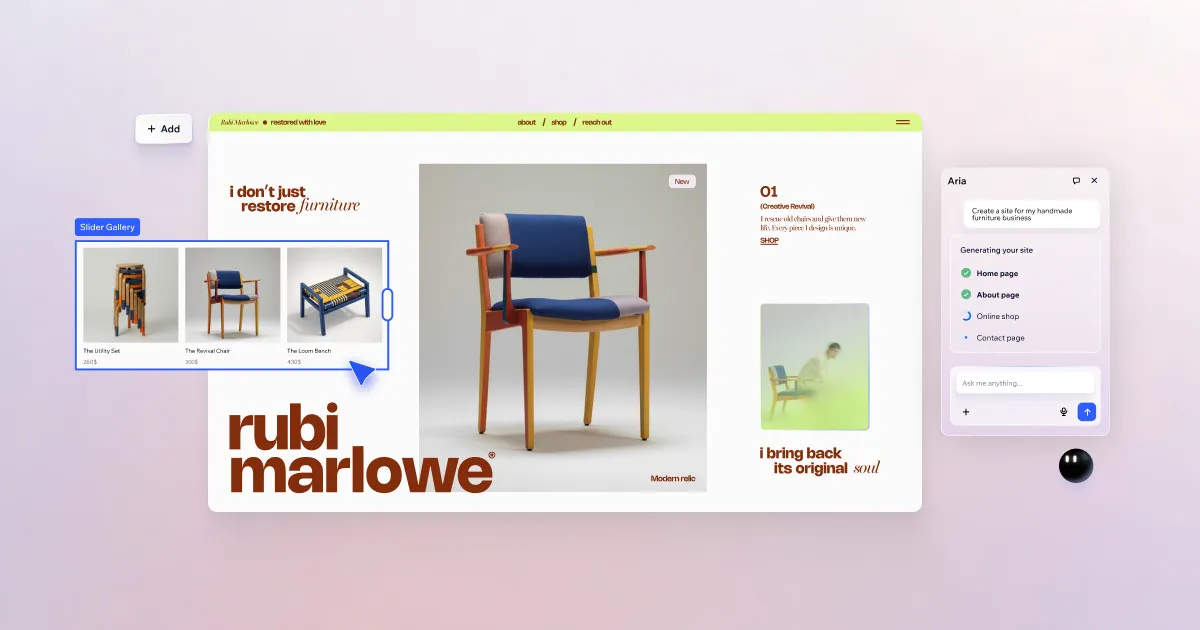

The main thing Wix ADI does for you is remove the blank-page problem. Instead of choosing a template and dragging elements into place, you answer a handful of questions about your business, and the system assembles a full multi-page site, complete with sections, layout, colour choices, and starter copy, in a matter of seconds. That is the practical value: it compresses the slowest part of getting online, the initial build, into a quick interview.
ADI stands for Artificial Design Intelligence, and it is not a separate product. It is a creation mode inside the broader AI website builder ecosystem at Wix. Wix's own site frames the pitch plainly as "create your site in no time with AI." Whatever ADI produces lands inside the same platform that offers hosting, a domain, and the standard drag-and-drop editor, which matters because the generated site is a starting point you keep working on, not a locked black box.
What it actually does, and why each part is useful
It helps to look at ADI feature by feature and ask what problem each one solves, because the value is uneven depending on what you need.
Questionnaire-driven generation
You describe your business type, goals, and style preferences, and ADI builds the site from those answers. The benefit is speed and decisiveness: for someone who freezes when faced with hundreds of templates, having the software commit to a first draft is genuinely freeing. Use this when your priority is being live this afternoon rather than perfecting a design over weeks. The tradeoff is that you are trading fine-grained control for momentum at the start.
Content import to pre-populate pages
ADI can pull in existing material, such as details from social profiles or a Google Business listing, so pages arrive partly filled rather than empty. This is most useful for an established business that already has a presence scattered across other platforms; instead of retyping your address, hours, and description, you let the tool gather what exists. If you are starting from nothing, this feature does less for you, and you will be writing from scratch either way.
Automatic layout, palette, and font selection
Rather than asking you to make dozens of design microdecisions, ADI proposes industry-appropriate sections, colour palettes, and typography. For non-designers, this is the point where the tool earns its keep, because coherent design choices are exactly what most first-time site owners struggle with. The realistic expectation to set: the output is competent and conventional, not distinctive. If your brand needs to look unusual or highly custom, an automated pass is a floor to build up from, not a ceiling.
AI text suggestions
ADI offers starter copy tailored to the business type so pages are not left with placeholder text. Treat this as a first draft to edit, not final copy. It gets a small business past the intimidation of an empty homepage, but generic generated wording is easy for visitors to recognise, so the sensible workflow is to keep the structure and rewrite the sentences in your own voice.
Editable afterward in the standard Wix editor
This is arguably the most important detail. Whatever ADI generates opens in the normal Wix drag-and-drop editor, so you are never trapped in the automated result. You can move sections, swap images, add pages, and refine indefinitely. That safety net is what makes the speed worth accepting; a fast draft you cannot change would be a liability, but a fast draft you can rework is a head start.
Mobile layouts generated automatically
ADI produces a mobile-optimised version alongside the desktop site. Given how much traffic arrives on phones, having a usable mobile layout from the outset removes a common oversight. As always, review it: automatically generated mobile views usually need small manual tidying around spacing and image cropping.
Access to the wider Wix ecosystem
Because ADI sits inside Wix, a generated site can grow into the platform's e-commerce, scheduling and bookings, blogging, SEO tools, and analytics. Wix's site confirms these capabilities alongside domain registration and hosting. The benefit is that the tool does not paint you into a corner: a simple brochure site built by ADI can later become a shop or a booking-driven service business without migrating platforms.
Where it fits in practice
A few concrete situations show when ADI is the right call. A tradesperson or local service provider who needs a credible online presence quickly, and has no interest in learning design, is close to the ideal user; the questionnaire plus content import gets them a working site with contact details and service pages fast. A consultant or freelancer launching a first professional site benefits similarly, using the generated structure and rewriting the copy to sound like them.
A small retailer testing an idea can start with an ADI-built site and later switch on e-commerce features from the Wix ecosystem as demand appears. Conversely, a designer or agency that wants pixel-level control, or a brand with strict visual identity requirements, will likely find the automated output too generic and may prefer starting directly in the editor or with a chosen template. For a broader comparison of automated builders, the AI website builder category is a useful reference point.
How pricing works
Wix ADI is not sold separately. It is part of the Wix platform, so the relevant question is what the Wix plans cost rather than what ADI costs. Wix operates on a freemium model: you can create and publish a site through ADI on the free plan, which is the low-risk way to see whether the generated result meets your needs before paying anything.
Moving to a paid plan is what unlocks the essentials most businesses eventually want, notably connecting a custom domain and removing Wix branding, along with more advanced capabilities on higher tiers. The specific current prices and the exact contents of each named tier change over time and are best confirmed on the official Wix pricing page before you commit, rather than trusted from any third-party summary. The practical takeaway is that ADI itself adds no cost; you pay for the plan level the finished site requires.
An honest assessment
ADI's strengths are real: it is fast, it eliminates the intimidation of design decisions, it can import existing content, and crucially it never locks you out of manual editing. Its weaknesses are the flip side of automation. Generated copy and layouts tend toward the generic, so a site left exactly as produced will look and read like many others. Anyone wanting a truly custom result will spend meaningful time in the editor afterward, which narrows the time savings.
The most useful way to think about ADI is as a scaffolding tool. It gets you from nothing to a coherent, editable draft in minutes, which is exactly what many small businesses need to overcome inertia. Judge it on that job, not as a replacement for design work, and it holds up well. You can find related tools and comparisons in our wider tool directory.
Common questions about Wix ADI
Is Wix ADI a separate product from Wix?
No. ADI is a creation mode inside the Wix platform, and any site it builds opens in the standard Wix editor and uses Wix hosting. It is not a standalone tool you buy on its own.
Can I edit a site after ADI generates it?
Yes. The generated site is fully editable in Wix's standard drag-and-drop editor, so you can rearrange sections, replace images, rewrite text, and add pages after the automated build.
Does using ADI cost extra?
No. ADI is included in the Wix platform at no additional charge. You can build and publish through it on Wix's free plan; paid plans are what add a custom domain, remove Wix branding, and unlock more advanced features.
Does ADI create a mobile version of my site?
Yes. It generates a mobile-optimised layout automatically alongside the desktop version, though reviewing and tidying the mobile view manually is still worthwhile.
Who gets the most out of ADI?
Entrepreneurs, small business owners, and professionals who want the fastest path to a live site and are comfortable letting the tool make the first design decisions, then refining from there.