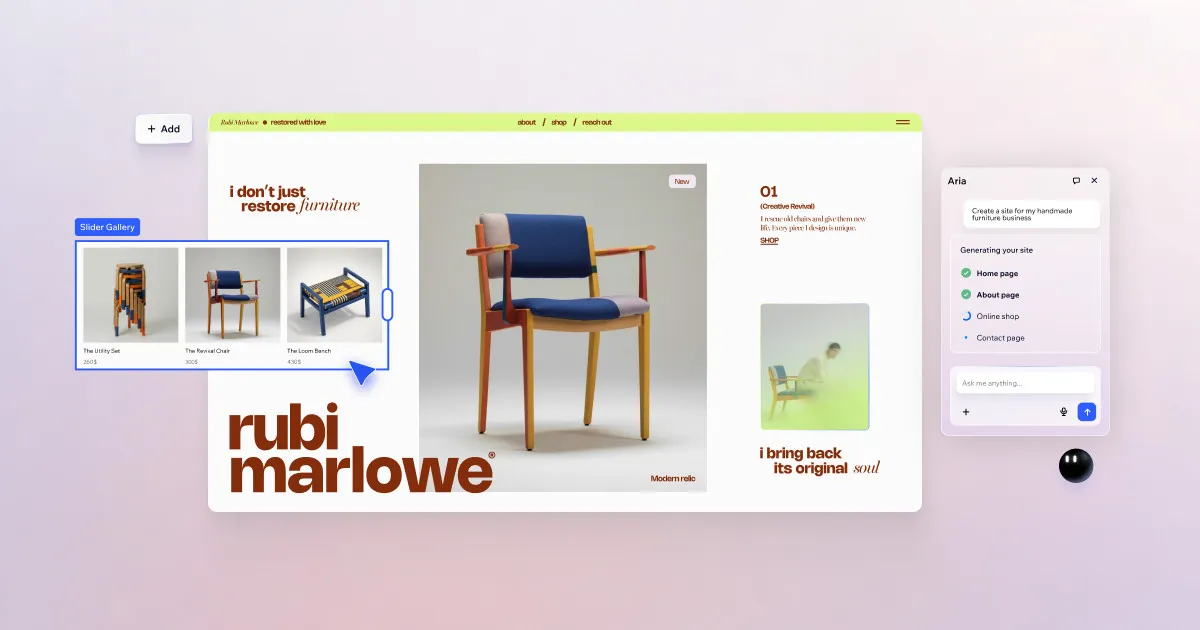

The question most people actually have about Wix is simple: can I build a real, professional-looking website without touching code or hiring anyone? For the majority of small businesses, freelancers, and creatives, the honest answer is yes. Wix is a cloud-based builder that combines a free-form drag-and-drop editor with AI that can generate an entire starter site from a short description of your business. You never manage servers, and you never open a code editor unless you choose to.
The tradeoff sits underneath that convenience, and it is worth naming up front: Wix is a hosted, closed platform. Your site lives on Wix's infrastructure and cannot be exported and moved to another host the way a portable codebase or a standard CMS can. If lock-in is a dealbreaker for you, that matters more than any single feature. For everyone else, the appeal is that Wix takes hosting, design, security, and increasingly the first draft of content off your plate.
What Wix actually does
At its core Wix is a visual site builder. You place elements anywhere on a canvas rather than being confined to rigid content blocks, which gives non-designers an unusual amount of layout control. That freedom is a genuine strength for people who want a distinctive look, though it also means you can create messy, inconsistent pages if you are not disciplined about spacing and alignment.
The AI layer is what has changed the platform in recent years. The AI Site Generator builds a personalised website from a brief text description of your business, producing pages, structure, and placeholder content you then refine. This is most useful as a head start rather than a finished product: it removes the intimidating blank page, and you edit from there. Inside the editor, Wix also offers AI text and image generation, so you can draft page copy or produce visuals without leaving the workspace or sourcing stock photography separately.
Beyond design, Wix bundles the operational pieces a small business site usually needs:
- Integrated e-commerce with product management, online payment acceptance, and order handling, so a storefront runs inside the same platform as the marketing site.
- Built-in SEO tools for optimising pages for search engines, including sitemap generation and structured data, with AI assistance for writing meta tags.
- Scheduling and bookings for appointment-based businesses managing staff and clients.
- A built-in CRM, email marketing, and analytics reporting, keeping customer data and campaigns in one account rather than stitched across separate tools.
- The Wix App Market, a catalogue of first- and third-party apps that extend a site with booking systems, marketing add-ons, and other functionality.
For teams that outgrow the visual editor, Velo by Wix is a developer platform layered on top of any Wix site, described by the vendor as a full stack of APIs and tools. It lets developers add custom logic and integrations rather than being capped at what the drag-and-drop editor allows. That extensibility is a meaningful part of why Wix can serve more than hobby projects, even if most users never touch it.
Who it fits, and who should look elsewhere
Wix is a strong match for small business owners, solo creatives, and entrepreneurs who want one account to build, host, and run a professional site quickly with no technical background. If your priority is getting a polished, functioning site live this week, and you would rather spend time on your business than on infrastructure, this is squarely the intended audience. The all-in-one bundling of storefront, bookings, CRM, and marketing is genuinely convenient when you would otherwise be assembling those from scratch.
It fits less well in a few situations. Developers who want full ownership and portability of their code and content will feel constrained by the closed hosting model, even with Velo available. Organisations with strict data-residency or self-hosting requirements cannot meet them on a fully hosted platform. And anyone building an unusually complex, high-scale application should treat Wix as a site builder first and evaluate whether its extensibility genuinely covers their needs before committing. You can compare it against other options in the AI website builder category before deciding.
What it costs
Wix uses a freemium model. There is a free plan that lets you build and publish, but it runs on a Wix-branded subdomain and displays Wix ads, which makes it suitable for testing or personal experiments rather than a business you want taken seriously. To connect your own custom domain and remove the branding, you move to a paid plan.
The paid tiers are structured to scale with what you are running: entry-level plans cover a straightforward website with a custom domain, and higher tiers add more storage, e-commerce capabilities, and stronger support, up through business-focused plans. Wix consistently prices annual billing lower than paying month to month, so the effective cost depends heavily on committing for a year. Because exact figures shift with promotions and region, confirm the current numbers on Wix's own pricing page before you budget rather than relying on any third-party quote, including this one.
Where Wix is strong
- Low barrier to a real site. The AI Site Generator plus the visual editor genuinely lets a non-technical person publish a credible website fast.
- Everything in one place. Hosting, design, e-commerce, bookings, CRM, email, and analytics live in a single account, which reduces the tool-juggling that trips up small operators.
- Design flexibility. Free-form placement gives more creative control than block-only builders.
- Room to grow. The App Market and Velo mean you are not immediately capped when your needs get more specific.
- No maintenance overhead. Security patching, uptime, and hosting are handled for you.
Where it falls short
- Platform lock-in. Sites are not portable off Wix; migrating to another provider effectively means rebuilding. This is the single most important limitation to weigh.
- The free plan is a demo, not a business tool. Branded subdomain and ads make a paid plan effectively mandatory for professional use.
- Design freedom can backfire. The same open canvas that empowers careful users lets careless ones produce inconsistent, unpolished layouts.
- AI output needs editing. Generated sites and copy are starting points, not finished work; treat them as first drafts.
- Costs stack with add-ons. Third-party App Market tools and higher tiers can push the real monthly spend above the headline plan price.
The bottom line
Wix earns its position as one of the most widely used website platforms by doing the boring, hard parts, hosting and infrastructure, invisibly, while lowering the skill needed to get a good-looking site online. The AI features are a real accelerant for the first draft, and the bundled business tools mean many small operators can run their entire web presence from one account. The caveat is structural rather than cosmetic: you are trading portability and full ownership for that convenience. If you accept the closed, hosted model and mostly need a professional site running without a developer, Wix is a sensible, capable choice. If code ownership, self-hosting, or easy migration are priorities, weigh other approaches first. You can browse more reviews in our tools directory or read comparisons on the blog.
Common questions about Wix
Does Wix let me build a website using AI from just a description?
Yes. Wix's AI Site Generator creates a personalised website from a short text description of your business, generating structure and placeholder content you then edit. It also includes AI text and image generation inside the editor for producing copy and visuals on the spot.
Is Wix free, and what are the limits?
Wix offers a free plan you can build and publish on, but it uses a Wix-branded subdomain and shows Wix ads. To use your own custom domain and remove the branding, you need a paid plan. The free tier is best treated as a way to test the platform rather than run a business site.
Can developers add custom code to a Wix site?
Yes, through Velo by Wix, a developer platform layered on any Wix site that the vendor describes as a full stack of APIs and tools. It lets developers add custom functionality beyond what the drag-and-drop editor offers, while the visual builder remains available for everything else.
Can I sell products on Wix?
Yes. Wix includes integrated e-commerce with product management, online payment acceptance, and order tracking, so a store runs inside the same platform as the rest of your site.
Can I move my Wix site to another host later?
Wix is a hosted, closed platform, and sites are not designed to be exported and moved to another provider. Migrating away generally means rebuilding elsewhere, so factor potential lock-in into your decision before committing.