
Webflow occupies an unusual middle ground: it gives designers direct control over markup and styling without asking them to write it by hand, while still shipping the kind of standards-based code a developer would recognize. That positioning is the whole story here, and it explains both what the platform does well and where it frustrates people.
What Webflow actually is
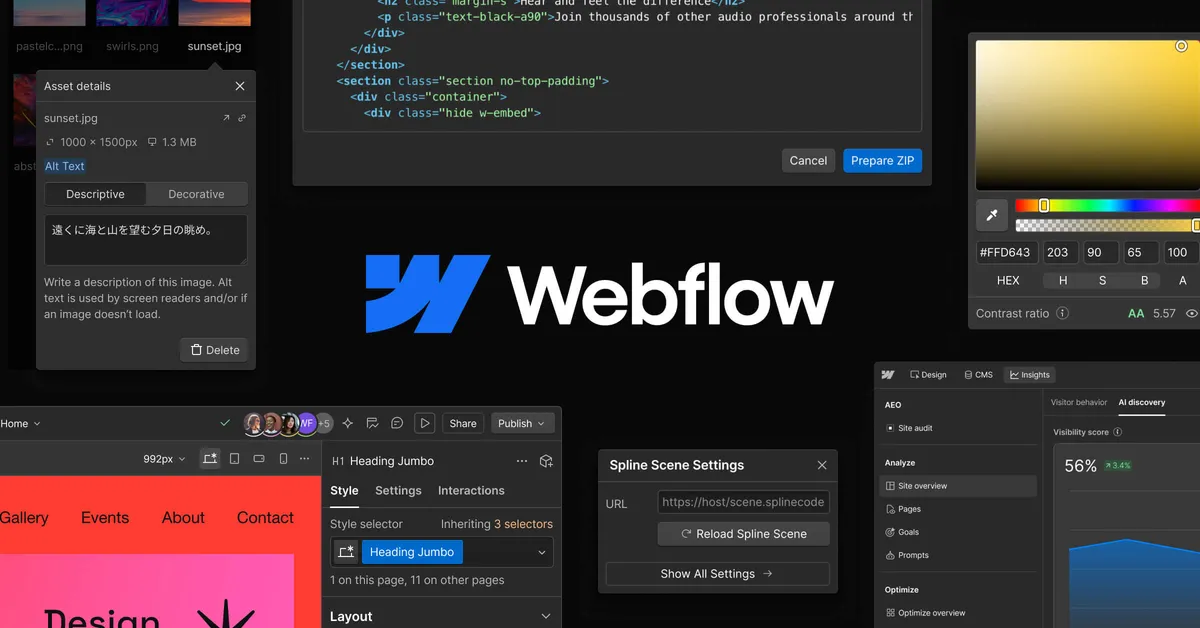
At its core, Webflow is a visual canvas where you build a web page by arranging elements and styling them, and the platform generates the underlying HTML, CSS, and JavaScript as you work. The vendor's own framing is "what you design is what ships, pixel for pixel," and that is the practical promise: the layout you assemble in the browser is the layout that goes live, without a separate handoff step where a developer reinterprets a static mockup.
Around that editor sit three things that make it a platform rather than a page tool. The first is a built-in CMS that lets you define structured content types and generate dynamic collection pages from them, which matters for any site where the same template repeats across many entries, such as a blog, a job board, or a product catalog. The second is managed hosting on a global CDN, so you are not stitching together a host, a CDN, and SSL yourself. The third, added more recently, is a layer of AI: Webflow describes "agentic AI" that can draft copy, generate multi-page sites from a prompt, and populate CMS collection items individually or in bulk. If you are surveying this whole category, it is worth seeing where it sits among other AI website builder tools before committing.
Two capabilities are worth calling out because they reflect how the product has evolved. Interactions and animations are powered by GSAP, which is a mature, well-regarded animation library, so scroll-triggered and state-based effects are built visually rather than scripted. And the platform now markets tooling for SEO and "AEO" (answer engine optimization) aimed at ranking in AI-driven search, alongside AI-powered localization and personalization. Whether those AI features earn their keep depends heavily on your content volume, and I would treat them as accelerators rather than replacements for editorial judgment.
Where it earns its reputation
- Genuine design control. Unlike template-locked builders, Webflow exposes the box model, flexbox and grid, and responsive breakpoints directly, so you are not fighting the tool to get a specific layout.
- Clean, semantic output. The generated HTML and CSS are standards-based, which keeps the door open for developers to work alongside it rather than around it.
- CMS plus hosting in one place. Structured content and managed hosting on a global CDN, with SSL and site backups, remove a lot of the plumbing that content-driven sites usually require.
- Visual animation without scripting. The GSAP-backed interaction builder covers scroll and trigger effects that would otherwise need hand-written JavaScript.
- Developer-friendly seams. A flexible API, webhooks, code components, Figma and React integration, and an MCP server for IDE use mean the platform is not a walled garden for teams that need to extend it.
- Enterprise-grade reliability claims. Webflow advertises 99.99% uptime, edge routing, audit logs, and managed security for teams that need governance.
The tradeoffs to go in with your eyes open
- Real learning curve. The same control that designers love means Webflow expects you to understand web layout concepts. If you have never thought about the box model or breakpoints, the editor can feel unforgiving compared with drag-and-drop site makers.
- Cost climbs with ambition. The free Starter tier is only a webflow.io subdomain with tight limits, and the jump to team-scale plans is steep (the Team platform plan is listed at $2,500/month on an annual contract). Serious projects rarely stay on the cheapest paid tier.
- Two overlapping plan systems. You pay for both a Site plan (to publish a given site) and, for teams, a Workspace or platform plan (for seats and collaboration). Budgeting means reasoning about both at once, which is easy to underestimate.
- Bandwidth and item ceilings. Lower tiers cap bandwidth, static pages, and CMS items, so a content-heavy or high-traffic site can outgrow a plan and force an upgrade.
- AI features are new territory. The agentic AI, AEO, and localization tooling are recent additions; the vendor does not publish independent benchmarks, so treat output quality as something to test on your own content rather than assume.
None of these are dealbreakers, but they cluster around the same theme: Webflow rewards teams that are willing to invest in learning it and can justify the recurring spend, and it punishes casual or budget-first users who expected a cheap, fully automated site.
How the pricing breaks down
Webflow uses a freemium model with two parallel structures, and the numbers below are drawn from the vendor's published pricing at the time of writing. Prices are billed yearly unless noted.
| Plan | Price | Notable inclusions |
|---|---|---|
| Starter (Site) | $0 | webflow.io subdomain, 2 static pages, 50 form submissions, 1 GB bandwidth, limited CMS |
| Basic (Site) | $15/mo | Custom domain, 300 static pages, unlimited form submissions, 10 GB bandwidth |
| Premium (Site) | $25/mo | Full CMS, up to 2.5 TB bandwidth, code components, site search, form file uploads |
| Team (Platform) | $2,500/mo (annual) | Premium site features, localization (2 locales), publishing governance, seats, priority support |
| Enterprise | Custom | Advanced scale, dedicated account manager, enhanced SLAs |
Separately, Workspace plans cover team collaboration: a free Starter (1 seat, 2 staging sites), Core at $19/month (10 staging sites, code export, shared libraries), and Growth at $49/month (unlimited staging sites, site-level access controls). The practical takeaway is that a single freelancer publishing one custom-domain site pays at the Site-plan level, while an agency running many client projects layers a Workspace plan on top. Read the current tiers on Webflow's own pricing page before you budget, because limits and prices in this category change.
Who should reach for it, and who should not
Webflow is a strong fit for web designers, freelancers, marketing teams, and agencies that need full control over complex, content-driven sites and want to avoid routing every small change through a developer. It suits people migrating from design tools toward a live-site workflow, and teams that value having CMS, hosting, and governance under one roof. It is a weaker choice for someone who wants the simplest possible way to get a basic brochure page online, or for a budget-constrained hobbyist, both of whom will find the learning curve and pricing out of proportion to their needs. If reliability, structured content, and design fidelity matter more than upfront simplicity, it is worth the investment; if not, a lighter tool will serve you better. You can compare it against the rest of the tools directory to sanity-check that call.
The bottom line
Webflow is one of the more capable visual web platforms available precisely because it does not hide the web from you. That is its greatest strength and its main barrier to entry. Buyers who commit to learning it get a design-to-production pipeline with a real CMS, dependable managed hosting, and a growing set of AI helpers; buyers who want automation-first simplicity or the lowest possible price will feel the friction. Decide based on how much control your projects actually demand, and for deeper context on the space, the blog and category listings are a reasonable next stop.