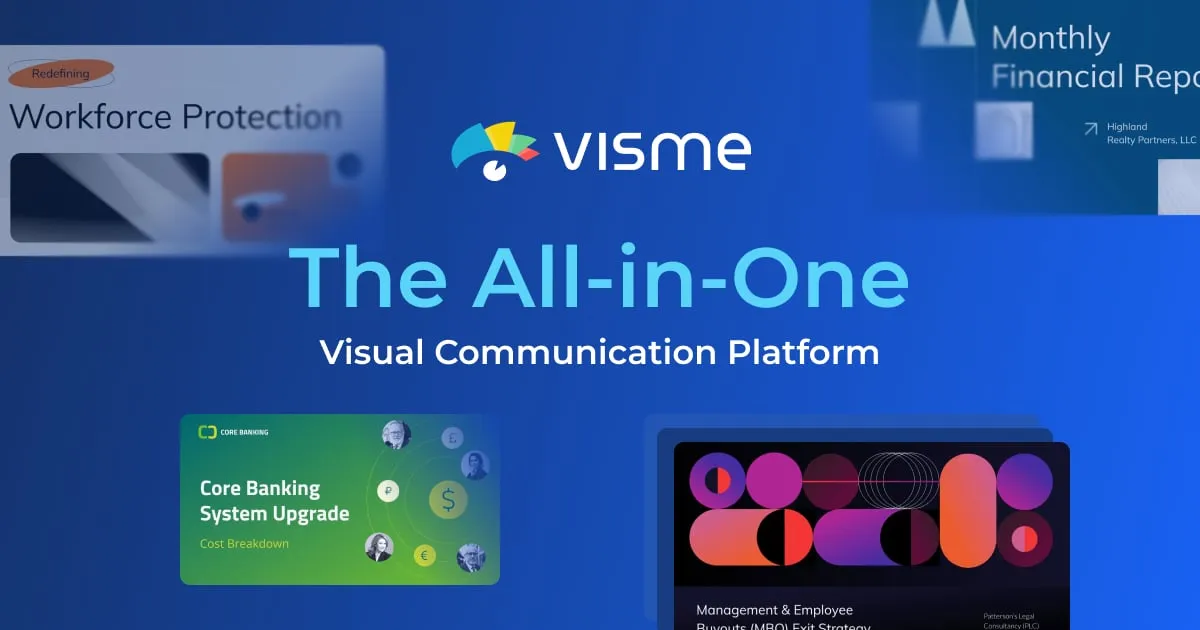

The question most people ask before signing up for Visme is simple: can it produce a presentable slide deck or infographic without a designer on staff? For the common cases, yes. Visme's AI Designer takes a text prompt and returns a ready-to-edit design, and the platform wraps that generator in a broader editor covering more than 50 content types. The catch is that it is a general-purpose visual toolkit rather than a specialist in any single format, and the features that make it genuinely useful for teams (brand controls, analytics, integrations) sit behind its higher-priced tiers.
What does Visme actually do?
Visme is a browser-based platform for designing, managing, and publishing visual business content. Its scope is deliberately wide. Beyond presentations, it includes an infographic maker, a data visualization suite for charts and interactive graphs, a form and survey builder, plus video, timeline, GIF, and flowchart makers. That breadth is the point: teams often need a deck, a one-page infographic, and a social graphic from the same source material, and keeping them in one editor with one asset library is more efficient than stitching together three separate apps.
The AI Designer is the headline feature. You describe what you want and it generates a full design you can then edit. In practice this is best treated as a starting layout rather than a finished product. It saves the blank-canvas problem and handles structure and spacing, but you should expect to revise content, swap images, and tighten copy afterward. That is normal for AI generation tools and not a knock specific to Visme.
Where Visme separates itself from a plain slide tool is interactivity. Designs can include hotspots, hover effects, clickable menus, pop-ups, and animated elements, and can be published as interactive HTML5 rather than static files. If your output lives on the web or inside an interactive report, that matters. If you only ever export to PDF or PowerPoint, much of it goes unused.
Who is it a good fit for?
Visme suits marketing teams, business communicators, educators, and solopreneurs who produce a steady stream of visual material and want consistency without hiring design help. The Brand Kit is the feature that earns it a place in a team's stack: it applies your fonts, colors, and logos automatically so that a deck built by sales and an infographic built by marketing look like they came from the same organization. For any business that cares about brand consistency across many contributors, this is the single most valuable capability, and it is worth noting upfront that it lives on the Pro tier and above.
It also fits people who need a range of formats but not deep expertise in any one. Someone who lives inside data-heavy analytics reports may still prefer a dedicated BI tool; a motion designer will outgrow the animation features; a team that only makes slides could get by with cheaper or bundled software. Visme's value is highest when the variety of what you produce is wide and the design skill available is thin.
What does Visme cost?
Visme uses a freemium model. The free Basic plan gives unlimited projects but limits templates and assets, caps storage at 500MB, and restricts downloads to JPG, PNG, and PDF. That last point is the practical ceiling on the free tier: no PowerPoint export, no MP4, no HTML5. It is enough to evaluate the editor and produce simple web-shared designs, but not to hand off editable files.
| Plan | Price (billed annually) | Notable inclusions |
|---|---|---|
| Basic | $0 | Unlimited projects, limited templates, 500MB storage, JPG/PNG/PDF downloads |
| Starter | $12.25/mo ($147/yr) | Full template access, premium assets, 1GB storage, adds MP4/GIF/PPTX/HTML5 downloads |
| Pro | $24.75/mo ($297/yr) | Brand Kit, analytics, integrations, privacy controls, advanced collaboration, 10GB storage |
| Enterprise | Custom (10+ users) | Custom subdomain, project approvals, SSO/2FA, dedicated success manager, 25GB/user |
There are also discounted Student ($48/year) and Educator ($96/year) plans, and a stated 25% nonprofit discount. The pricing structure has a clear implication: the two features many teams actually want, the Brand Kit and integrations, only appear at Pro. Budgeting around Starter and expecting brand automation will disappoint. Prices quoted here reflect the annual-billing rate shown on Visme's pricing page; monthly billing costs more.
What connects to it, and where does it run?
Visme is web-based. The vendor references downloadable options but does not clearly document standalone desktop or dedicated mobile apps on its main pages, so treat the browser as the primary environment. On integrations, Visme lists connections to Slack, HubSpot, Google Drive, YouTube, Mailchimp, Salesforce, Loom, Vimeo, Dropbox, SurveyMonkey, and JotForm, among others. These are gated to Pro and above, so factor that into the cost if a HubSpot or Salesforce link is part of your workflow.
Strengths worth paying for
- Genuine format range. More than 50 content types in one editor reduces tool sprawl for teams that make varied output.
- Brand consistency at scale. The Brand Kit enforces fonts, colors, and logos automatically, which is hard to replicate with free tools.
- Interactive publishing. Hotspots, animation, and HTML5 export make it more than a static-slide app for web-first content.
- Data visualization built in. Charts and interactive graphs live alongside the design tools, so reports and infographics stay in one place.
- A usable free tier for evaluation. Unlimited projects on Basic let you test the workflow before paying.
Limits and catches to weigh
- Key features sit high in the pricing. Brand Kit, analytics, and integrations require Pro, roughly double the Starter price.
- Free-plan export is restrictive. No PPTX, MP4, or HTML5 on Basic limits what you can hand off.
- AI output needs editing. The AI Designer produces a strong first draft, not a finished asset; plan revision time.
- Breadth over depth. Specialists in slides, BI dashboards, or motion graphics will find dedicated tools go further in their niche.
- Storage tiers are modest. 500MB free and 1GB on Starter fill up quickly with image- and video-heavy projects.
The verdict
Visme is a well-rounded visual content platform that earns its place for teams and individuals producing a wide variety of branded material without dedicated design staff. The AI Designer removes the blank-page problem, the Brand Kit keeps output consistent, and interactivity plus data visualization push it beyond a basic slide maker. The honest reservation is pricing tiering: the features that justify Visme for a business, brand automation and integrations, are Pro-and-above, and the free plan's export limits mean serious use starts at a paid plan. If your work spans presentations, infographics, reports, and social graphics and you value consistency, it is worth trialing on the free tier and budgeting for Pro. If you only make one kind of content, a more focused tool may serve you better and cost less. Compare options in our AI presentation maker category or browse the wider tool directory before committing.
Common questions about Visme
Can Visme generate a presentation from a text prompt?
Yes. The AI Designer converts a text prompt into a ready-to-edit design, including presentations. Treat the result as a first draft to refine rather than a finished deck.
Is the free plan enough for real work?
It depends on your output. The free Basic plan offers unlimited projects but limits templates and assets, caps storage at 500MB, and only exports JPG, PNG, and PDF. If you need PowerPoint, MP4, or HTML5 files, you will need at least the Starter plan.
Which plan includes the Brand Kit?
The Brand Kit, along with analytics and integrations, is part of the Pro plan, priced at $24.75/month billed annually. It is not available on the free Basic or the Starter plan.
What can Visme integrate with?
Visme lists integrations with Slack, HubSpot, Google Drive, YouTube, Mailchimp, Salesforce, Loom, Vimeo, Dropbox, SurveyMonkey, and JotForm, among others. Integrations require the Pro plan or higher.
Is Visme only for presentations?
No. It supports more than 50 content types, including infographics, data visualizations, forms and surveys, videos, timelines, GIFs, and flowcharts, all within one editor.