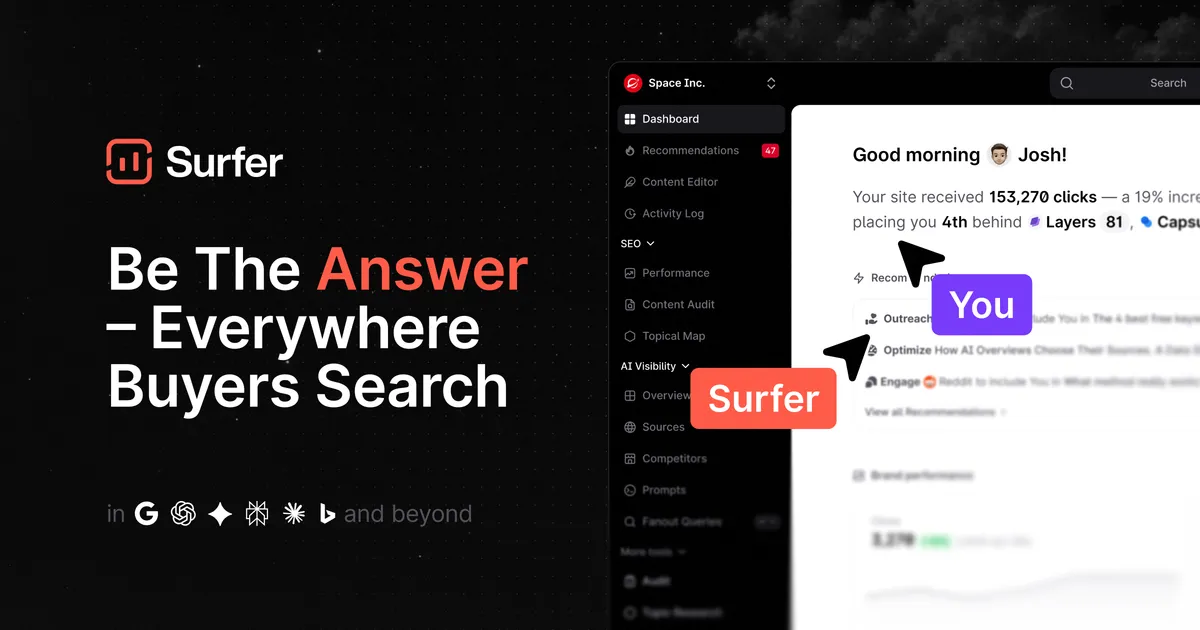

If you are evaluating this tool, here is what matters. Surfer SEO is built around one core loop: it pulls the pages currently ranking for your target keyword, analyzes their structure and language, and then scores your own draft against that benchmark in real time. That single mechanic, the Content Editor with its live Content Score, is what most people are actually paying for. Everything else on the platform orbits around it.
What you actually get
The Content Editor is the workhorse. As you write, Surfer tracks word count, heading depth, and how often you use the terms it has identified from top-ranking competitors, including natural-language processing (NLP) terms it believes are topically relevant. The Content Score updates as you edit, which turns "is this article thorough enough" from a guess into a number you can react to. The practical benefit is speed and consistency: a writer with no SEO background can hit a defensible on-page baseline without a specialist reviewing every draft. The tradeoff, which matters, is that the score rewards resemblance to what already ranks. It is a correlation engine, not a guarantee, and treating the target score as a hard requirement can push writers toward keyword stuffing and bloated word counts that read worse for humans.
Behind the editor sit the research and analysis tools. The SERP Analyzer reverse-engineers the top results for a query so you can see the patterns Surfer is scoring against rather than trusting the number blindly. The Topical Map helps you plan clusters of related content from a starting topic, which is where the tool earns its keep for anyone building out a site's coverage rather than optimizing one page at a time. The Content Audit scores pages you have already published and flags where they fall short, useful for the unglamorous but high-return work of refreshing existing articles instead of only writing new ones.
Two things have changed the platform's positioning recently. First, Surfer now markets itself as an AI-visibility platform, not just an on-page SEO tool: it includes an AI Tracker that monitors how your brand appears across AI systems such as ChatGPT, Gemini, Perplexity, and Google's AI Overviews. Whether this becomes essential or stays a nice-to-have depends on how much of your audience shifts to AI-mediated search, but it is a reasonable hedge to have inside a tool you are already using. Second, AI writing is built in, so you can generate optimized drafts directly rather than only grading your own. Surfer also ships a Google Docs add-on and a WordPress integration so optimization happens where you write instead of forcing copy-paste round trips, plus the free Keyword Surfer Chrome extension.
Where it holds up
The strongest argument for Surfer is that it makes on-page optimization legible to non-specialists and repeatable across a team. If you run an editorial calendar with several writers, handing them a Content Editor link with a target score standardizes output far better than a style guide alone. The SERP Analyzer and audit tools give senior people a way to sanity-check the guidance rather than accept it on faith, which is more than many competing scorers offer. The topical planning features mean the tool supports strategy, not just execution, so a content lead can scope a cluster and hand pieces off with briefs already attached to data. Integrations into Google Docs and WordPress remove real friction from a daily workflow, and that convenience is often what determines whether a tool actually gets used after the first month.
Where it falls short
The honest limitations are worth stating plainly. The Content Score is a proxy, and inexperienced users chase it too literally, producing text that satisfies the algorithm and bores the reader. Surfer's recommendations lean toward matching incumbents, which is fine for competitive commercial keywords but works against you when the goal is a genuinely differentiated or opinionated piece. There is no free plan, so evaluation happens on a trial rather than open-ended free use. Pricing scales with document volume and AI features, which means light or occasional users can end up paying for capacity they never touch. And like every tool of this type, it optimizes the on-page layer only; it does nothing for site speed, backlinks, or technical crawl issues, so it is one instrument in a stack rather than a full SEO suite. Anyone hoping to replace an all-in-one platform with it will be disappointed.
The pricing reality
Surfer is a paid subscription with no permanently free tier, though a free trial and a handful of free tools (a Chrome extension and several standalone AI utilities) let you sample the approach. As of this review the published plans, priced on annual billing, are:
| Plan | Monthly (billed yearly) | Notable inclusions |
|---|---|---|
| Discovery | $49 | 120 documents, track 10 pages, AI SEO guidelines, Surfy assistant |
| Standard | $99 | 360 documents, AI visibility tracking, 25 AI prompts (weekly refresh), integrations |
| Pro | $182 | 360 documents, 50 AI prompts (daily refresh), 5 brand workspaces, internal linking, cannibalization reports |
| Peace of Mind | $299 | Unlimited documents, 100 AI prompts (daily refresh), unlimited workspaces, advanced SERP analysis, dedicated success manager, API access |
| Enterprise | Custom | SSO, white-label options, advisory program, priority support |
The practical read: the document limit is the number to watch, because it is what you exhaust first. A solo consultant or small blog will likely live comfortably on Discovery, while an agency running multiple clients will feel the pull toward Pro or higher for workspaces and unlimited documents. API access and unlimited documents only arrive at the top standard tier, so teams that need programmatic access should budget accordingly rather than assuming it is available lower down. Because auto-renewal can be disabled and plans can be changed in-app, it is reasonable to start low and move up once you have measured your real monthly document usage rather than guessing at signup.
How it compares
The on-page optimization category is crowded, and several established content-scoring and SEO platforms cover overlapping ground; you can compare options in the AI SEO tools directory rather than take one vendor's framing. When weighing alternatives, judge them on three axes that actually differ: how the scoring model is derived and whether you can inspect the reasoning behind it, whether the tool also handles planning and auditing or only grades single drafts, and how it prices, since per-document and per-seat models suit very different team shapes. Surfer's differentiator at the moment is bundling AI-search visibility tracking alongside classic SERP optimization, so if that emerging channel matters to you it is a point in its favor; if it does not, a cheaper single-purpose scorer may serve you just as well.
Verdict
Surfer SEO earns its place for teams and specialists who publish on a regular cadence and want on-page optimization to be systematic rather than instinctive. It is most valuable when someone experienced sets the strategy and uses the score as a guardrail, and least valuable to occasional publishers who will not use enough documents to justify the subscription or who need a piece to be distinctive rather than conventionally optimized. Treat the Content Score as a strong hint, not a target to max out, pair it with your own editorial judgment, and it becomes a dependable part of a content workflow. Browse more options in the tools directory or read comparisons on the blog before committing.
Common questions about Surfer SEO
Does Surfer SEO have a free plan?
No. Surfer is a paid subscription with no permanently free tier. It does offer a free trial to start, a free Keyword Surfer Chrome extension, and several free standalone tools such as an AI detector, an AI humanizer, and a paraphraser.
What does the Content Score actually measure?
It grades your draft against the pages currently ranking for your target keyword, factoring in signals like word count, heading structure, and the frequency of relevant terms Surfer identifies. It is a similarity-based benchmark, so a high score means your page resembles what already ranks, not that ranking is guaranteed.
Can I use Surfer inside Google Docs or WordPress?
Yes. Surfer provides a Google Docs add-on and a WordPress integration so you can optimize content in the editor you already use rather than copying text back and forth. Integrations are included from the Standard plan upward.
Does Surfer track visibility in AI tools like ChatGPT?
Yes. The platform includes an AI Tracker that monitors how your brand appears across AI systems including ChatGPT, Gemini, Perplexity, and Google AI Overviews. The number of AI prompts you can track and how often they refresh depends on your plan tier.
Which plan should a small team choose?
The document allowance is usually the deciding factor. Solo users and small blogs often fit within the entry Discovery plan's 120 documents, while agencies managing multiple brands typically need Pro or the top Peace of Mind plan for workspaces, unlimited documents, and API access. Because plans can be changed in-app, starting lower and upgrading once you know your real usage is reasonable.