
You have a client presentation in ninety minutes and a bare Google Slides deck. You know the points you want to make, but building slides one text box at a time is slow, and copying content out to a separate AI tool and back is slower. This is the exact gap Google Duet AI was built to close: put the AI where the document already lives.
What Google Duet AI actually is
Google Duet AI is Google's generative AI assistant for its productivity suite. Since its introduction it has been rebranded as Gemini for Google Workspace, and the vendor now markets the capabilities under the Gemini name rather than "Duet AI." The important thing to understand is that this is not a separate product you open in a new tab. It is a layer that surfaces inside the apps you already use: Docs, Slides, Sheets, Gmail, Meet, and Drive.
That distinction shapes everything about how it behaves. Because the assistant runs in context, it can read the document, thread, or sheet you are looking at and act on it directly. Google also states that customer data is not used to train its AI models or for advertising, which matters for teams that could never paste internal material into a consumer chatbot.
Who it fits, and who it doesn't
The audience is narrow in one sense and broad in another. It is narrow because there is little reason to consider this tool unless your organization already runs on Google Workspace. It is broad because within that world it spans individual users, small businesses, and large enterprises. If your team lives in Microsoft 365, or in a mix of standalone design and writing tools, the value evaporates, because the entire pitch is native integration.
Treat it as a productivity accelerator for people who spend their day inside Google's apps, not as a dedicated presentation-design platform. If you need pixel-level control over layouts, brand systems, or complex data visualizations, you will likely still reach for a specialized tool. If you want to get a working first draft of a deck, document, or email out of your head and onto the page quickly, that is where it earns its place. You can compare it against other options in the AI presentation maker category before committing.
The features that carry the product
The headline capability for anyone evaluating this as a presentation tool is slide generation in Google Slides. Rather than starting from an empty canvas, you describe what you want and the assistant adds formatted, editable slides to your presentation. The word "editable" is the part that matters in practice: generated slides are not locked images, so you can rework the wording and layout afterward instead of accepting whatever the model produced. Set expectations, though. This is a fast way to reach a rough structure, not a finished, on-brand deck.
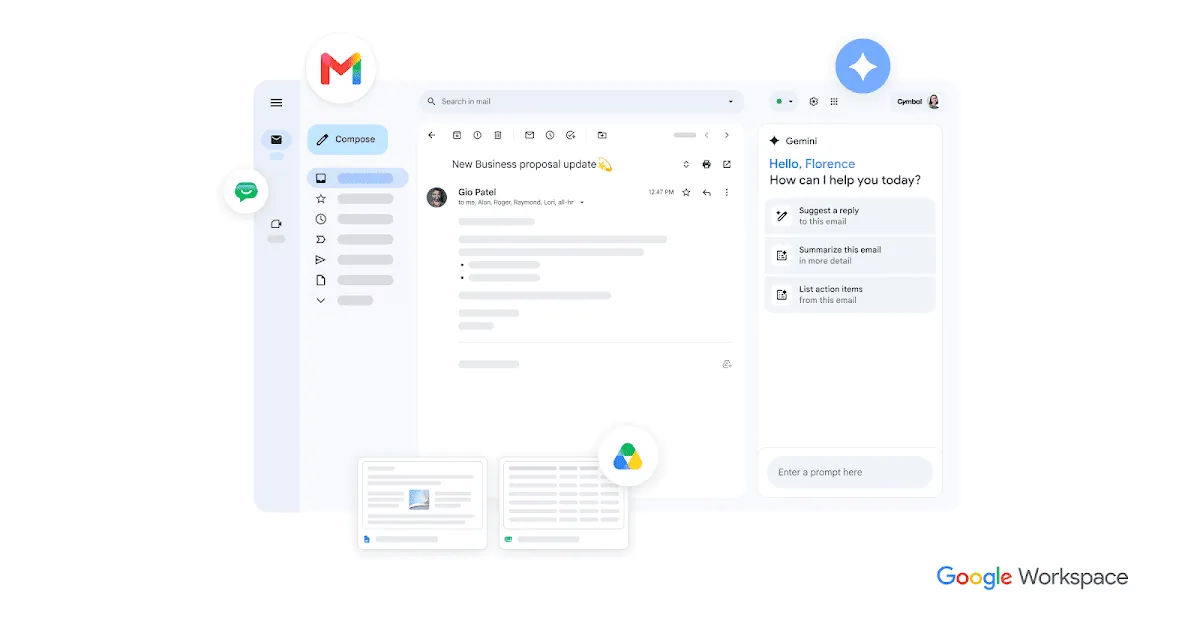
In Docs and Gmail, the drafting assistance is the feature most people will touch daily. Google describes it as producing fully formatted first drafts that attempt to match your tone and style, and in Gmail it will summarize long threads and draft replies. The realistic benefit is escaping the blank page and skimming a summary instead of reading a forty-message chain. The realistic limitation is that a first draft is still a draft; the assistant handles structure and phrasing, but you own accuracy and judgment.
Sheets support leans toward natural-language help: building and populating tables and getting assistance with data work using plain prompts rather than hunting for the right formula syntax. For people who are competent in spreadsheets but not fluent in every function, this lowers the friction of routine tasks. It is not a replacement for understanding your own data.
In Meet, the assistant takes notes so participants can follow the conversation, and it supports translated captions and recordings. The value here is straightforward: fewer people half-listening while typing, and a written record produced without a dedicated notetaker. Across Drive, Google positions the AI as a way to find, summarize, and synthesize across your stored files, turning a document graveyard into something you can actually query.
Where this pays off day to day
- Turning a rough outline into a first-pass Slides deck before a meeting, then editing the generated slides rather than building from scratch.
- Getting a formatted first draft of a document or a routine email in Docs and Gmail so you spend your time revising instead of starting cold.
- Summarizing a long, tangled email thread down to the decisions and open questions.
- Building and populating tables in Sheets with natural-language prompts when you would otherwise be searching for the right function.
- Capturing meeting notes automatically in Meet, with translated captions for cross-language calls.
- Searching and synthesizing across files in Drive instead of manually reopening a dozen documents.
Plans and what they cost
Google Duet AI is not a free product, and it is not sold as a separate subscription; the AI capabilities are tied to Google Workspace plans. Google publishes a tiered structure, and the level of AI access increases as you move up. On the lower tiers the assistant appears in a limited set of apps, while higher tiers extend it across Docs, Meet, and more, and the Enterprise tier layers in advanced governance, security, and administrative controls.
On its AI solutions page Google lists Business Standard at $14 per user per month on an annual commitment, with Enterprise priced as a custom quote through sales. Published prices vary by region and currency, and Google advertises a 14-day free trial of Workspace, so confirm the current figure for your country and plan on the official site rather than relying on a single quoted number. The practical takeaway is that this is priced as a per-seat add-on to a suite you are already paying for, which changes the buying decision: you are extending an existing platform, not adopting a new one.
The honest drawbacks
The most significant limitation is the lock-in premise. Every strength here depends on you being a Google Workspace organization. The moment your workflow lives elsewhere, none of it applies, and that makes the tool a poor fit for anyone shopping for a standalone presentation builder to bolt onto a non-Google stack.
Second, the naming and packaging have been in flux. "Duet AI" was folded into the Gemini for Workspace brand, and Google has repeatedly restructured how AI is bundled into its plans. That churn makes it harder to pin down exactly what is included at a given price at a given moment, so anyone budgeting for a rollout should verify current entitlements directly rather than trusting older documentation.
Third, as a presentation maker specifically, generation is a starting point rather than a finished product. Editable output is a genuine advantage, but you should expect to spend real time refining tone, layout, and factual accuracy. Anyone expecting a prompt to produce a client-ready, brand-perfect deck will be disappointed. Treat the output as a fast draft and budget review time accordingly.
Final read
Google Duet AI is a sensible, low-friction upgrade for teams already committed to Google Workspace who want AI assistance without changing where they work. Its native placement inside Docs, Slides, Sheets, Gmail, Meet, and Drive is the whole point, and the data-handling stance makes it easier to justify for internal material than a consumer chatbot. As a general drafting and summarizing aid it is strong; as a dedicated presentation designer it is a competent first-draft engine rather than a finishing tool. If you are outside the Google ecosystem, or you need precise design control, look elsewhere. If you are inside it, the main question is whether the per-seat cost is worth the time it saves your specific team. Browse more options in the tool directory or read comparisons on the blog before deciding.
Common questions about Google Duet AI
Is Google Duet AI the same as Gemini for Workspace?
Yes. Google Duet AI is the earlier name for the assistant that has since been rebranded as Gemini for Google Workspace. It is the same integrated AI capability inside the Workspace apps, now marketed under the Gemini name.
Which apps does it work inside?
Google documents AI capabilities across Docs, Slides, Sheets, Gmail, Meet, and Drive, with functions such as drafting, slide generation, natural-language spreadsheet help, email summaries, and automatic meeting notes.
Is there a free version?
The AI features are tied to paid Google Workspace plans rather than offered as a free standalone tool. Google does advertise a 14-day free trial of Workspace, but ongoing use requires a paid plan.
How much does it cost?
On its AI solutions page Google lists Business Standard at $14 per user per month on an annual commitment, with Enterprise priced as a custom quote. Prices vary by region and currency, so check the official Workspace site for your location.
Can it build a finished presentation on its own?
It generates fully editable slides you can add to a deck from a prompt, which is useful for a first draft, but the output is meant to be refined. Expect to edit wording, layout, and check accuracy rather than treat a generated deck as final.