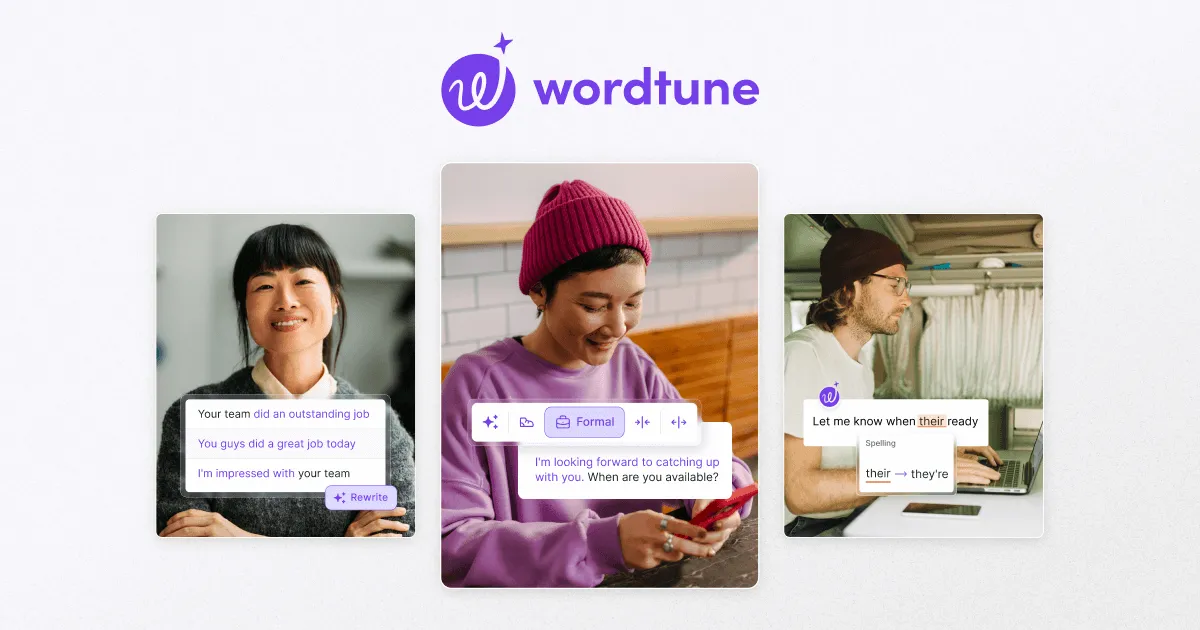

Wordtune, built by AI21 Labs, is worth considering in a few specific situations rather than as a catch-all writing app. It earns its place when you already have text and want it to read better, sound different, or say the same thing in fewer words.
- You wrote something and it reads awkwardly. You drafted an email, a paragraph of a report, or a paragraph in an essay, but it feels clunky or repetitive. Wordtune's core move is to take that sentence and offer several rewrites that keep your meaning intact while changing the phrasing.
- English is not your first language. If you can express an idea but are unsure whether it sounds natural, seeing multiple native-sounding rewrites of your own sentence is more instructive than a grammar check, because it shows you idiomatic alternatives rather than just flagging errors.
- You need to shift register on the same content. A message that works for a colleague may be too casual for a client. Wordtune's tone controls let you push the same sentence toward more formal or more casual, or make it shorter or longer, without rewriting it yourself.
- You are digesting long material. When you have a long article or a video and want the gist before committing time, the summarization feature condenses text or video into shorter form.
How the everyday workflow actually looks
The pattern most Wordtune users settle into is reactive rather than generative. You write a sentence in your own words, highlight it or trigger the tool, and choose from a list of rewrites. This is a meaningfully different habit from prompting a chatbot to produce paragraphs. You stay the author; the tool proposes variations on what you already said. For people who dislike the sensation of AI writing for them, or who work in contexts where the ideas must be genuinely theirs, that distinction matters.
The most common surface for this is the browser extension. Wordtune runs as a Chrome extension and a Microsoft Edge extension, and it hooks into common writing spots including Gmail and Google Docs, so the suggestions appear where you are already typing rather than in a separate window. There is also a standalone web editor for longer drafting sessions and an iOS app for mobile. The company reports a 4.7 out of 5 rating on its Chrome listing, which is consistent with the extension being the primary way people use the product.
The features doing the work
Behind those use cases sit a handful of capabilities. The rewrite and paraphrase engine is the anchor: it rephrases a highlighted sentence or paragraph in one action, aiming to preserve meaning rather than swap synonyms. Tone controls layer on top, letting you request formal versus casual phrasing or explicitly shorter or longer versions.
The Spices feature is Wordtune's attempt to help when you are stuck mid-draft rather than editing. Instead of only rewording existing text, it offers contextual continuations such as elaborating on a point, proposing an alternate viewpoint, explaining in more detail, continuing writing, clarifying or strengthening a point, or adding a conclusion. This is the part of the tool that crosses from editing into light generation, and it is useful when you know what you want to say next but not how to phrase the transition.
Two further features widen the scope. Summarization condenses long text or video into key points, which is more of a reading aid than a writing one. Smart Translate translates into English from a defined set of languages the vendor lists as Spanish, Mandarin, Arabic, Hindi, Korean, Hebrew, Russian, German, French, and Portuguese, which pairs naturally with the non-native-writer use case. The site also lists grammar and spelling correction, an AI writing option for producing original copy, and a feature to humanize AI-generated content. It is worth being clear-eyed here: grammar and spelling are table stakes that many free tools handle, and the standalone AI writing and humanizing features put Wordtune into a crowded space where more specialized tools exist. Wordtune's genuine differentiator remains the rewrite-in-place workflow, not these add-ons.
Who it suits, and who should look elsewhere
Wordtune fits professionals who write a lot of short-form business text, students refining essays in their own voice, and non-native English speakers who want to sound more natural. It also fits anyone who philosophically prefers to keep authorship of their ideas and use AI only to polish.
It is a poorer fit if your main need is generating substantial new content from a prompt, producing long-form articles from an outline, or heavy first-draft creation. General-purpose AI writing assistants are built around that blank-page workflow, and Wordtune's editing-first design will feel constraining. It is also not the right tool if you write primarily in a language other than English, since the rewriting strength and Smart Translate output center on English. You can explore other options in the AI paraphrasing tools category or browse the wider tools directory to compare approaches.
What it costs
Wordtune uses a freemium model, and the daily-and-monthly quota structure is the thing to understand before committing. The free Basic plan is genuinely usable but capped: the vendor lists 10 rewrites and AI suggestions per day, limited AI generations, and 3 AI summarizations per month, with unlimited spelling and grammar checks. Those caps are low enough that a heavy day of editing will hit the wall quickly.
| Plan | Price | Rewrites & AI suggestions | Summarizations |
|---|---|---|---|
| Basic (Free) | $0 | 10 per day | 3 per month |
| Advanced | $6.99/mo, or $4.89/mo billed annually | 30 per day | 15 per month |
| Unlimited | $9.99/mo, or $6.99/mo billed annually | Unlimited | Unlimited |
The Advanced tier roughly triples the daily rewrite allowance and raises summarizations to 15 a month, which suits moderate but not constant use. The Unlimited tier removes the caps entirely and adds items the vendor describes as vocabulary enhancements, clarity and fluency improvements, and premium support. The vendor also notes a 3-day free trial on paid plans and no credit card required for the free version. Annual billing is advertised at a 50% discount over monthly. Beyond these consumer tiers, Wordtune does not publish team or business pricing on its public pricing page, so organizations should treat any such plan as something to confirm directly with the vendor.
Honest limitations
The clearest constraint is the quota model itself. Because the free and Advanced plans meter rewrites daily, the tool's usefulness is throttled exactly when you are working hard, and only the Unlimited plan removes that friction. Anyone who edits heavily should budget for the top tier rather than expect the cheaper plans to keep up.
The second limitation is scope by design. Wordtune improves what you have written; it is not positioned to replace a full authoring or long-form generation workflow, and pushing it in that direction using the AI writing and Spices features will show its edges. The English-centric focus is a third: Smart Translate goes into English from other languages, and the rewriting is tuned for English output, so it is less helpful if English is not your target language. Finally, some of the advertised extras such as grammar checking and AI content humanizing overlap with dedicated tools that do those single jobs more thoroughly, so evaluate whether you actually need Wordtune to be your one tool for all of it.
The verdict
Wordtune is a focused, competently executed rewriting and paraphrasing tool that does one thing well: giving you multiple natural-sounding versions of sentences you already wrote, without taking authorship away from you. The browser-extension delivery means it meets you inside Gmail, Google Docs, and other editors rather than asking you to work somewhere else, and the tone and length controls make register shifts quick. If your work is short-form business writing, essays, or polishing text as a non-native English speaker, it is a sensible pick, provided you accept that serious daily use points toward the Unlimited plan. If you mainly need to generate new long-form content from prompts, its editing-first design will feel like the wrong shape, and you would be better served by a generation-oriented assistant. For more on choosing writing tools, the blog is a reasonable next stop.