
The short version
If your job is to make vacant or dated rooms look livable in an online listing, and you need that done in the time it takes to make coffee, Virtual Staging AI does the narrow job well. It is built for one workflow: take a photo of a room, apply furniture and decor in a chosen style, download something you can put on a listing. That focus is its main strength and its main constraint. It will not give an interior designer the control of a full rendering suite, and it is not the tool for staging that has to match a specific real furniture package a client already owns. For real estate agents, listing photographers, and sellers who want speed, low cost, and MLS-safe output, it earns its place. For anyone who needs precise, art-directed interiors, it will feel limiting.
Who this actually suits
- Listing agents who stage a handful of properties a month and want to skip the cost and scheduling of physical staging.
- Real estate photographers adding a staging upsell to a shoot without buying or storing furniture.
- Sellers and small brokerages testing how a vacant home reads once it is furnished, before committing to anything physical.
- Anyone working under MLS rules who needs staging that is disclosed as virtual rather than misrepresented as real.
It is a weaker fit if you are an interior designer pitching a bespoke look, a developer who needs consistent branded staging across dozens of identical units with tight control, or a marketer who wants staging that exactly matches a physical furniture line.
What it does, and why each part matters
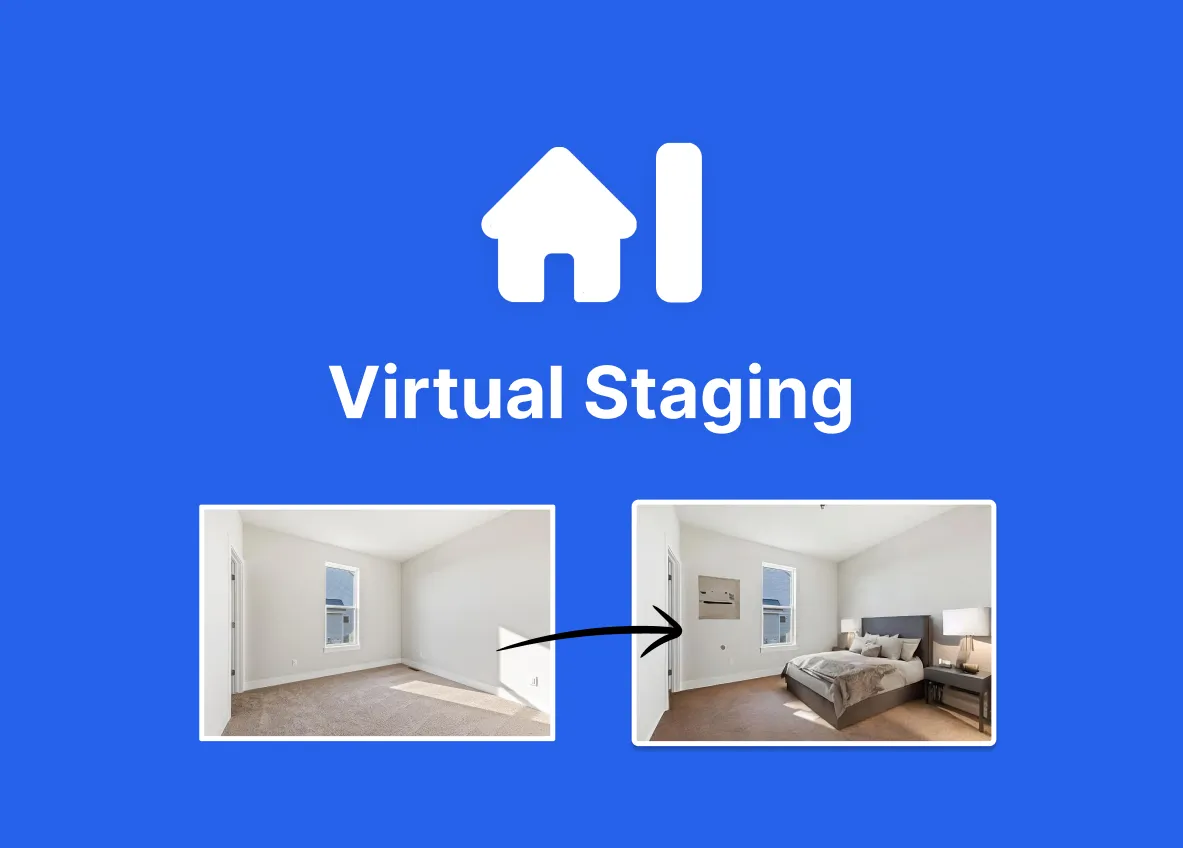
The core loop is simple: upload a room photo, pick a style, get back a furnished version. According to the vendor, turnaround is on the order of 10 to 15 seconds. That speed is the whole point. Physical staging involves rental contracts, delivery, and days of lead time; even outsourced human virtual staging typically runs on a turnaround of hours to a day per image. Getting a usable result in seconds changes how you work: you can stage a full shoot the same afternoon it was taken, or re-stage on the fly if a client dislikes the look.
Style range and regenerations
The site advertises 50+ design styles, with named examples including modern, mid-century, Scandinavian, luxury, coastal, farmhouse, and industrial. In practice the useful feature here is not the raw count but the ability to regenerate. Virtual Staging AI states that renders and regenerations are unlimited at no extra cost within a plan. AI staging is probabilistic, so the first result is rarely the one you keep. Being able to re-roll the same room until the furniture placement and proportions look right, without burning a per-image budget, is what makes an unlimited-regeneration model genuinely more usable than a strict credit-per-render system.
Furnished and unfurnished photos, plus furniture removal
The tool works on both empty rooms and rooms that already contain furniture, and it offers furniture removal. This matters for occupied listings. A common real-world problem is a home that is lived-in and cluttered: the seller cannot move out, but the current furniture reads badly on camera. Being able to strip the existing contents and re-stage in a cleaner style addresses that without asking anyone to physically empty the room.
Room-type coverage
Supported spaces include bedrooms, living rooms, kitchens, home offices, dining rooms, and outdoor spaces. Kitchens and outdoor spaces are worth calling out because they are where a lot of AI staging tools struggle; if those are part of your typical listing, it is worth running a few of your own photos through the trial before committing, since results vary by room complexity.
Output and compliance
Renders come without a watermark on paid plans, and the vendor states the output is fully MLS compliant on the basis that it does not misrepresent the property. This is a real operational concern rather than a marketing line: most MLS systems require virtually staged photos to be labeled as such, and using AI-furnished images as if they were real can create disclosure problems. The tool positions itself on the compliant side of that, but the responsibility to disclose still sits with the agent.
Where it falls short
The honest limitations follow directly from what the tool is. AI staging gives you style, not spec. You choose a look, not the exact sofa, and you have limited fine control over placement, so you get variation you correct by regenerating rather than by dragging objects precisely. Expect to re-roll rooms with awkward angles, unusual layouts, or lots of windows and reflective surfaces.
The plans are also metered by photos per month, so the model rewards steady, predictable volume. If your staging needs are lumpy, several listings one month and none the next, the monthly photo allowance can either go to waste or run short, and the site does not publicly document rollover of unused photos. A published API exists only on the top Enterprise tier, so teams wanting to wire staging into their own systems have a single, higher-priced path to that. And as with any generative tool, the vendor's own claims that staged homes sell faster or for more are industry generalizations, not a guarantee tied to this product.
What it costs
Pricing is subscription-based and metered by number of photos per month rather than by credits, with meaningful discounts for annual billing. There is a free image-editing trial that, per the site, requires no signup or credit card to try, which is the sensible way to check quality on your own photos first. Paid plans as published on the pricing page:
| Plan | Photos / month | Monthly price | Effective per photo | Notable additions |
|---|---|---|---|---|
| Basic | 6 | $16 | $2.67 | Unlimited renders, all room types, furniture removal, no watermark |
| Standard | 20 | $19 | $0.95 | Image storage kept indefinitely |
| Professional | 60 | $39 | $0.65 | Success manager |
| Enterprise | 150 | $79 | $0.53 | API access, enterprise support |
The steep drop in per-photo cost from Basic to Standard is the clearest signal in the pricing: at $16 for six photos you are paying a convenience premium, while $19 for twenty photos is where the economics start to make sense for anyone staging more than one property a month. All tiers share the core staging features; higher tiers add volume, indefinite storage, human support, and eventually API access. Annual billing is advertised at up to 50 percent off the monthly rate.
How it stacks up against the alternatives
The realistic comparison is not against a single named competitor but against the three ways this job has traditionally been done. Physical staging looks the most convincing and lets buyers walk through real rooms, but it is expensive, slow, and impractical for online-first marketing. Human-operated virtual staging services give you an editor who can art-direct a specific look, which matters for high-end listings, but they cost more per image and turn around in hours or days rather than seconds. Other AI staging tools exist in this same category; the differentiators to weigh among them are unlimited regenerations versus per-render credits, whether furniture removal on occupied rooms is included, and MLS-compliance posture. If you want to survey the field, browse the AI image generator category or the broader tools directory before you settle.
Common questions
Does Virtual Staging AI charge per credit or per photo?
It uses a monthly subscription metered by number of photos, not a credit-per-render system. Within your plan's photo allowance, renders and regenerations are stated to be unlimited at no extra cost, so re-rolling a room does not consume additional quota.
Can I try it before paying?
Yes. The site advertises a free image-editing trial that requires no signup or credit card for initial use. Running your own listing photos through it is the best way to judge quality on the kinds of rooms you actually shoot.
Is the output allowed on MLS listings?
The vendor states the tool is fully MLS compliant on the basis that it does not misrepresent the property. Practically, most MLS rules still require you to disclose that a photo is virtually staged, and that disclosure remains the agent's responsibility.
Can it stage a room that already has furniture in it?
Yes. It works on both furnished and unfurnished photos and includes furniture removal, so you can clear an occupied or cluttered room and re-stage it in a different style without physically moving anything.
Is there an API for integrating it into my own tools?
API access is published only on the Enterprise plan (150 photos per month at $79 monthly), which also adds enterprise support. Lower tiers do not include documented API access.