

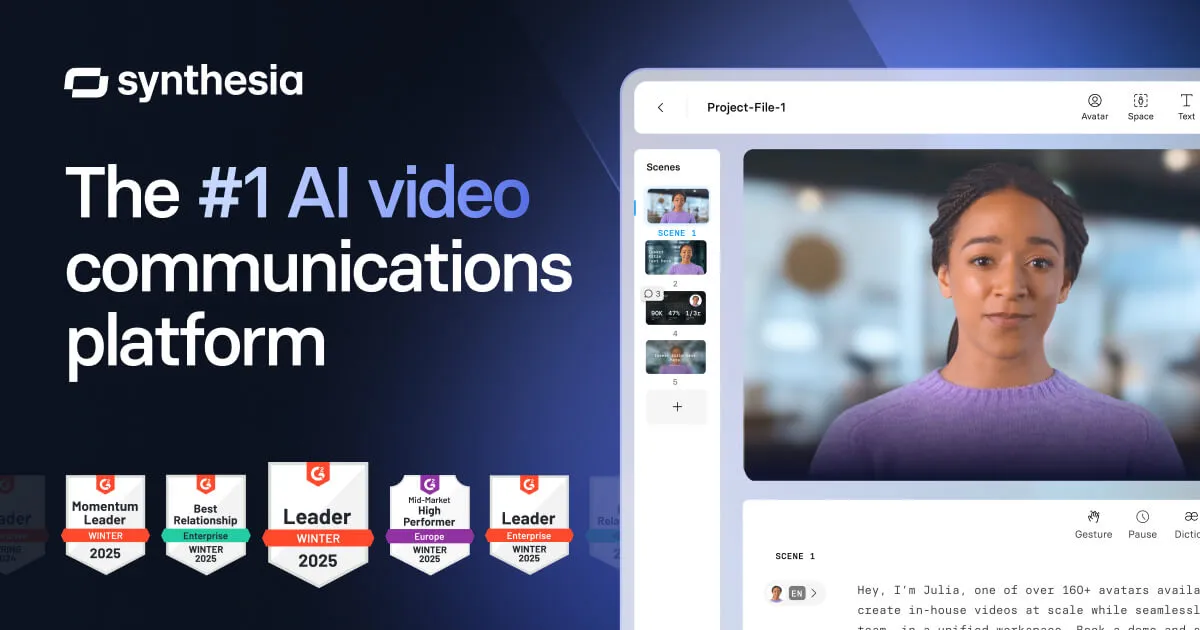

The practical value of Synthesia is straightforward: you write a script, pick an avatar, and get a finished video without booking a studio, hiring a presenter, or setting up a camera. That single shift, from filming to typing, is what makes the rest of the platform interesting, because it changes video from a project you schedule into something closer to a document you edit. Everything below is meant to explain what that trade actually buys you and where it stops being worth it.
What Synthesia is and how the workflow feels
Synthesia sits in the AI talking avatar category. You build a video in a browser-based editor by adding scenes, typing narration into each one, and assigning an AI avatar and voice to read it. The avatar lip-syncs to your text with facial movement, and the platform renders the result. Because the spoken audio is generated from text rather than recorded, editing a line of dialogue is as cheap as editing a sentence in a doc, no re-shoot, no re-recording session. That is the core mechanic the whole tool is built around, and it is genuinely different from traditional editing where the footage is fixed the moment it is captured.
The features that matter, and when each one earns its keep
Rather than list every capability, it is more useful to pair each feature with the situation where it actually pays off.
A large avatar and voice library
Synthesia advertises 240+ AI avatars, 1000+ voices, and 160+ languages. The benefit here is not novelty; it is coverage. If you produce content for multiple regions, the language and voice range means you are not limited to whoever you can hire who speaks a given language on camera. The avatar variety matters most when you want the on-screen presenter to loosely match the audience, an internal training video for a global workforce, for instance, reads differently depending on who appears to be delivering it.
Custom (personal) avatars
You can create a personal avatar from a recording of a real person. This is the feature that turns Synthesia from a stock-presenter tool into a brand tool. The realistic use case is a company that wants the same executive or trainer to "present" dozens of localized videos without that person sitting through dozens of shoots. Plan limits apply: the free Basic and Starter tiers allow up to 3 personal avatars, Creator allows 5, and Enterprise removes the fixed cap subject to reasonable use. If a consistent human face is central to your content, check that limit before you commit, because it is one of the clearer dividing lines between the paid tiers.
AI dubbing and the video translator
Synthesia offers AI Dubbing and a video translator that targets 160+ languages, with Enterprise advertising 1-click translation into 80+ languages from existing content. The practical payoff is localization at a fraction of the usual effort: instead of commissioning separate voiceover sessions per market, you translate from a master version. The realistic expectation is that this handles bulk, repeatable content well; nuanced, culturally specific messaging still benefits from a human reviewer, so treat machine translation as a strong first pass rather than a final sign-off for anything sensitive.
Screen recorder and motion graphics
An AI screen recorder and motion graphics tools are aimed at software walkthroughs and tutorials. The benefit is keeping demo footage and avatar narration inside one editor, which matters if you produce product education or onboarding, where a talking head alone is not enough and you need to actually show the interface.
Brand kit, version control, and analytics
Brand Kit centralizes logos, colors, and style so a team's videos stay consistent. Version control lets you update a published video in one click, which is the quiet advantage of text-driven video: when a policy or product detail changes, you edit the affected scene and re-render instead of scheduling a new shoot. Built-in analytics report views, drop-offs, and completion rates, useful for training and internal comms teams who need to prove a video was actually watched, not just distributed.
SCORM export and publishing options
SCORM export (available on Enterprise) lets videos drop into a learning management system as trackable course content, which is why Synthesia leans toward corporate learning and development. Other publishing options include a multilingual player, public video pages, and SSO-gated pages. If your videos live inside an LMS, SCORM support is often the deciding factor, and it is worth confirming it sits on the tier you can afford.
Where teams actually use it
- Corporate training and L&D: Standardized courses that need frequent updates and LMS tracking benefit from text-based editing plus SCORM export.
- HR and onboarding: Repeatable welcome and policy videos that would otherwise be tedious to re-film every time a detail changes.
- Marketing and product: Explainer and demo videos, particularly when the screen recorder is combined with an avatar presenter.
- Localization at scale: Teams turning one master script into many language versions via dubbing and translation.
Synthesia states it is trusted by 50,000+ teams and used by over 90% of Fortune 100 companies, and it reports a 4.7/5 rating across 2,000+ G2 reviews. Those figures point to strong traction in the enterprise and corporate-content space specifically, which is consistent with the feature set.
What it costs
Synthesia uses a freemium model. The verified tiers as published by the vendor:
| Plan | Price | Video minutes | Avatars |
|---|---|---|---|
| Basic (Free) | $0/month | 10 min/month | 9 avatars, up to 3 personal |
| Starter | $29/mo, or $18/mo billed yearly | 10 min/month (monthly) or 120 min/year (annual) | 125+ avatars, 3 personal |
| Creator | $89/mo, or $64/mo billed yearly | 30 min/month (monthly) or 360 min/year (annual) | 180+ avatars, 5 personal |
| Enterprise | Custom | Unlimited | 240+ avatars, unlimited personal |
Two things are worth flagging. First, video minutes, not seat count, are the real constraint on the lower tiers; 10 or 30 minutes per month goes quickly if you produce regularly, so estimate your monthly finished-minutes before choosing. Second, several capabilities that define the tool for enterprise buyers, SCORM export, SAML/SSO, unlimited personal avatars, and 1-click bulk translation, sit on the custom-priced Enterprise plan. If those are requirements rather than nice-to-haves, budget for a sales conversation rather than self-serve. The Free plan is a real trial: no credit card, though it caps you at 10 minutes and 9 avatars and includes limited royalty-free content.
Who should choose it, and who should look elsewhere
Synthesia fits organizations that produce a steady volume of talking-head or presenter-led video, especially training, onboarding, internal communications, and multilingual content, and that value being able to update videos by editing text. It is a strong match for L&D, HR, and enterprise marketing teams already living inside an LMS or needing consistent branded output across languages.
It is a weaker fit if your work depends on real cinematography, live-action storytelling, or the spontaneity of a real human on camera; avatar delivery, however polished, is still avatar delivery, and some audiences and content types are sensitive to that. It is also a questionable fit if your output is occasional and low-volume, where the monthly minute caps and subscription may cost more than the convenience returns. For those cases it is worth comparing options across the broader tools directory before subscribing.
Questions people ask before signing up
Do I need any video or editing experience to use Synthesia?
No. The workflow is script-first: you type narration into scenes, choose an avatar and voice, and the platform renders the video in a browser-based drag-and-drop editor with templates and a brand kit. The skill it rewards is writing a clear script, not operating a camera or timeline.
How many languages can Synthesia handle?
The platform supports 160+ languages, with 1000+ voices, and includes a video translator and AI dubbing. Enterprise advertises 1-click translation into 80+ languages from existing content. That makes it suited to localizing one master video into many regional versions.
Is there a genuinely free version?
Yes. The Basic plan is $0/month with no credit card required, but it is capped at 10 minutes of video per month, 9 avatars, up to 3 personal avatars, and limited royalty-free content. It works as a real trial; production teams will hit those limits quickly.
Can I make an avatar that looks like a specific person?
Yes, through custom personal avatars created from a recording. Limits scale by plan: up to 3 on Basic and Starter, 5 on Creator, and effectively unlimited on Enterprise (subject to reasonable use).
Is Synthesia suitable for regulated or enterprise environments?
The vendor states it is SOC 2 Type II, GDPR, and ISO 42001 compliant and supports SAML/SSO. SCORM export for LMS delivery and SSO-gated video pages are positioned on the Enterprise tier. Confirm which controls you need are available on the plan you intend to buy.
