
Where Snappa sits in the design-tool landscape
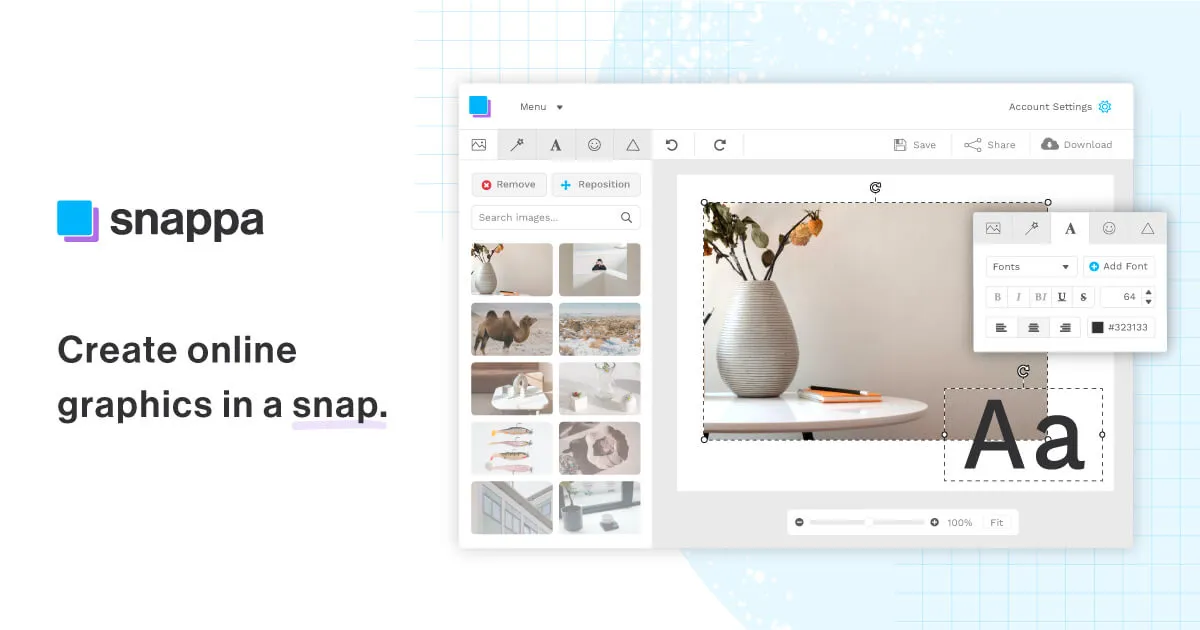
Listed here under thumbnail generators, Snappa is more accurately a general-purpose graphic design tool that happens to handle thumbnails well. It occupies the middle ground between full editors like Photoshop, which assume design knowledge, and single-purpose thumbnail apps that do one job and little else. The core promise is a browser-based canvas driven by presized templates and a large asset library, so someone with no design training can assemble a passable graphic in minutes rather than starting from a blank file. If you are comparing options across our AI thumbnail generator listings, it helps to know that Snappa's strength is breadth of use case, not deep automation.
One expectation worth setting early: despite the category label, Snappa is not marketed by its vendor as an AI-first product. Its documented capabilities are template-driven design and one-click background removal, not generative artwork or automated thumbnail creation from a prompt. Treat it as a fast manual editor with helpful shortcuts, not an image generator.
What the tool actually does
The feature set is straightforward, and each piece maps to a specific bottleneck that non-designers hit. Rather than list them in isolation, it is worth understanding why each one earns its place.
- Presized templates (6,000+). The largest time saver. Every template is already dimensioned for a specific destination, so you are not guessing pixel sizes for a YouTube thumbnail versus a Facebook cover. For someone producing graphics across several channels each week, this removes the most repetitive part of the job.
- Stock library (5,000,000+ photos, 100,000+ vectors and shapes). Assets are described as royalty-free and cleared for commercial use, which matters if you are publishing marketing material and cannot risk unlicensed imagery. The practical benefit is that you rarely leave the editor to source a photo.
- One-click background removal. Useful for product shots and profile images where you want a subject on a clean or branded backdrop. It is gated to paid plans, so it is not part of the free experience.
- One-click resizing. Snappa can convert a design from one platform's dimensions to another, for example a Twitter header into a Facebook cover, without rebuilding it. This is where the tool pays off for anyone repurposing a single concept across many networks.
- Typography and effects. 200+ fonts plus photo effects cover most everyday needs; paid plans also allow custom font uploads for brand consistency.
- Publishing and scheduling. Direct sharing to platforms such as Facebook and Twitter, plus a Buffer integration for pre-scheduling, lets you move from design to post without a separate export-and-upload step.
Collectively these features point at a clear workflow: pick a template sized for your channel, drop in stock imagery or your own upload, adjust text and colors, remove a background if needed, then export or push straight to social. It is deliberately shallow in the sense that it avoids the layer-and-mask complexity of professional editors.
Who gets the most out of it
The tool fits people whose primary job is not design but who still need a steady stream of visuals. Solo marketers, bloggers, content creators, and small business owners are the natural fit: the presized templates and commercial-use stock library let one person handle social graphics, ad creative, blog headers, and thumbnails without commissioning a designer. Small teams that need shared output rather than shared source files are served by the Team plan.
It is a reasonable pick when speed and consistency matter more than originality, and when your visuals are recognizably template-based by design. If you want a repeatable, low-effort way to keep several channels supplied with on-brand graphics, that is the sweet spot.
Limitations to weigh before committing
Being honest about the ceilings is more useful than a feature list.
- Not a generative AI tool. If you came here expecting to type a description and receive a finished thumbnail, Snappa does not publicly document that. You still assemble each graphic by hand, even if the pieces are prebuilt.
- Template-driven look. The same libraries are available to every user, so output can feel familiar unless you invest effort in customization. Brands wanting a distinctive visual identity may outgrow it.
- Restrictive free tier. The free plan allows only three downloads per month for a single user, which is enough to evaluate the editor but not to run any real publishing cadence. Realistically, active use means a paid plan.
- Ceiling for professional work. There is no layer-level control comparable to Photoshop or vector precision comparable to Illustrator. Designers who need fine control will find it limiting.
- Brand kit specifics are unclear. A dedicated brand-asset store for logos, fonts, and colors is not clearly documented on the vendor's current pricing page, so treat any expectation of a full brand kit cautiously and confirm before relying on it.
What it costs
Snappa uses a freemium model with a genuinely usable editor on the free tier but a hard cap on output. Prices below are as published by the vendor; annual billing lowers the effective monthly rate.
| Plan | Price | Users | Downloads | Notable inclusions |
|---|---|---|---|---|
| Free | $0 | 1 | 3 per month | 6,000+ templates, full stock library; no background removal, custom fonts, or integrations |
| Pro | $15/mo monthly, or $10/mo billed annually | 1 | Unlimited | Background removal, custom fonts, Buffer and social integrations |
| Team | $30/mo monthly, or $20/mo billed annually | 5 | Unlimited | Everything in Pro plus team collaboration |
The step from Free to Pro is really about download volume: the three-download limit exists to let you try the tool, not operate on it. For teams larger than five users, the vendor directs you to contact them directly rather than listing a price. You can compare this structure against other options in our tools directory.
How it compares and when to look elsewhere
Because the review facts do not verify specific competitor names or benchmarks, the honest guidance is by category rather than by brand. Consider a full editor such as a professional raster or vector application if you need layer-level control, print-grade output, or a truly bespoke visual identity. Consider a dedicated generative or AI-thumbnail tool if your priority is producing artwork or thumbnail concepts from a text prompt, since Snappa's documented workflow is manual assembly. Snappa itself is the stronger choice when your constraint is time and consistency across many channels, and when template-based results are acceptable. For adjacent workflow ideas and comparisons, our blog covers related tooling.
Common questions
Is Snappa an AI thumbnail generator?
Not in the generative sense. Its documented capabilities are template-based design and one-click background removal; the vendor does not publish a feature that produces finished thumbnails from a text prompt. It is listed in this category because it is commonly used to make thumbnails, but you build them manually from presized templates.
What does the free plan allow?
The free plan is for one user and permits three downloads per month, with access to the 6,000+ templates and the 5,000,000+ stock photos. Background removal, custom font uploads, and integrations are not included on the free tier.
How much does a paid plan cost?
Pro is $15 per month, or $10 per month billed annually, for one user with unlimited downloads. Team is $30 per month, or $20 per month billed annually, for up to five users with collaboration. Larger teams are asked to contact the vendor.
Can I publish directly to social media?
Yes. Snappa supports direct sharing to platforms including Facebook and Twitter and offers a Buffer integration for pre-scheduling posts, so you can move from design to publishing without a separate upload step. Integrations require a paid plan.
Are the stock photos safe to use commercially?
The included images, vectors, and shapes are described by the vendor as royalty-free and licensed for commercial use, which is why the library is central to the tool for marketing work.