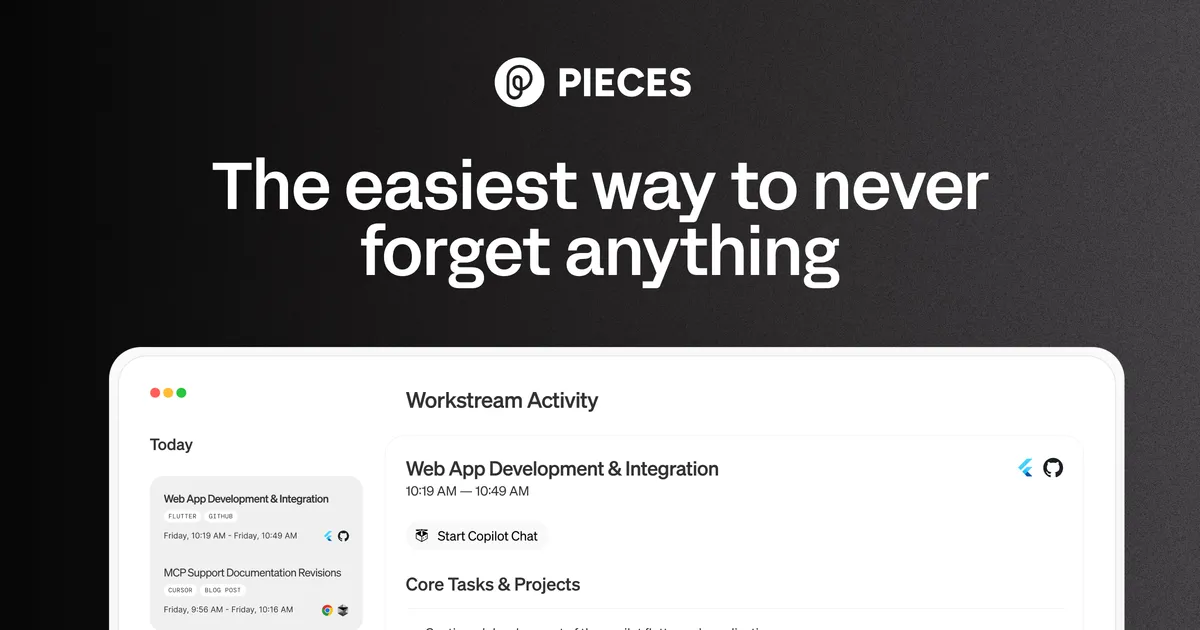

Most AI coding tools try to write code for you. Pieces for Developers is trying to do something narrower and, in some ways, more interesting: remember what you already did. After spending time with how the product describes itself and how it actually behaves, the clearest way to frame it is as a memory layer that sits alongside your existing workflow rather than a copilot that replaces part of it.
What the product is actually for
The premise is that a working developer generates a constant stream of loosely connected context. You copy a snippet out of a Slack thread, run a command in the terminal, skim a Stack Overflow answer, paste an error into a chat with an AI, then close the tab. A week later you need that exact combination again and it is gone. Pieces positions itself against that specific failure mode. It captures code, documentation, chats, and other context from the applications you work in, and then indexes that material so you can ask about it later.
The headline capability is what the vendor calls the LTM-2 engine, a long-term memory system that retains up to nine months of your activity and lets you run time-based queries against it. In practice that means you can ask what you were working on last Tuesday, or which command fixed a particular build, and get an answer grounded in your own history rather than a generic model response. There is also a stand-up feature that summarizes recent activity, which is a sensible companion to the memory idea: the same captured context that answers ad-hoc questions can also reconstruct what you did for a status update.
This is a different value proposition from code generation, and it is worth being honest about that distinction before deciding whether the tool fits. If your bottleneck is writing new code, this is not primarily aimed at you. If your bottleneck is finding, recalling, and reusing things you or your team already produced, that is exactly the gap it targets.
How the capture and recall works in practice
The workflow rests on two mechanics. The first is capture, which happens both automatically and through a one-click save. Automatic capture is what makes the memory feature possible at all, because a system that only remembers what you deliberately filed away is just a snippet manager with extra steps. The tradeoff is obvious and unavoidable: for the memory to be useful it has to be watching a lot of what you do, and you have to be comfortable with that. Pieces addresses this directly with its privacy posture, which I will come back to, but the tension between coverage and passivity is inherent to this category.
The second mechanic is enrichment. Saved snippets are AI-tagged, which matters more than it sounds. A raw snippet library degrades into an unsearchable pile within weeks because nobody tags consistently by hand. Automated tagging and metadata are what keep recall viable at scale, and they are the difference between a tool you actually query and one you abandon after a month. Whether the tagging is accurate enough to trust is something each user will have to judge on their own material, but the architecture is pointed at the right problem.
Recall then happens through natural-language, time-scoped queries. The nine-month window is a real constraint to plan around rather than a detail. It is long enough to cover most "what did I do recently" questions and the arc of a typical project sprint, but it is not an archive. If your use case is institutional memory spanning years, this is not that. For the day-to-day and month-to-month reconstruction it is designed for, the window is reasonable.
The AI layer and where the intelligence comes from
Pieces is unusually flexible about which model powers the assistant. It supports multiple LLM providers, including cloud models, local models running on your own machine, and the option to bring your own API key. On the Teams plan the vendor names OpenAI, Anthropic, and Ollama as examples of models you can select or supply. This model-agnostic stance is a genuine strength for two reasons. First, it hedges against the fast-moving model landscape; you are not locked to whatever the vendor happened to pick. Second, and more importantly, the local-model option is what makes the privacy story credible rather than aspirational.
That privacy story is the second pillar of the product, alongside memory. Pieces describes itself as "private by design, local by default," running on-device with local-first processing and treating the cloud as optional. Data is only sent externally with the user's permission, and the system can operate air-gapped from any cloud. For developers who cannot legally or contractually paste proprietary code into a hosted AI service, this is the feature that determines whether the tool is usable at all. It is also a meaningful differentiator: many AI coding assistants require your code to travel to someone else's servers, and a local-first design that still offers AI recall is not the default in this space.
The other piece of the AI integration story is interoperability. Pieces connects to GitHub Copilot, Claude, Cursor, and Goose through the Model Context Protocol. The practical meaning is that your Pieces memory can feed context into the AI tools you already use, so the captured history is not walled off inside one app. If you already run a copilot for generation, Pieces is designed to be the memory that copilot lacks rather than a competitor to it.
Fit with an existing workflow
Pieces runs as a desktop application on Windows, macOS, and Linux, with plugins for VS Code, JetBrains IDEs, and the Chrome browser, plus support for additional environments. The desktop-app-plus-plugins model is the right architecture for a tool whose whole job is to observe context across many applications, since a browser-only or single-IDE tool could never see enough of your work to build useful memory.
The realistic expectation to set is that the tool needs time before it pays off. A memory layer is worthless on day one because it has nothing to remember; its value compounds as it accumulates history. Anyone evaluating it on a quick trial will likely underrate it, because the payoff arrives when you first go looking for something from three weeks ago and find it. That delayed gratification is the honest cost of adoption, and teams should factor it into any pilot.
What it costs
Pieces uses a freemium model. The Free individual plan includes tracking your work across browsers, code editors, and collaboration tools, the full nine months of individual context, basic Copilot assistance, email support, and the downloadable desktop app. That is a substantial free tier for a single developer, and notably the memory window is not the thing being paywalled.
The Teams plan is priced by contacting sales rather than published, and it adds nine months of shared team context, the ability to bring your own model or choose among providers like OpenAI, Anthropic, and Ollama, and priority support by phone and email. The vendor does not publish a specific monthly or annual dollar figure for the paid tier, so anyone budgeting for it will need a sales conversation. The existing product materials also reference enterprise-grade controls, but the concrete terms of any enterprise offering are not clearly documented on the pricing page, so I would treat the details there as something to confirm directly.
| Plan | Context window | AI models | Support | Price |
|---|---|---|---|---|
| Free (individual) | 9 months, individual | Basic Copilot assistance | Free | |
| Teams | 9 months, shared team | Bring your own or select provider | Priority phone and email | Contact sales |
Who should look at it, and who should not
Pieces makes the most sense for developers and teams whose real cost is context-switching and lost knowledge rather than raw typing speed. If you juggle many tools, work on several projects, or regularly have to reconstruct decisions and commands from the recent past, the memory layer addresses a concrete pain. The local-first design pushes it further ahead for anyone in a regulated or security-sensitive environment where sending code to a hosted assistant is off the table.
It is a weaker fit if you want an aggressive code-generation copilot as the primary feature, if your work rarely spans multiple tools, or if your recall needs stretch far beyond a nine-month horizon. It also asks for a degree of trust in passive capture that not everyone will grant, even with the local-processing guarantees. As a category, this sits within developer and coding AI tools, and it is worth comparing against dedicated snippet managers and hosted copilots before committing; you can browse other options in our tools directory or read related coverage on the blog.
Verdict
Pieces for Developers is a focused, defensible take on a real problem. It does not try to be everything, and the two things it commits to, long-term memory of your work and local-first privacy, reinforce each other well. The published information is thinner on the paid side than I would like, and the nine-month window and delayed payoff are genuine constraints. But the free tier is generous enough that the tool can prove itself on your own workflow at no cost, which is the fairest possible way to evaluate something whose value only becomes visible after it has watched you work for a while.
Common questions about Pieces for Developers
How far back can Pieces remember my work?
Its LTM-2 long-term memory engine retains up to nine months of activity, and you can run time-based queries against that window on both the Free individual plan and the Teams plan.
Does my code get sent to the cloud?
Not by default. Pieces is described as local-first and "private by design, local by default," running on-device without requiring external servers. The cloud is optional, and data is only sent with your permission.
Which editors and platforms does it support?
Pieces runs as a desktop app on Windows, macOS, and Linux, with plugins for VS Code, JetBrains IDEs, and the Chrome browser, plus support for additional environments.
Can I choose which AI model powers it?
Yes. Pieces supports multiple LLM providers, including cloud and local models and your own API keys. The Teams plan specifically lets you bring your own model or select providers such as OpenAI, Anthropic, and Ollama.
What does it cost?
There is a free individual plan that includes the full nine-month context window, basic Copilot assistance, and email support. The Teams plan is priced by contacting sales; the vendor does not publish a specific dollar figure.