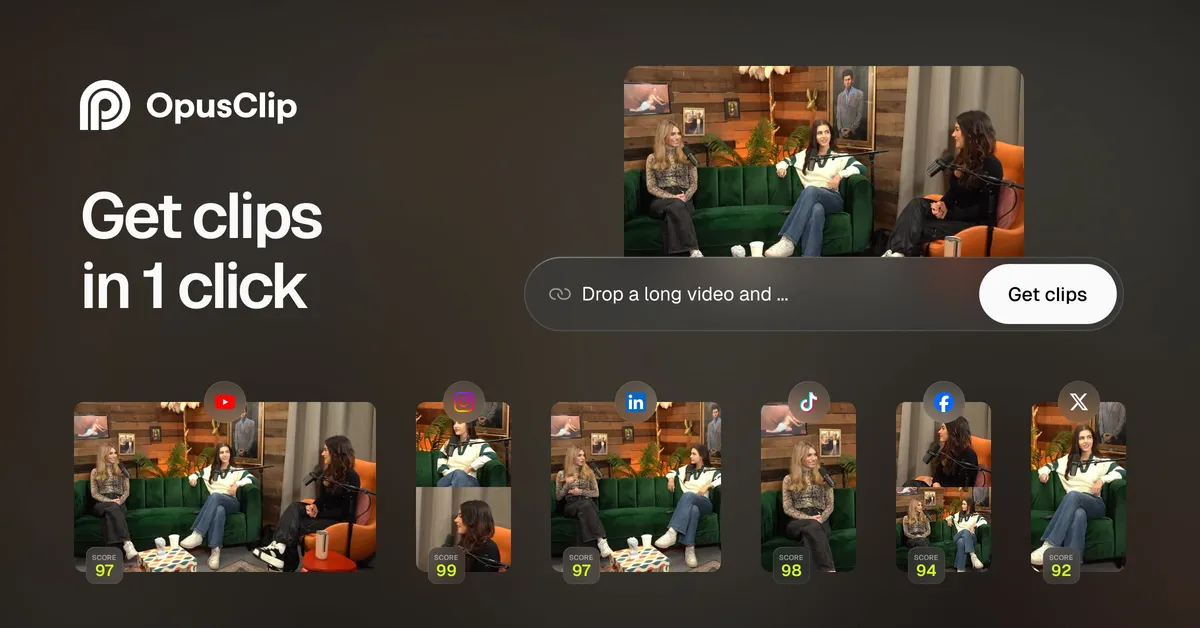

Opus Clip occupies a fairly specific niche in the video tooling market: it is built almost entirely around one workflow, taking a long recording and generating short, vertical, caption-ready clips from it. Rather than positioning itself as a general editor, it treats highlight extraction and reformatting as the core problem, and most of its features exist to make that single pipeline faster. That focus is worth keeping in mind, because it shapes both what the tool does well and where it will frustrate you.
What the platform actually does
The starting point is a long source video, typically a podcast, interview, webinar, livestream, or YouTube upload, and the output is a set of short clips sized for TikTok, Instagram, and YouTube Shorts. Opus Clip transcribes the audio, evaluates the transcript and video for moments it predicts will perform, and produces standalone segments with captions burned in and the frame recomposed for a vertical aspect ratio. In practice this collapses several manual steps, scrubbing for good moments, cutting, resizing, captioning, into one automated pass. For anyone who has done that work by hand, the appeal is straightforward: it is tedious, repetitive, and time-consuming, and it scales badly when you publish often.
The vendor markets two named AI models that are useful to understand separately. ClipAnything is the clip-detection engine, pitched as handling a range of genres including vlogs, gaming, sports, interviews, and explainer content, not only talking-head material. ReframeAnything is the reframing engine, which resizes a video for a target platform and uses object tracking to keep a moving subject centered in the vertical crop. On paid tiers you can also manually instruct the tracking, which matters because automatic subject tracking is exactly the kind of feature that works well until it doesn't, and having a manual override is the difference between a usable clip and a reshoot.
Capability assessment
A few capabilities deserve scrutiny rather than a checklist. Captioning is a headline feature, and the vendor states over 97% accuracy with editable output. Treat that as a best-case figure: accuracy on clean, single-speaker English audio is a very different proposition from accuracy on overlapping speakers, heavy accents, or technical jargon. The editable transcript is the important detail here, because it means the AI is doing a first pass you correct, not a final render you are stuck with. Language coverage is genuinely broad, with roughly two dozen supported languages listed, which extends the tool well beyond English-only creators.
The virality score, a ranking that estimates each clip's engagement potential, is the feature most likely to be oversold in your head. It is a useful triage signal for deciding which clips to review first when a single source produces a dozen candidates, but it is a prediction, not a measurement, and no vendor can actually forecast platform performance reliably. Use it to prioritize, not to make final publishing decisions.
Where Opus Clip earns its keep for regular publishers is throughput. It ingests from a wide set of sources, YouTube, Google Drive, Vimeo, Zoom, Rumble, Twitch, Loom, Riverside, and others, so you rarely have to download and re-upload. It generates multiple clips per source, and higher tiers add direct posting to YouTube Shorts, TikTok, and Instagram plus AI-generated titles, descriptions, and hashtags. The following table maps the main capabilities to the practical caveats that matter when you evaluate them.
| Capability | What it does | Practical notes |
|---|---|---|
| ClipAnything detection | Selects candidate short clips from a long source | Marketed across many genres; still a prediction, expect to discard some clips |
| ReframeAnything | Vertical reframing with subject tracking | Auto-tracking is solid but a manual override exists on paid tiers for edge cases |
| Auto captions | Editable burned-in captions, ~24 languages | 97%+ accuracy is best-case; correct the transcript before export |
| Virality score | Ranks clips by predicted engagement | Triage aid only, not a performance guarantee |
| Brand templates | Fonts, colors, logo, intro/outro | Free tier limited to one template; consistency is the real payoff |
| Direct social posting | Publish to Shorts, TikTok, Instagram | Available on paid tiers, removes the export-then-upload step |
Practical considerations before you commit
The most important limitation to internalize is that this is an extraction and reformatting tool, not a nuanced editor. It excels when the value is already in the footage and just needs surfacing. It will not write your narrative arc, fix a rambling recording, or replace a human editor building a structured piece. If your content depends on precise pacing, layered visuals, or scripted storytelling, expect Opus Clip to be a first-draft generator you still finish manually, using its text-and-timeline editing on paid plans.
Free-tier constraints are also worth calling out plainly. The free plan runs at regular processing speed, applies a watermark to caption templates, caps exports at 1080p with a 3-day export window, limits you to one brand template, and restricts clipping to spoken-word detection only. Those are reasonable trial limits, but they are limits you will hit quickly if you publish seriously, so evaluate the free plan as a test drive rather than a long-term home.
There is a broader field of AI clipping tools in the AI video editing category, and the right way to compare them is on the axes that actually differ: clip-detection quality on your specific genre, reframing accuracy on your typical shot composition, caption accuracy in your language, and how much of your processing volume fits inside a given tier. Because so many of these products demo well on clean talking-head footage, testing on your own messiest source is the only comparison that means anything.
Pricing and value
Opus Clip uses a freemium model. The free plan includes 60 minutes of monthly video processing that refreshes each month, which is a real allowance rather than a token trial. Paid tiers are Starter at $15/month and Pro at $29/month, with a Business tier priced on request. There is also a 7-day Pro trial that provides 90 minutes of processing, described as roughly 30 downloadable clips.
The Starter plan is where the tool becomes genuinely usable for consistent publishing: it removes the watermark, unlocks the wider set of import sources, upgrades clip detection to consider visual objects, sound, and emotion rather than spoken words alone, adds the virality score, a limited B-roll generator, AI voice-over, and direct posting to the major short-form platforms. The Pro tier layers on custom and genre-specific reframing models, team collaboration, SSO, and API access, which signals it is aimed at teams and organizations rather than solo creators. The vendor does not publish exact per-tier processing-minute quotas for the paid plans on the pages reviewed, so if monthly volume is your deciding factor, confirm the current allowance directly before subscribing. To weigh it against comparable options, browse the wider tools directory or related write-ups on the blog.
Where it falls short
- Clip selection is predictive, so expect to review and discard a share of generated clips rather than publishing them blindly.
- The virality score can create false confidence; it estimates, it does not measure.
- The free tier's watermark, 1080p cap, 3-day export window, and spoken-word-only detection make it a trial rather than a working plan.
- It is not a substitute for creative editing; footage that needs restructuring still needs a human.
- Exact paid-tier processing minutes are not documented on the reviewed pages, which complicates volume planning.
- Caption accuracy claims are best-case and degrade with difficult audio, so proofing is not optional.
Verdict
Opus Clip is a well-scoped tool that does one job, turning long recordings into short vertical clips, and does it efficiently enough to save meaningful time for people who publish long-form video regularly. The clearest fit is podcasters, interviewers, streamers, and social teams sitting on hours of footage that would otherwise go unused. The clearest mismatch is anyone expecting it to author polished, narratively structured shorts on its own, or a light user whose occasional needs the free tier's limits will not comfortably serve. Start on the free plan or the Pro trial, run your own hardest footage through it, judge the detection and reframing on that output, and only then decide whether Starter or Pro matches your volume.