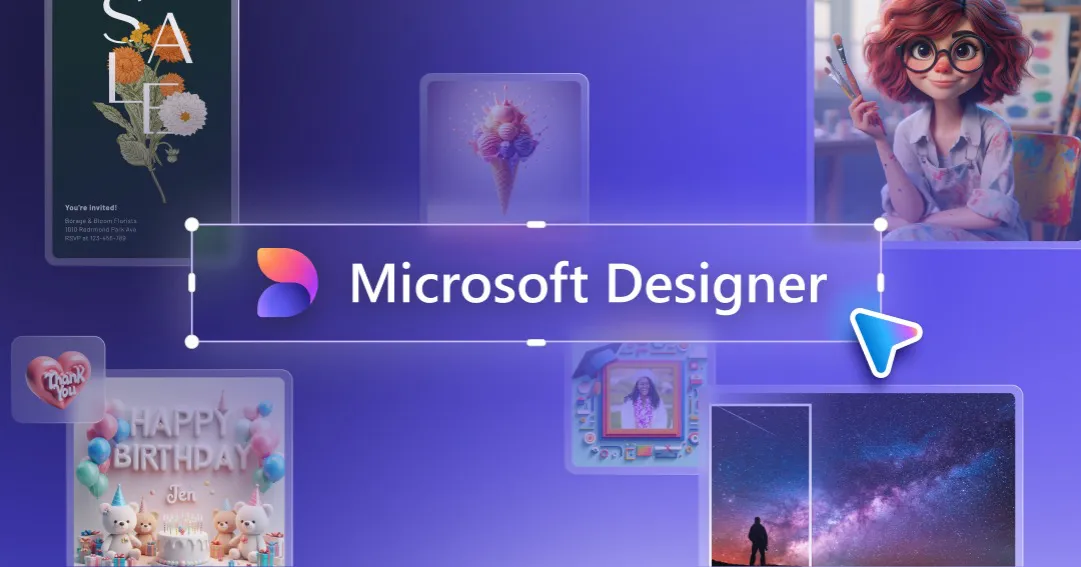

What Microsoft Designer actually is
Microsoft Designer is a free, browser-based design tool from Microsoft that leans on generative AI to help people who are not trained designers produce social posts, marketing graphics, and original imagery. It sits inside the wider Microsoft ecosystem, generates images through DALL-E, and pairs that with automated layout suggestions. In practice it competes for the same jobs a small business owner or social media manager would otherwise hand to a template editor or a freelancer, but it front-loads the AI so you start from a prompt rather than a blank canvas.
Rather than list features in isolation, it is more useful to see how the tool behaves across a single, ordinary task, because Designer's value depends heavily on how well its automated steps land on the first try.
How a typical project moves from idea to finished graphic
A representative session, say building an Instagram promo for a weekend sale, tends to follow this sequence:
- Describe what you want in plain language. You open Designer with a Microsoft account and type a prompt describing the design or the image you need. The natural-language step is the whole premise: you are not choosing a template first, you are stating an intent and letting the tool interpret it.
- Review the AI-generated layouts. Designer proposes finished design options with text, imagery, and graphic elements already arranged. This is the automated layout suggestion at work, and it is where most of the time is saved or lost. Good candidates let you skip straight to polishing; weak ones send you back to rewording the prompt.
- Generate or swap in custom imagery. If you need original art or a photo-style visual rather than stock, you use the DALL-E-powered text-to-image generation to create it from a description. This is the feature that separates Designer from a plain template editor, and it is why the tool is filed under image generation rather than layout alone.
- Clean up the assets. Practical prep tools handle the unglamorous work: removing a background from an uploaded photo, resizing an asset, and using generative edit and fill to modify or extend an existing image so it fits the frame.
- Apply your brand. Brand kit support lets you push consistent colors, fonts, and a logo across the design, so the output does not look like a generic template with your text dropped in.
- Adapt for other channels and save. Because Designer carries a large library of templates sized for Instagram, Facebook, LinkedIn, and similar channels, you can resize or restyle the same concept for another platform, then save through the Microsoft 365 and OneDrive integration.
The honest read on this flow: steps one and two are the make-or-break. When the prompt-to-layout guess is close, the rest is quick tidying. When it misses, you iterate on wording, which is faster than starting over but slower than the marketing implies.
The features that carry the workload
A handful of capabilities do the real lifting, and each maps to a specific reason someone reaches for the tool.
- DALL-E text-to-image generation. This produces custom illustrations or photo-style images from a written description. It matters most when you cannot find suitable stock art and do not want every competitor using the same library image. The tradeoff is the usual one for AI imagery: fine details, text inside images, and precise composition can be inconsistent, so expect to regenerate.
- AI-generated layouts. Automatic placement of text and graphics is the feature that makes Designer usable by non-designers. It removes the intimidation of an empty canvas, though it also means your first drafts share a visual DNA with everyone else using the same suggestions until you customize them.
- Template library. Channel-sized templates for the major social platforms handle the dimensions and safe zones you would otherwise have to look up. This is the fastest path when you already know roughly what you want and just need it correctly formatted.
- Background remover, resizer, generative fill and edit. These asset-prep tools cover the repetitive editing chores that normally interrupt a design session. Generative fill in particular is useful for extending an image to fit a different aspect ratio without cropping out something important.
- Brand kit. Storing colors, fonts, and logos and applying them consistently is what turns one-off graphics into something that reads as a coherent brand. For a solo marketer running several channels, this is often the difference between usable and amateurish output.
- Microsoft 365 and OneDrive integration. Files live in the same place as the rest of your Microsoft work, which reduces the export-import friction that fragments a workflow across separate apps.
Where it earns its place
The clearest fit is a person who needs a steady stream of decent graphics but has neither design training nor the budget for a designer. A social media manager producing daily posts, a small business owner assembling a promotion, or someone building a simple presentation graphic all benefit from starting at a prompt instead of a blank artboard. For teams already invested in Microsoft 365, the OneDrive and 365 links mean the tool slots into an existing habit rather than adding another silo.
It is also a reasonable entry point for original imagery. If your recurring problem is that stock photos look generic, the DALL-E generation gives you something bespoke without a separate image-generation subscription, which is a genuine convenience for casual, non-critical use.
What it costs
Microsoft positions Designer as a freemium product. There is a free tier accessible with a Microsoft account, which is the main reason it is worth trying at all, since the barrier to a first design is essentially zero. AI image generation on free tools is typically metered, and the facts here indicate that Copilot Pro subscribers receive higher generation limits and priority access to newer model features than free users. Beyond that split, the vendor does not publish a simple, fixed per-tier price in the material verified for this review, and Copilot availability is tied to eligible Microsoft subscriptions. If exact generation caps and current subscription pricing matter to your decision, confirm them on Microsoft's own pricing pages before committing, because these figures change and are not something to take on trust from a directory listing. You can compare it against other options in the AI image generator category before you decide.
The limitations worth weighing
Several caveats deserve a clear head before you rely on Designer for anything important.
- You need a Microsoft account, and the deepest value assumes the Microsoft ecosystem. The integrations that make it convenient are also what tie it to a specific platform. If you live in Google Workspace or Adobe, the pull is weaker.
- AI output requires editing, not blind trust. Generated images can misrender text and fine detail, and first-pass layouts can feel templated. The tool shortens the work; it does not remove the judgment.
- Free-tier generation is limited. Metering is normal for AI imagery, and heavier users will hit the ceiling that Copilot Pro is designed to raise. Plan around that if you generate images daily.
- It is not a substitute for professional design control. For pixel-precise, print-ready, or highly branded work with strict specifications, a dedicated design suite still gives more control than prompt-driven generation.
None of these are disqualifying for the intended audience; they are the predictable costs of a tool built for speed and accessibility rather than granular control.
The verdict
Microsoft Designer is a sensible, low-risk choice for non-designers who need to produce social and marketing graphics quickly, especially anyone already working inside Microsoft 365. The combination of prompt-driven layouts, DALL-E image generation, and everyday asset tools like background removal and generative fill genuinely compresses the time from idea to finished post. Its ceiling is real, though: output needs review, the free tier is metered, and it will not replace a professional's control over precise design. Treat it as a fast first-draft engine and a capable finisher for routine graphics, verify the current limits and pricing on Microsoft's site, and it holds up well for the job it is built for. If you want to line it up against similar tools, browse the wider tool directory.
Common questions before you commit
Is Microsoft Designer free to use?
Yes. There is a free tier you can access with a Microsoft account. AI image generation is typically metered on the free plan, and Copilot Pro subscribers get higher generation limits and priority access to newer model features.
Which AI model generates the images?
Image generation is powered by DALL-E. You describe what you want in natural language and the tool produces custom illustrations or photo-style visuals from that prompt, alongside AI-suggested layouts.
Does it work with other Microsoft products?
Yes. Designer integrates with Microsoft 365 and OneDrive, so files sit alongside the rest of your Microsoft work. That integration is a large part of why it fits teams already using the Microsoft ecosystem.
Do I need design skills to use it?
No. The tool is built for non-designers. It generates layouts and imagery from a written prompt and offers channel-sized templates, so you can start from an intent rather than a blank canvas and then adjust with a brand kit and simple editing tools.
Can it prepare and edit images, not just create them?
Yes. It includes a background remover, an image resizer, and generative fill and edit tools for modifying or extending existing images, which covers the routine asset-prep work in a design session.