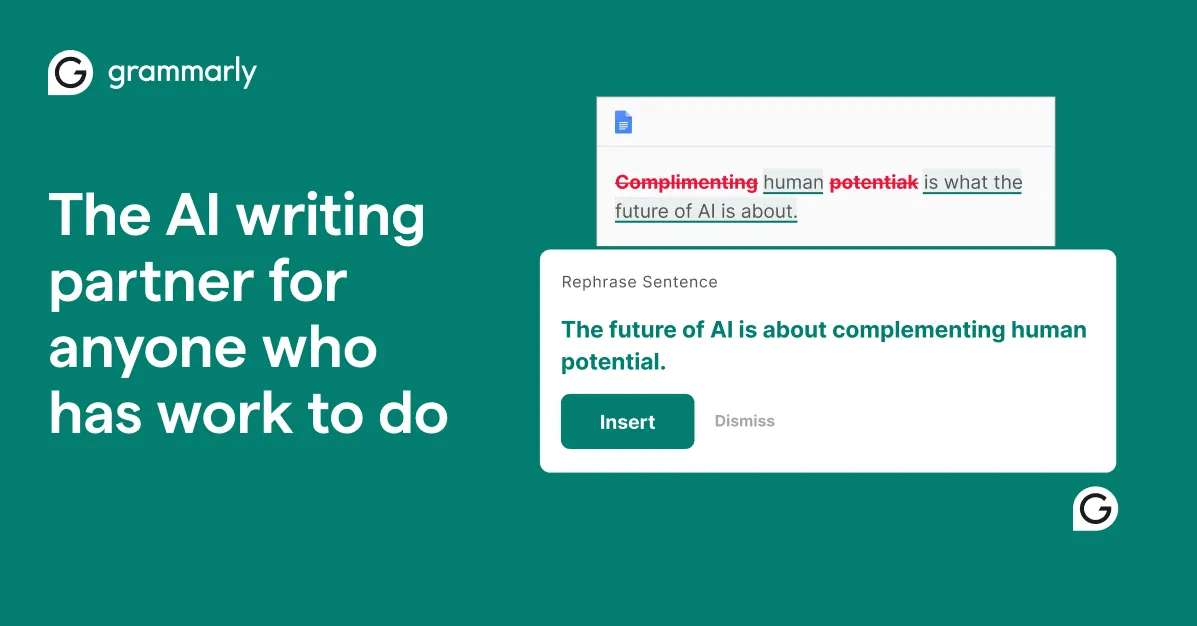

The first question most people ask is whether GrammarlyGO is a separate product they have to learn or just a feature that shows up where they already write. It is the latter. GrammarlyGO is the generative AI capability that lives inside Grammarly. Instead of correcting text you have already written, it produces text: it drafts from a prompt, rewrites what you select, suggests replies to emails and messages, and helps you get past a blank page. If you already keep Grammarly running in your browser and desktop apps, GrammarlyGO appears in the same places rather than sending you to a separate chatbot window.
What GrammarlyGO actually does
Grammarly's generative AI is organized around a handful of concrete jobs rather than an open-ended chat experience. According to Grammarly's own description, you can prompt it to generate ideas and outlines for emails, reports, and articles; rewrite existing text for tone, length, and formality; and produce context-specific email replies. It also handles ideation, meaning it will take a rough set of points and organize them into coherent prose, and it is designed to write "on your behalf" with personalization so the output sounds closer to how you actually write.
The distinction that matters here is between generation and correction. Classic Grammarly is a proofreader: it flags a comma splice or a passive construction after you type. GrammarlyGO moves upstream to the drafting stage. In practice the two run together, so a generated draft is also being checked for clarity and grammar as it lands. For a lot of everyday writing, that combination is the actual value: you are not just getting raw AI text you then have to clean up separately.
The rewrite function is the feature I would expect most users to reach for daily. Selecting a paragraph and asking for a shorter, more formal, or more direct version is a narrow, well-defined task that current language models do reliably, and it fits the way people already work inside an email or a document. The reply suggestions for messages and email are similar in spirit: bounded, context-aware, and useful precisely because they are small. Ideation and full drafting are more ambitious and, as with any generative tool, the output quality depends heavily on how specific your prompt is.
Who it is a good fit for
The clearest case for GrammarlyGO is someone who is already a Grammarly user and does a high volume of routine written communication: sales and support replies, internal updates, recruiting outreach, customer emails, status reports. Because it operates inside the apps where Grammarly already runs, the switching cost is close to zero, and the personalization means the drafts start closer to your voice than a generic assistant would.
Teams that have standardized on Grammarly for consistency and brand tone are another natural audience. Bringing generation into the same tool means people are not scattering across a dozen separate AI writers with no shared settings. You can browse other options in the AI grammar checker category if you want to compare that all-in-one approach against dedicated writing generators.
It is a weaker fit if you want a standalone research or long-form content engine, need to steer the model through extended back-and-forth conversations, or care about switching between multiple underlying models. GrammarlyGO is deliberately task-shaped, not a general-purpose chatbot, and that is a feature for some users and a limitation for others.
What it costs and how the limits work
Grammarly uses a freemium model, and GrammarlyGO is metered by a monthly prompt allowance rather than sold as a separate add-on. Based on Grammarly's current plan pages, the allocation works out roughly as follows.
| Plan | AI prompts per month |
|---|---|
| Free | 100 |
| Paid individual/team plan | 2,000 |
| Enterprise | Unlimited generative AI prompts |
The free tier's 100 prompts a month is enough to evaluate whether the drafting and rewrite features fit your workflow, but it will run out quickly if you lean on it daily. Note that Grammarly's paid plan naming and monthly prices vary by region and over time, so the number worth checking on the pricing page before you commit is the prompt allowance for the tier you are considering, not just the headline price. The vendor does not publish a per-prompt overage price or a pay-as-you-go option for prompts beyond the plan cap.
One practical implication of prompt metering: a single "prompt" covers a discrete generation or rewrite action, so heavy users doing dozens of rewrites a day should assume the free allowance is a trial rather than a working budget.
Where it runs
Coverage is one of GrammarlyGO's real strengths, because it inherits Grammarly's distribution. Grammarly's writing assistance runs in the browser extensions for Chrome, Safari, Firefox, and Edge; the Windows and Mac desktop apps; Microsoft Office and Google Docs; mobile apps for iPhone, iPad, and Android; and Grammarly's own document editor. The upshot is that the generation features are available in most places you already type, which removes the copy-paste shuffle that makes many separate AI writers annoying to use in real workflows.
The strengths worth paying for
- It meets you where you write. Generation, rewriting, and replies appear inside your existing email, docs, and messaging apps rather than in a separate tab.
- Generation and correction in one pass. Drafts come out already checked for grammar and clarity, so there is less cleanup than with a raw model output.
- Task-shaped features. Rewrite-for-tone and context-specific replies are narrow, well-defined jobs that models handle reliably, which makes the everyday results predictable.
- Personalization. Output is tuned toward your own writing style rather than a generic default voice.
- Low adoption cost for existing users. If Grammarly is already installed across your team, there is effectively nothing new to roll out.
The catches and limitations
- Prompt caps. Free users get 100 prompts a month and the standard paid tier is capped at 2,000; only Enterprise removes the ceiling. Power users can hit these limits.
- Not a general chatbot. It is built around discrete writing tasks, not extended multi-turn conversation or research, so it will not replace a dedicated assistant for exploratory work.
- Tied to the Grammarly ecosystem. The value proposition assumes you want Grammarly running everywhere; if you do not, a standalone generator may suit you better.
- Opaque plan details. Plan names and prices shift by region and over time, and the vendor does not publish overage pricing for prompts beyond your cap, so verify the current terms before subscribing.
- Generation quality still depends on prompting. The drafting and ideation features are only as good as the instructions you give them, the same as any generative tool.
The verdict
GrammarlyGO is a sensible, well-scoped extension of a proofreading tool into generation. It will not out-compete a dedicated long-form or research assistant on raw capability, and its prompt metering means serious volume needs the top tier. But for the large group of people whose writing is mostly email, replies, and short documents inside apps where Grammarly already lives, the convenience of drafting, rewriting, and replying without leaving the page is a genuine time saver. If you already pay for Grammarly, treat GrammarlyGO as an included capability worth folding into your routine; if you do not, start with the free tier's 100 monthly prompts to see whether the task-based model fits how you work before paying. You can compare it against other writing assistants in our tools directory or read more analysis on the blog.
Common questions about GrammarlyGO
Is GrammarlyGO a separate product from Grammarly?
No. It is the generative AI capability built into Grammarly. It appears inside the same Grammarly apps and extensions you already use, and it adds drafting, rewriting, replies, and ideation on top of Grammarly's grammar and clarity checking.
Can I use GrammarlyGO on the free plan?
Yes, with limits. The free tier includes 100 AI prompts per month, which is enough to test the features. Paid individual and team plans raise the allowance to roughly 2,000 prompts a month, and Enterprise offers unlimited generative AI prompts.
What writing tasks can it handle?
Grammarly describes it as generating ideas and outlines for emails, reports, and articles; rewriting text for tone, length, and formality; producing context-specific email replies; and helping organize rough ideas into coherent writing, with output personalized toward your own style.
Which apps does it work in?
It runs wherever Grammarly runs, including browser extensions for Chrome, Safari, Firefox, and Edge, the Windows and Mac desktop apps, Microsoft Office, Google Docs, mobile apps for iPhone, iPad, and Android, and Grammarly's own editor.
Is it a full ChatGPT-style chatbot?
Not really. GrammarlyGO is organized around specific writing tasks rather than open-ended, multi-turn conversation, so it works best for drafting and editing communication rather than extended research or dialogue.