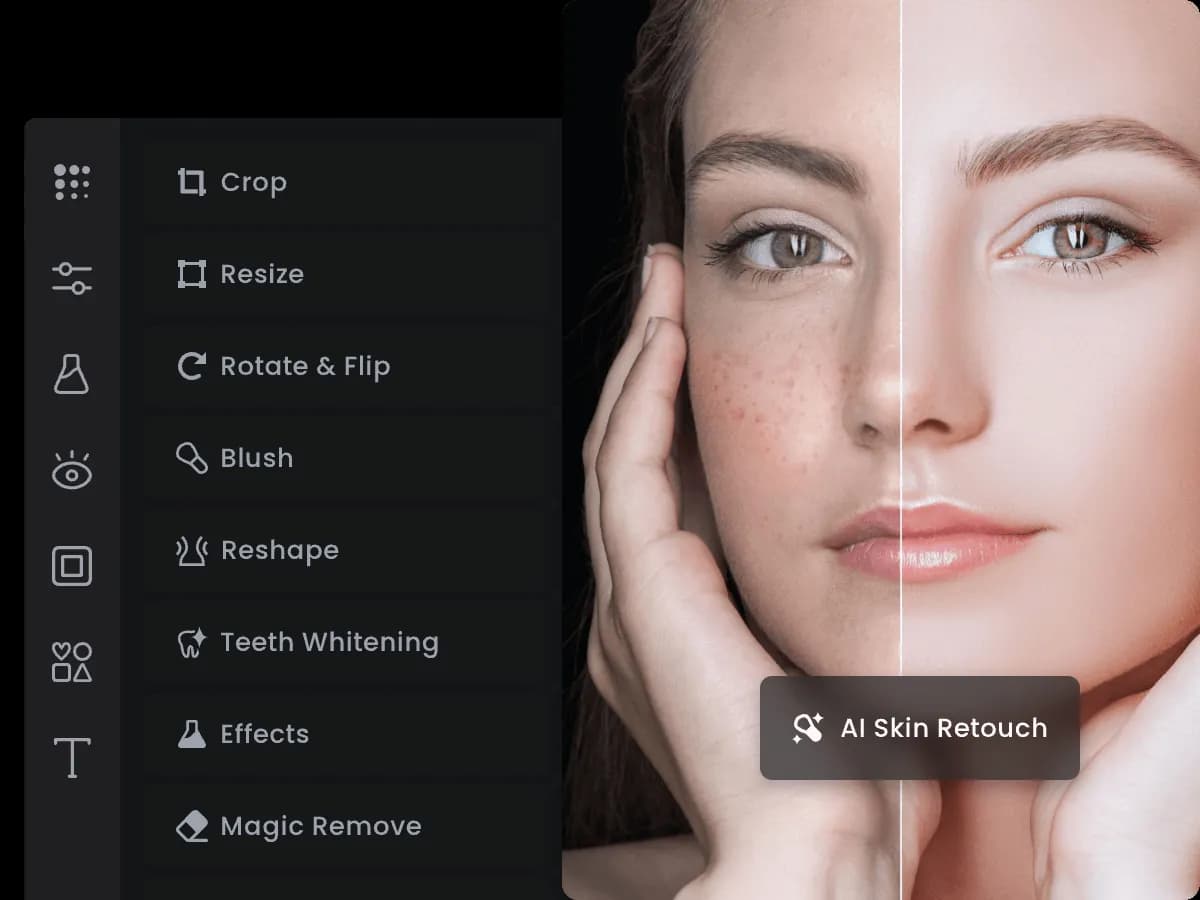

The first question worth asking about Fotor is not what it can do but what job you are actually hiring it for. It sits in a crowded space where you could reach for a full desktop editor, a design-first canvas tool, or a single-purpose AI utility. Fotor's pitch is that you do not have to choose: it bundles ordinary photo adjustments, a set of AI operations, and a template-driven design surface into one browser tab, with matching apps on iOS, Android, Windows, and Mac. For the kind of work most people bring to a tool like this - cleaning up a product shot, cutting out a subject, making a social post look finished - that consolidation is the whole appeal. Whether it holds up depends on how demanding your images are.
Where Fotor earns its place
What distinguishes Fotor from a single-feature AI app is breadth combined with a low barrier to entry. You open a page, you work, you export - no install required, though native apps exist if you prefer them. The AI features are the part people come for, and Fotor's set is genuinely wide rather than a token gesture:
- Background removal. One of the most reliably useful operations here. It matters because manual masking is the single most tedious task in casual editing, and a clean automatic cutout turns a ten-minute job into seconds. Expect strong results on clear subject/background separation and more variable results on wispy hair or low-contrast edges.
- Photo enhancement and upscaling. Fotor advertises automatic quality and resolution improvement, plus upscaling to HD or up to 4x. This is most valuable when you are working from small or compressed source images - old photos, screenshots, thumbnails - where you need more pixels than you have. Upscaling infers detail rather than recovering it, so treat the output as a plausible reconstruction, not a lossless restore.
- Object removal. Painting out an unwanted element and letting the tool fill the gap. Useful for stray people, signage, or clutter; results depend heavily on how busy the surrounding area is.
- Portrait retouching. Skin and facial adjustments aimed at polished portraits. This is a taste-sensitive area - it is easy to over-smooth - so the value is in restraint, and Fotor's Pro tier exposes a larger set of retouch controls for people who want to dial it in.
- Generative framing and identity tools. An AI image extender that expands a photo beyond its original borders (handy when a crop is too tight for a new aspect ratio), plus an AI headshot generator and AI avatar generator for synthetic portraits.
Around those sit the conventional pieces: a collage maker with templates, a logo maker, a text editor with fonts, filters and artistic effects (anime, cartoon, sketch, watercolour), and a library of stickers and icons. That design layer is what pushes Fotor past being "just" a photo enhancer and into the territory of a general-purpose visual tool for social posts and simple marketing assets. If you only ever need one AI operation, a dedicated app may do it better; if you routinely bounce between editing and laying out a graphic, keeping both in one place saves real friction. You can compare it against other options in the AI photo enhancer category.
What the tiers actually change
Fotor runs on a freemium model. The free Fotor Basic plan is usable for genuine work but comes with meaningful limits: a small allotment of AI credits, a single concurrent generation, limited templates, effects and fonts, 30-day creation storage, 512MB of cloud storage, and - the one most people notice - watermarked exports. Reporting from the vendor's site suggests the free tier can export without a watermark in some flows, but the pricing page lists watermarked JPG/PNG/PDF output for Basic, so plan around the stricter reading.
Paid subscriptions come in Pro, Pro+, and Max tiers, with monthly and yearly billing. The step up to Pro is mostly about removing ceilings rather than unlocking a single killer feature: more concurrent generations, watermark-free HD exports, the full run of editing tools and retouch options, a far larger template and asset library, and more cloud storage. Pro+ raises those limits further and adds things like batch background removal, multiple brand kits, and much larger storage. The honest caveat here: Fotor does not publish clear per-plan dollar amounts in a way I could confirm on the pricing page - the tier prices render dynamically and were not visible when I checked, so I am not going to quote numbers I cannot stand behind. Anyone evaluating cost should check the live pricing page and pay attention to two things: how many AI credits each tier grants per month, and whether yearly billing (which the site says carries a discount) fits your usage.
The value calculation is really about credits. AI operations consume them, so the free tier is best understood as a trial, and the right paid tier is the one whose monthly credit budget matches how often you actually run generative tasks. If you enhance a handful of images a month, a lower tier is plenty; if you batch-process or lean on the generative tools daily, the ceilings matter more than the headline price.
Where it falls short
- Credit-gated AI. The most compelling features are metered. Heavy users can burn through an allotment quickly, and the free plan's credits are explicitly limited, so you cannot really evaluate the AI at volume without paying.
- Watermarks on the free tier. The pricing page lists watermarked exports for Basic, which rules the free plan out for anything client-facing or published.
- Opaque pricing. Not being able to see plan prices without navigating the live page is a friction point for anyone trying to budget before committing.
- Not a professional-depth editor. Fotor is built for speed and accessibility. It does not aim to replace layer-heavy, colour-managed professional software, and precision retouching or high-end compositing will hit its limits.
- Generative results vary. Upscaling, extending, and object removal are inferred, not exact. On difficult images the output can look plausible-but-wrong, which means a review pass is always warranted.
How it stacks up against the alternatives
The realistic comparison is by shape of tool rather than by name. If your need is a single operation done as well as possible - only background removal, or only upscaling - a specialist utility will usually give cleaner results and clearer pricing. If you live inside layout and branding work, a design-first canvas tool may offer a stronger template and collaboration experience while treating photo AI as a side feature. And if you do genuinely professional retouching, a full desktop editor remains the reference point for control and fidelity. Fotor's argument is the middle ground: one place that covers editing, AI clean-up, and light design without asking you to learn a heavy application or juggle three subscriptions. Browse the wider tools directory if you want to line these categories up side by side, and the blog for workflow context.
The verdict
Fotor is a sensible default for social media creators, small business owners, bloggers, and hobbyist photographers who want acceptable results fast and across devices. Its strengths are breadth and low friction; its weaknesses are the metered AI, the watermarked free tier, and pricing you have to dig for. Treat the free plan as a hands-on trial, watch your credit consumption, and go paid only once you know which AI features you use often enough to justify a ceiling. If your work demands professional-grade precision, or you only ever need one AI task, look at a more specialised tool - but for everyday, multi-purpose image work, Fotor covers a lot of ground in one place.
Common questions about Fotor
Is Fotor free to use?
Yes. Fotor offers a free Basic plan priced at US$0 with basic editing, limited templates, a small number of AI credits, and 512MB of cloud storage. The trade-offs are watermarked exports, a single concurrent generation, and 30-day creation storage, so it works best as a trial or for casual, non-published edits.
What AI features does Fotor include?
Verified AI tools on Fotor's site include background removal, photo enhancement and quality/resolution improvement, image upscaling (to HD or up to 4x), object removal, portrait retouching, an AI image extender, an AI headshot generator, and an AI avatar generator.
Can I use Fotor without installing software?
Yes. Fotor runs in the browser at fotor.com with no installation required, and it also provides native apps for iOS, Android, Windows, and Mac if you prefer a dedicated application.
Does Fotor remove watermarks on paid plans?
The paid Pro tier includes watermark-free HD exports, whereas the free Basic plan lists watermarked JPG, PNG, and PDF exports. If you need clean, published-ready output, a paid subscription is required.
How much do Fotor's paid plans cost?
Fotor sells Pro, Pro+, and Max subscriptions with monthly and yearly billing, and the site indicates a discount for annual billing. Exact per-tier dollar amounts are not clearly published on the pricing page in a way that could be verified here, so check the live pricing page for current figures.