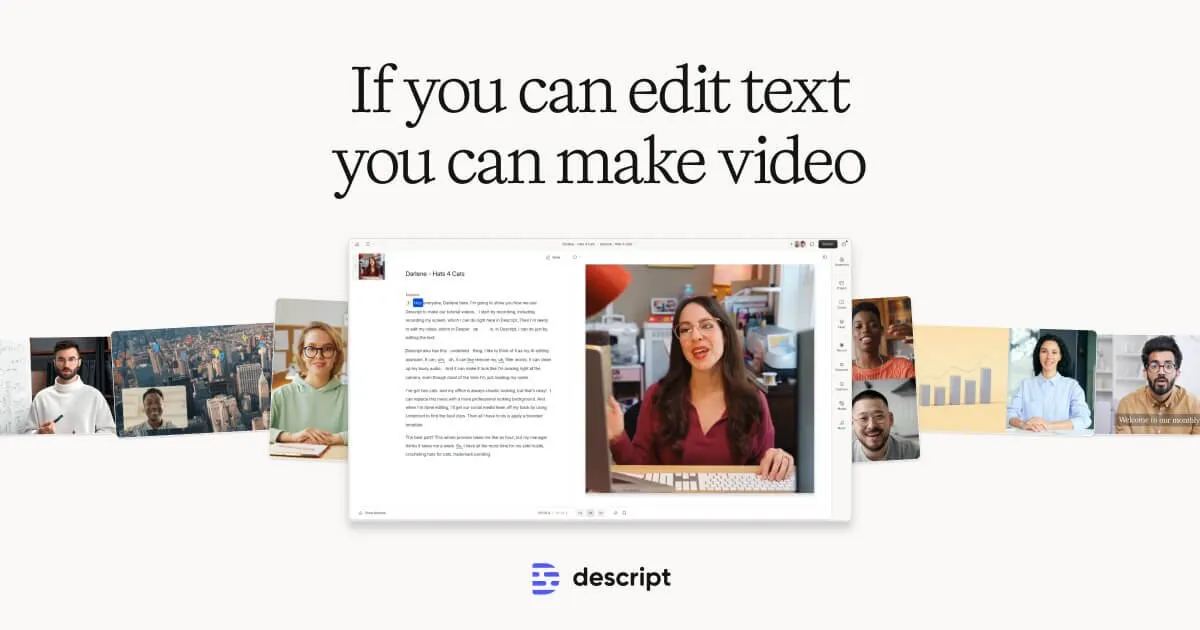

Most editing tools ask you to think in waveforms and timelines. Descript starts somewhere else entirely: it transcribes your recording and lets you edit the media by editing the text. Delete a sentence in the transcript and the matching audio and video disappear with it. That single design decision is what the whole product is built around, and it is the right place to begin any honest assessment of whether the tool fits your work.
What you are actually working with
When you import or record something in Descript, the first thing it does is produce a transcript with, per the vendor, industry-leading accuracy and speed. From there the transcript is not a byproduct you glance at; it is the editing surface. Cutting a rambling intro is a matter of selecting the words and pressing delete, the same motion you would use in a word processor. For anyone who has spent hours scrubbing a timeline hunting for the exact frame where a sentence ends, this is a genuine shift in how the work feels, and it is the main reason the tool has found an audience among podcasters and talking-head video creators.
The tradeoff is worth stating up front. Text-based editing is fast and forgiving for dialogue-driven content, but it is not built for frame-precise motion work, complex compositing, or the kind of multi-layer timeline projects where a conventional non-linear editor still wins. Descript exposes a timeline too, so you are not locked out of finer control, but the product clearly optimizes for speech-first content. If your project is mostly music, effects, or intricate visual sequencing, you will be fighting the grain of the tool.
The AI layer, and where it earns its keep
Descript sits in the voice cloning category for good reason. Its Regenerate and AI Speech features can create a synthetic version of your own voice, so that when you fix a misspoken word by retyping it in the transcript, the correction is generated in a voice that matches the rest of the recording rather than requiring you to re-record the whole take. In practice this is most useful for small patches, correcting a mispronounced name, swapping a wrong date, tightening a phrase, rather than fabricating long passages, and the results are more convincing on short fixes than on extended monologue. The vendor limits full voice-cloning access to the Creator tier and above; lower tiers get a restricted version.
Two other AI tools do a lot of quiet work. One-click filler-word removal strips out the ums, uhs and false starts that pad natural speech, which alone can shave meaningful minutes off a podcast edit. Studio Sound targets recordings made in imperfect conditions, reducing background noise and lifting voice clarity so a session recorded in a normal room sounds closer to a treated one. Neither is a substitute for good source audio, and heavy processing can introduce artifacts, but as a cleanup pass for creators without a studio they remove real friction.
The visual side has grown well beyond simple trimming. Descript includes an Eye Contact tool that adjusts gaze toward the camera, green-screen background removal without a physical screen, automatic multicam editing, screen recording, and caption generation. More recent additions push into generative territory: AI video generation from prompts and AI avatars that can act as on-screen presenters. These are the features to approach with the most skepticism. They can be useful for filler shots, placeholders, or quick concept videos, but generated visuals and synthetic presenters still read as synthetic to attentive viewers, and their value depends heavily on how polished your audience expects the final product to be.
Transcription supports 25 languages, and the Business tier adds video translation and dubbing across 30+ languages with a proofread step, which matters if you repurpose one recording for multiple regional audiences. Speaker detection and multitrack transcription are reserved for Creator and higher plans, a distinction that matters for interview and panel formats where knowing who said what is not optional.
How it feels to use day to day
The learning curve is unusually gentle for a media tool, precisely because the core interaction borrows from documents rather than editing suites. Someone comfortable in a word processor can produce a clean cut on their first session, which lowers the barrier for teams where not everyone is an editor. Collaboration is built in: Descript supports commenting and review workflows, and its Rooms feature handles remote podcast and video recording with multiple participants, so a producer and a host who are not in the same place can capture and then edit together.
Set expectations on export quality by plan. The free tier caps exports at 720p and applies a watermark, which makes it a fair trial rather than a publishing tool. Paid tiers remove the watermark, and export resolution climbs from 1080p on the entry paid plan to 4K on higher ones. If you publish to platforms where a watermark or sub-1080p resolution would look unprofessional, treat the free plan strictly as an evaluation stage.
What it costs
Descript uses a freemium model built around two metered resources: media hours (how much footage you can process each month) and AI credits (consumed by the generative and enhancement features). This is important to understand before committing, because your real monthly cost is a function of how much you record and how heavily you lean on AI, not just the sticker price. A light podcaster and a high-volume video team can pick the same plan and have very different experiences with the limits.
| Plan | Price (billed annually) | Media hours / month | AI credits | Max export | Watermark |
|---|---|---|---|---|---|
| Free | $0 | ~1 hour | 100 (one-time) | 720p | Yes |
| Hobbyist | $16/mo | 10 hours | 400/mo | 1080p | No |
| Creator | $24/mo | 30 hours (+bonus) | 800/mo (+bonus) | 4K | No |
| Business | Higher tier | 40 hours (+bonus) | 1,500/mo (+bonus) | 4K | No |
| Enterprise | Custom | Custom | Custom | Custom | No |
The Business plan adds team-wide brand controls, multi-language translation and dubbing, a larger library of stock AI speakers, and priority support, positioning it for content teams rather than solo creators. Enterprise layers on SSO and SCIM provisioning, granular brand governance, and custom legal terms. Because the monthly-versus-annual figures and bonus credit allowances shift over time, confirm the exact numbers on the vendor's current pricing page before you buy; the structure above is the reliable part.
Who should use it, and who should look elsewhere
Descript is a strong fit for podcasters, YouTubers, course creators, marketers cutting long recordings into clips, and internal teams producing training or explainer content. The common thread is speech-led media edited under time pressure, where the ability to cut by reading rather than scrubbing pays off every session. It is a weaker fit for anyone doing cinematic color work, music production, motion graphics, or projects that demand frame-accurate control, and creators uneasy about synthetic voices and AI-generated presenters should use those particular features sparingly and disclose them where their audience expects authenticity.
Alternatives exist across two camps: traditional non-linear video editors that offer deeper timeline control at the cost of speed, and transcription-first or AI-clip tools that overlap with parts of Descript's feature set. The right comparison depends on whether editing speed or production depth is your priority. You can browse comparable options under AI voice cloning tools, explore the broader tool directory, or read workflow guides on the blog before deciding.
Common questions about Descript
How does editing by text actually work?
Descript automatically transcribes your recording, then treats that transcript as the editing surface. Deleting words in the text removes the corresponding audio and video, so cutting content becomes a document-style operation rather than timeline scrubbing.
Can Descript clone my own voice?
Yes. Its AI Speech and Regenerate features can create a synthetic version of your voice so typed corrections are produced in a matching voice. Full voice-cloning access is limited to the Creator tier and above, with restricted access on lower plans.
Is there a genuinely free plan?
There is a free tier at $0 with a small monthly media allowance and 100 one-time AI credits, but exports are capped at 720p and carry a watermark, which makes it suitable for evaluation rather than publishing.
How many languages does it handle?
Transcription supports 25 languages. Video translation and dubbing across 30+ languages with a proofread step is a Business-tier feature.
What are AI credits and media hours?
Media hours cap how much footage you can process per month, and AI credits are consumed by generative and enhancement features. Both are metered per plan, so your practical cost depends on recording volume and how heavily you use AI tools.