
Where ComfyUI sits among image generators
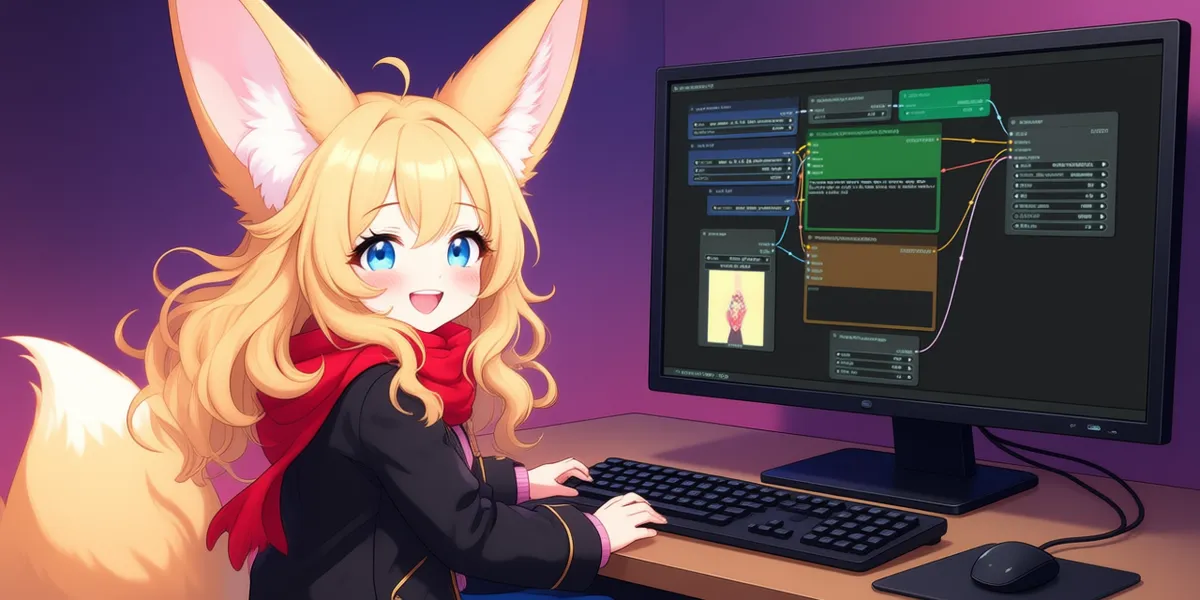
Most tools in the AI image generator category hide the machinery. You type a prompt, adjust a slider or two, and press a button. That design is deliberate and, for many people, correct. ComfyUI takes the opposite stance. It exposes the entire diffusion pipeline as an editable node graph, where model loaders, samplers, conditioning steps, and output nodes are wired together by hand. The result is a tool that trades the friendly on-ramp of a chat-style generator for something closer to a modular signal-processing rig.
That framing matters because it sets expectations correctly. ComfyUI is not competing to be the fastest way to get a single nice picture. It is competing on how much of the underlying process you can inspect, rearrange, and reproduce. If that distinction sounds abstract now, the feature set makes it concrete.
What the graph actually buys you
The central idea is that every stage of generation is a node, and the connections between nodes are the workflow. According to the project's documentation, ComfyUI runs an asynchronous execution queue and only re-runs the parts of the graph that changed. In practice this is the feature that justifies the learning curve. When you are iterating on a complex pipeline, changing a prompt should not force a full re-encode of a model you did not touch. Partial re-execution keeps iteration cycles short once a graph is built, which is where the node approach starts to pay for itself.
Several other capabilities are worth understanding rather than just listing:
- Broad model coverage. The repository documents support for Stable Diffusion 1.x, 2.x, 3 and 3.5, SDXL and SDXL Turbo, Flux and Flux 2, Stable Cascade, and a long tail of others (Pixart, AuraFlow, Qwen Image, Lumina). It also reaches beyond still images into video models such as Stable Video Diffusion, LTX-Video, Hunyuan Video and Wan, plus audio and 3D models. This breadth means a workflow you learn on one model transfers to another with mostly the same node vocabulary.
- Conditioning and control. LoRAs, textual embeddings, hypernetworks, ControlNet, and T2I-Adapter are all supported. These are the mechanisms serious users rely on to steer output toward a pose, a style, or a reference image, and having them as first-class nodes is the practical reason people choose a graph editor over a simpler front end.
- Reproducibility built into the files. Workflows save as JSON, and generated PNG, WebP, and FLAC outputs embed the full workflow and seed as metadata. Dragging a saved image back into the canvas restores the exact graph that made it. For anyone who has lost track of which settings produced a good result, this is a genuinely useful piece of engineering, and it makes sharing setups with collaborators trivial.
- Memory management for modest hardware. The project claims smart memory handling that targets GPUs with as little as 1 GB of VRAM, along with a CPU-only fallback. That does not make a weak card fast, but it lowers the barrier to running the software at all.
- Extensibility via ComfyUI-Manager. The community extension ecosystem is large, and the Manager add-on handles installing custom nodes. This is both a strength and a caveat, which I return to below.
Two smaller details round out the picture: optional TAESD latent previews so you can watch an image resolve mid-generation, and offline operation with no automatic downloads, which matters for privacy-sensitive or air-gapped setups.
Platforms and hardware
ComfyUI is unusually catholic about hardware. The documentation lists NVIDIA (20-series and newer, with 10-series usable on older PyTorch builds), AMD via ROCm on Linux with experimental RDNA support elsewhere, Intel Arc, Apple Metal on M1 through M4 Silicon, several NPU and accelerator families, and a CPU-only mode. On the OS side there is a desktop application for Windows and macOS, portable Windows builds, and full Linux support. The honest reading is that NVIDIA on Linux or Windows remains the smoothest path; AMD and the more exotic accelerators are supported but described in terms like "experimental," so treat them as viable rather than turnkey.
Who should think twice
The same design decisions that make ComfyUI powerful also make it the wrong tool for a large group of users. A few honest limitations:
- The learning curve is real and front-loaded. Building a working graph from scratch requires understanding what a VAE, a sampler, a scheduler, and a conditioning node each do. Someone who simply wants a good image quickly will find a prompt-box tool faster and less frustrating.
- You supply the hardware. Because generation runs locally, output quality and speed are bounded by your GPU. There is no server absorbing the cost, which is liberating for heavy users and a dead end for anyone without a capable machine.
- The extension ecosystem is community-run. Thousands of custom nodes are a strength, but they are maintained by third parties with varying quality and update cadence. Workflows that depend on a chain of custom nodes can break after updates, and vetting node sources is on you.
- Setup and dependency management can be fiddly, particularly outside the mainstream NVIDIA path, where PyTorch and driver versions have to line up.
What it costs
The core software is open source under the GPL-3.0 license and free to use. There are no subscriptions, credits, or per-image charges for running it on your own hardware; your only costs are the GPU and the electricity to run it. Two paid options exist and are clearly optional. The vendor offers Comfy Cloud, a hosted paid service, and there are API nodes that call external models for a fee. The API nodes can be disabled, so a fully local, fully free configuration is a supported first-class mode rather than a stripped-down trial. Specific Comfy Cloud pricing tiers are not detailed in the material I reviewed, so I will not quote numbers.
Alternatives worth weighing
The relevant comparison is not really tool-versus-tool but interface philosophy. If you want maximum control and reproducibility and you own capable hardware, ComfyUI's node model is hard to beat. If you value speed of first result over control, a linear prompt-driven local interface or a hosted cloud generator will get you there with far less setup, at the cost of pipeline transparency and, for cloud tools, ongoing fees and less privacy. Because I can only verify ComfyUI itself here, I will not name specific competing products; the decision hinges mostly on whether you want to own the pipeline or rent a result. You can browse other options in the image generation category or across the full tools directory.
Common questions
Is ComfyUI free?
Yes. The core application is open source under the GPL-3.0 license and free to run locally with no subscription or per-image fees. Optional paid extras exist, namely the hosted Comfy Cloud service and external API nodes, but both are opt-in and the API nodes can be turned off.
Which models does ComfyUI support?
The documentation lists Stable Diffusion 1.x, 2.x, 3 and 3.5, SDXL and SDXL Turbo, Flux and Flux 2, Stable Cascade, and others, plus video models like LTX-Video, Hunyuan Video and Wan, and additional audio and 3D models.
Can I run it without an NVIDIA GPU?
Yes, within limits. Beyond NVIDIA, the project documents AMD (ROCm on Linux, experimental elsewhere), Intel Arc, Apple Silicon via Metal, several NPU and accelerator families, and a CPU-only fallback. NVIDIA remains the best-supported path; other backends range from full to experimental.
How are workflows saved and shared?
Workflows are saved as JSON files. Generated PNG, WebP, and FLAC outputs also embed the full workflow and seed as metadata, so dragging a saved image back into the interface rebuilds the exact graph that produced it.
Do I need an internet connection to use it?
No. ComfyUI is documented as offline-capable with no automatic downloads, which suits privacy-sensitive or isolated environments once models are in place.