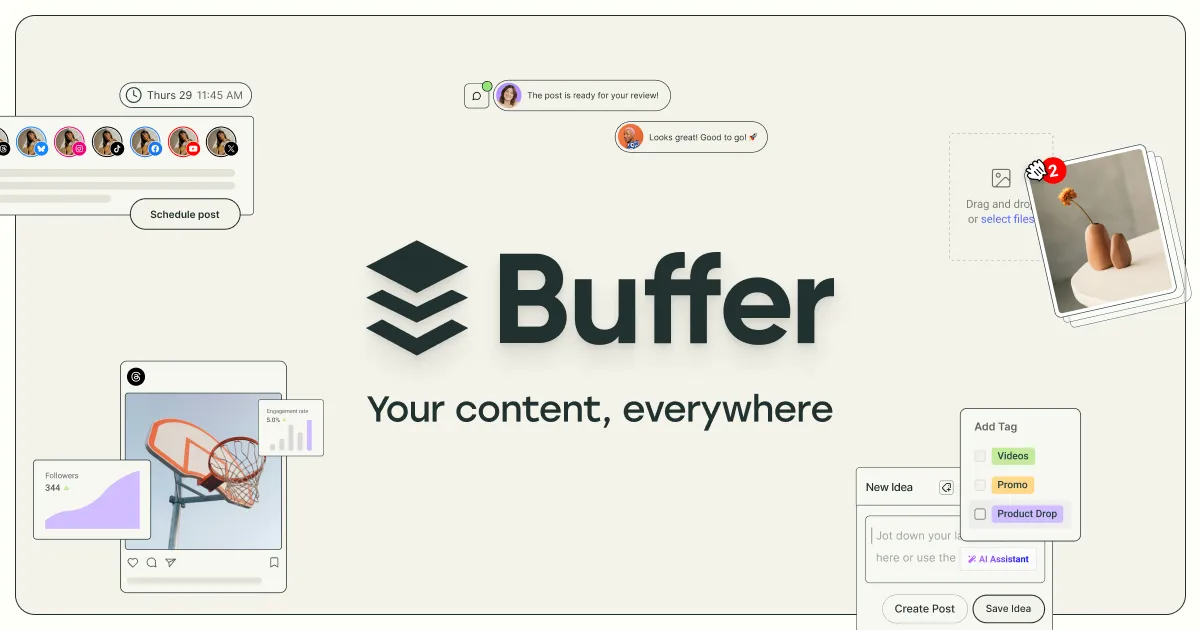

Where Buffer sits in the social media tooling landscape
Social media management tools generally cluster around one of two jobs: getting content out the door on a schedule, or managing the conversation that follows. Buffer has historically leaned toward the first. It began as a publishing scheduler and has since widened into a broader suite that covers content ideation, analytics, and community replies, while keeping the publishing calendar as its center of gravity. Understanding that lineage matters, because it shapes what the product does well and where a heavier social suite might serve you better.
The AI layer Buffer has added does not change that identity so much as speed up the existing workflow. The AI Assistant helps draft, refine, and repurpose post copy, which is useful precisely because Buffer's core value has always been maintaining a consistent posting cadence. If your bottleneck is writing captions rather than analyzing a paid campaign, the tool is aimed at your problem.
What the platform actually does
Buffer organizes its capabilities into a handful of connected functions rather than a sprawl of modules. Based on the vendor's own description, the pieces are:
- Content creation with an AI Assistant. You can build a library of content ideas and use the AI to generate, refine, and repurpose posts. The practical benefit is turning one idea into several platform-specific variations without rewriting each from scratch. This is where the "AI" in the product is concentrated; treat it as a drafting aid that still needs a human editor, not an autonomous content engine.
- Scheduling and publishing across many networks. Buffer supports 11 channels: Instagram, Facebook, TikTok, LinkedIn, X (Twitter), YouTube, Threads, Pinterest, Google Business Profile, Bluesky, and Mastodon. The breadth here is notable, especially the inclusion of newer or niche networks like Threads, Bluesky, and Mastodon that many competitors add slowly.
- Analytics. A reporting layer measures performance so you can adjust what and when you post. On paid tiers this extends to advanced analytics and branded reports.
- Community management. A single place to see and respond to comments and engagement across connected channels, so replies do not require hopping between native apps.
- Collaboration. Approval workflows, editing, custom access and permissions, and user invites for teams working on the same accounts.
- Start Page. A customizable link-in-bio landing page, useful for creators who route a single profile link to multiple destinations.
There is also a mobile app, which matters for anyone who needs to approve or publish on the go rather than only from a desktop.
Who gets the most out of it
Buffer fits solo creators, freelancers, small business owners, and small marketing teams that need a dependable way to plan and publish across several networks without a steep setup. The pricing structure reinforces this: it scales by the number of channels you connect rather than charging a flat enterprise fee, so a one-person operation running two or three profiles pays very differently from an agency running dozens.
The AI Assistant lowers the recurring cost of showing up consistently, which is the single hardest part of organic social for most small operators. If maintaining cadence is your challenge, the combination of a visual calendar, AI drafting, and cross-network scheduling addresses it directly. Teams that need lightweight approval before posts go live will also find the collaboration layer sufficient without being heavy. You can compare it against other social media AI tools to see whether that publishing-first orientation matches your priorities.
Limitations worth weighing before you commit
No tool is neutral about what it optimizes for, and Buffer's tradeoffs follow from its publishing-first design.
- The free plan is genuinely limited. It caps you at 3 channels, 10 scheduled posts per channel, 100 ideas, and a single user account. That is enough to trial the workflow, but an active poster will hit the per-channel scheduling ceiling quickly and be pushed to upgrade.
- Costs grow with channels, not just seats. Because pricing is per channel, someone managing many profiles can see the bill climb faster than a flat-rate expectation would suggest. Buffer applies volume discounts beyond 10 channels, but the exact reduced rates are not published on the pricing page, so heavy users should model their real channel count before assuming affordability.
- AI is an assistant, not a strategist. The AI features generate and repurpose copy; they do not replace understanding your audience. Expect to edit output, and do not rely on it for brand voice or fact-sensitive posts without review.
- Scope is deliberately focused. Buffer centers on publishing, analytics, and community replies. Organizations that need deep social listening, large-scale paid campaign management, or advanced competitive intelligence may find the feature set narrower than a full enterprise suite. That focus is a strength for small teams and a constraint for large ones.
How the pricing breaks down
Buffer uses a freemium model with two paid tiers. The prices below reflect per-channel monthly rates published on the vendor's pricing page; annual billing is described as saving two months versus monthly.
| Plan | Price | Notable inclusions |
|---|---|---|
| Free | $0/month | Up to 3 channels, 10 scheduled posts per channel, 100 ideas, 1 user account |
| Essentials | $5/month per channel | Unlimited scheduled posts, unlimited ideas, advanced analytics, hashtag manager, 1 user account |
| Team | $10/month per channel | Everything in Essentials plus approval workflows, custom access controls, branded reports, unlimited team members |
The key decision point between Essentials and Team is collaboration: Essentials is a single-user plan, while Team adds unlimited members and the approval workflows that a group needs to review posts before publishing. If you work alone, Essentials removes the free plan's scheduling cap at a modest price; if others touch the accounts, Team is the tier that makes shared work orderly.
Alternatives and how to choose
Buffer competes in a crowded category, and the right pick depends on where your effort actually goes. If your primary need is getting well-drafted content published on a reliable schedule across many networks, Buffer's focus is an advantage. If you instead need heavyweight social listening, extensive paid-campaign management, or enterprise-grade competitive analysis, a broader and typically more expensive suite may fit better, and you should evaluate those on their listening and advertising depth rather than their scheduling. Browsing the wider tool directory or the category listing is a practical way to line up options against your own channel count and budget before you commit.
Questions people ask about Buffer
Does Buffer have a free plan, and what does it include?
Yes. The free plan costs $0 per month and covers up to 3 channels with 10 scheduled posts per channel, 100 content ideas, and a single user account. It is workable for trialing the tool but limited for anyone posting frequently.
Which social networks does Buffer support?
The vendor lists 11 channels: Instagram, Facebook, TikTok, LinkedIn, X (Twitter), YouTube, Threads, Pinterest, Google Business Profile, Bluesky, and Mastodon.
What does the AI Assistant actually do?
Buffer's AI Assistant helps create, refine, and repurpose post copy and content ideas. It is a drafting aid that speeds up writing captions and adapting one post for multiple platforms; it does not manage strategy or publish autonomously.
How much do the paid plans cost?
The Essentials plan is listed at $5 per month per channel and the Team plan at $10 per month per channel, with annual billing described as saving two months. Buffer notes volume discounts for accounts beyond 10 channels, though the reduced per-channel rates are not published on the pricing page.
Is Buffer suited to larger marketing teams?
The Team plan supports unlimited members with approval workflows and custom access controls, so collaborative teams are covered. However, Buffer centers on publishing, analytics, and community replies rather than large-scale listening or paid campaign management, so very large organizations with those needs should confirm the feature set matches before adopting.