

What Is Google Vids? Free AI Video Tool Guide
Google Vids is now free for everyone. Here's what this AI-powered video tool actually does, and whether it's worth using over Canva or CapCut.
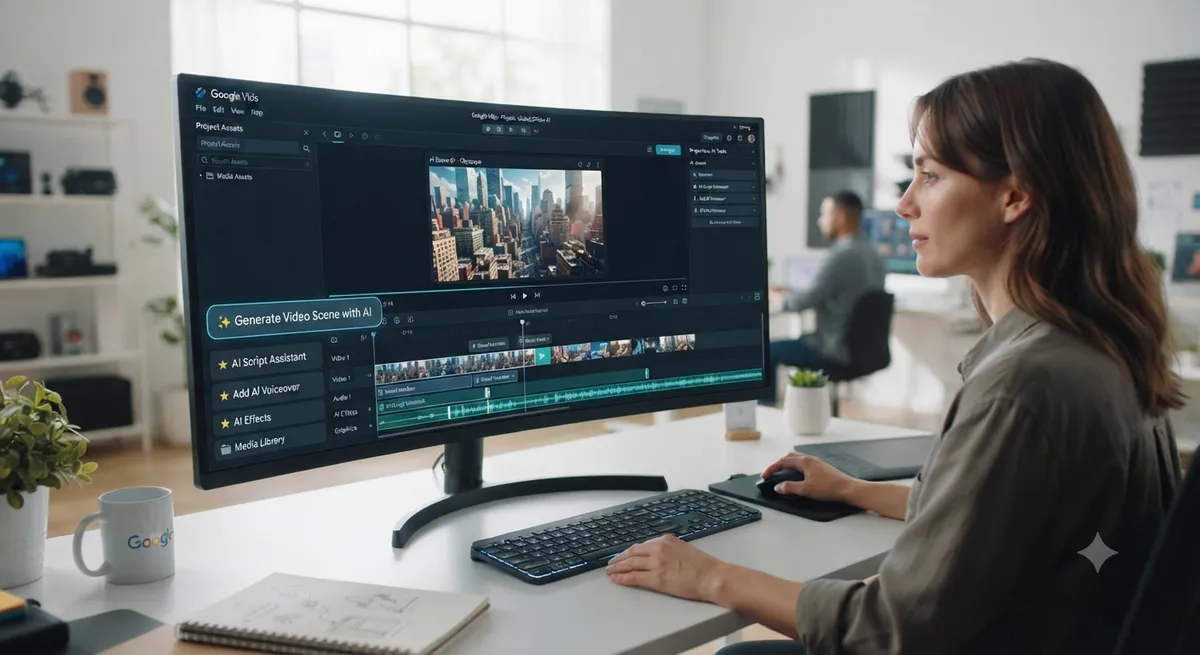
If you've noticed "Google Vids" showing up in your Workspace apps and wondered what it actually does, you're not alone — it's one of the more underrated additions to Google's AI tools lineup, and it's now free for anyone with a Google account.

What Is Google Vids?
Google Vids is an AI-powered video creation and editing tool built directly into Google Workspace, sitting alongside Docs, Sheets, and Slides. Instead of documents or spreadsheets, Vids helps you create videos — from simple explainer clips to polished product presentations — using templates, stock media, and AI generation powered by Gemini.
How Google Vids Actually Works
The core workflow is refreshingly simple: describe what you want, and Gemini in Vids suggests a full narrative outline with scenes, matching stock media, and background music based on your prompt. From there, you can edit the AI-generated draft, add your own footage or photos from Google Drive and Photos, and record voiceovers either yourself or using one of Gemini's preset AI voices.
Key Features Worth Knowing
- Text-to-video generation — Google Vids can turn a written script into video content, with the free tier supporting a limited number of generations per month.
- Image-to-video conversion — turn a static product photo into a moving clip, useful for small businesses without a video production budget.
- AI avatars — present a script on-screen using an AI-generated presenter, handy for anyone camera-shy or without recording equipment.
- Slides-to-video conversion — turn an existing Google Slides presentation directly into a narrated video with minimal extra work.
- Automatic transcript trimming — removes filler words and awkward pauses automatically from recorded segments.
Free vs Paid: What You Actually Get
Google Vids' core editing tools — templates, timeline editing, stock media, transitions — are free for anyone with a Google account. More advanced AI generation, including higher-end video models like Veo, is tied to paid Google AI Pro or Ultra subscriptions, with the free tier offering a capped number of AI video generations monthly. For casual or small business use, the free tier alone is usually enough for straightforward explainer or marketing videos.

Google Vids vs Canva vs CapCut
Google Vids isn't trying to compete with professional editing software like Premiere Pro — it's closer in spirit to Canva's video tools, prioritizing speed and simplicity over granular control. Its biggest advantage is native integration with the rest of Google Workspace: pulling directly from Drive and Photos, and converting existing Slides decks into video without exporting and re-importing anything. If you're already living inside Google's ecosystem, that integration alone can save real time compared to switching tools.
Who Should Actually Use Google Vids?
Google Vids fits best for:
- Small businesses needing quick product or marketing videos without hiring a videographer
- Educators converting lecture slides or notes into narrated video content
- Teams already using Google Workspace who want video without adding another separate subscription
- Solo creators who need something faster than professional editing software for simple explainer content
If video is just one piece of a broader content strategy, it's worth pairing Vids with other free tools — our Google AI tools list covers the rest of Google's free AI stack, including Gemini and NotebookLM, that pair naturally with video content creation.
Limitations to Know Before You Start
Google Vids currently only supports creation and editing on desktop, with viewing available on mobile. Each video is capped at 10 minutes, and AI-specific features are currently only available in English. For anyone needing longer-form or highly technical video editing, dedicated professional software will still outperform Vids — it's built for speed and accessibility, not depth.
How Google Vids Fits Into a Free AI Tools Stack
Google Vids is a good example of how much you can now accomplish without paying for anything — writing, research, and now video, all covered by free tiers across Google's stack. For a broader breakdown of what's genuinely free across the entire AI tools landscape, see our best free AI tools guide.
Frequently Asked Questions
Is Google Vids completely free?
Core editing features are free for anyone with a Google account, though advanced AI video generation (like Veo) requires a paid Google AI Pro or Ultra subscription for higher usage limits.
Do I need a Google Workspace account to use Vids?
No, Google Vids is now available to individual Google account holders, not just Workspace business or education users.
Can I turn a Google Slides presentation into a video?
Yes, Google Vids can convert an existing Slides deck directly into a narrated video, generating scripts and voiceovers automatically.
Is Google Vids better than Canva for video?
It depends on your workflow — Vids has an edge if you're already inside Google Workspace, while Canva may offer more design flexibility and templates outside that ecosystem.
Final Thoughts
Google Vids is a genuinely useful, free addition to Google's AI tools lineup, especially for anyone who needs quick, professional-looking video without a steep learning curve. Explore more of Google's free AI tools and other video and content options in the full AI tools directory on AI List Stack.
Want to stay updated?
Get the latest AI tool reviews and news delivered to your inbox.