

Best AI Meeting Assistants in 2026: The Complete Buyer's Guide
A complete buyer's guide to the best ai meeting assistant options in 2026 — covering evaluation criteria, feature comparisons, and a clear decision framework.
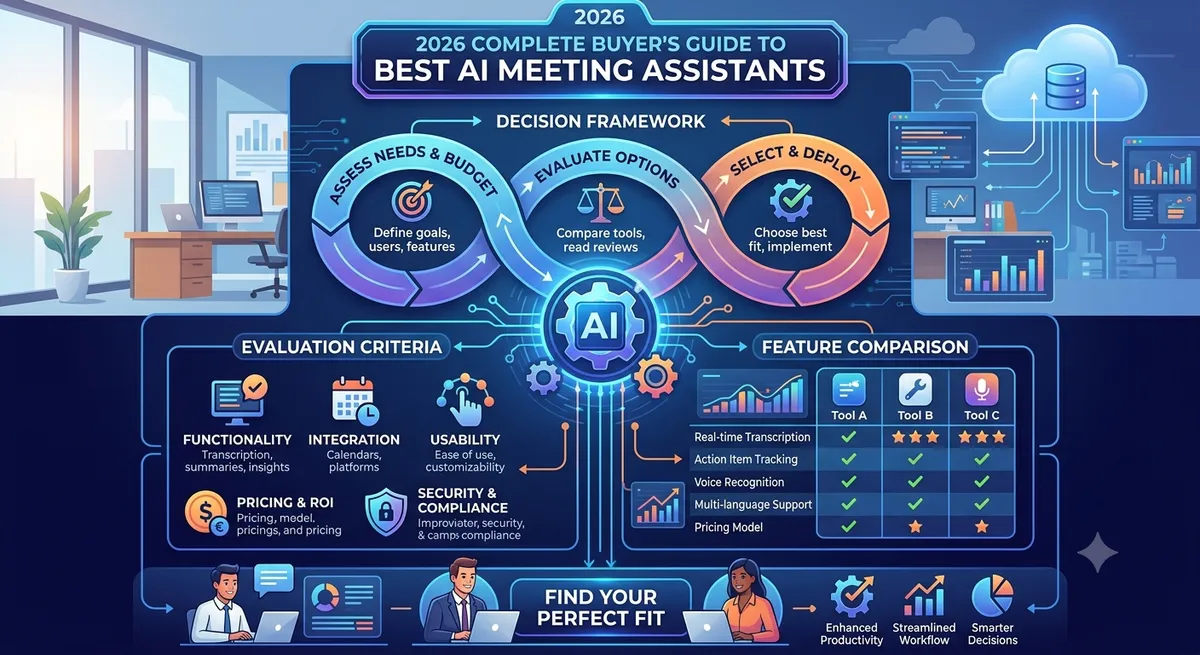
Best AI Meeting Assistants in 2026: The Complete Buyer's Guide
Finding the best ai meeting assistant for your team is not as simple as picking whichever product ranks first in a Google search. The market has matured considerably in 2026, and the differences between leading tools come down to nuanced trade-offs in transcription accuracy, integration depth, privacy posture, and pricing structure. This guide breaks down the decision framework professionals actually need before spending budget on one of these tools.
Why AI Meeting Assistants Have Become Essential in 2026
The average knowledge worker spends more than a third of their working week in meetings, yet studies consistently show that action items are forgotten, context is lost, and follow-through suffers when notes rely on human memory alone. AI meeting assistants solve this at the infrastructure level — they join calls, transcribe speech in real time, identify speakers, extract action items, and deliver structured summaries that integrate directly with project management and CRM systems.
In 2026, the category has expanded beyond simple transcription. The best tools now offer coaching feedback on speaking patterns, real-time question prompts, sentiment analysis, and post-meeting search across your entire conversation history. The question is no longer whether to adopt one, but which one fits your workflow.
Key Evaluation Criteria
Before comparing specific products, establish what matters most for your context. The five criteria below account for the majority of purchasing decisions in this category.
1. Transcription Accuracy
Accuracy varies significantly by accent, domain vocabulary, and audio quality. Tools built on Whisper-derived models generally handle diverse accents better than older acoustic models, but accuracy on technical terminology still differs. Look for word-error rates below 5% in clean audio conditions and check whether the tool allows custom vocabulary.
2. Speaker Identification
Diarisation — assigning transcript lines to the correct speaker — is where cheaper tools fall apart. Reliable diarisation requires either prior voice-print enrollment or a robust in-call separation algorithm. If you regularly have calls with more than four participants, test this specifically.
3. Integration Ecosystem
A meeting assistant that writes summaries to a PDF is far less useful than one that pushes action items to Asana, syncs contacts to Salesforce, and posts a recap to the correct Slack channel automatically. Evaluate the native integration list against your current stack before committing.
4. Privacy and Data Residency
Meeting recordings contain confidential business information. Enterprise buyers must confirm where audio and transcript data is stored, whether the vendor uses customer data to train models, and whether SOC 2 Type II or ISO 27001 certifications are in place. Some tools offer on-premises deployment for regulated industries.
5. Pricing Model
Most vendors price per seat per month, with limits on recorded hours or storage at lower tiers. Calculate your actual cost based on team size and average monthly meeting hours — the headline price rarely reflects real-world usage at scale.
The Leading AI Meeting Assistants in 2026
Otter.ai
Otter remains one of the most widely used tools in this category, particularly among small and mid-sized teams. Its live transcription inside Zoom, Google Meet, and Microsoft Teams is reliable, and the automated summary emails are genuinely useful. The free tier is generous enough for occasional users. Limitations appear at enterprise scale, where administrative controls and security features lag behind dedicated enterprise competitors.
Fireflies.ai
Fireflies positions itself as an AI notetaker with a strong emphasis on search and CRM integration. Its ability to sync call summaries directly to HubSpot and Salesforce records makes it a favourite for sales teams. The Conversation Intelligence features — talk-time ratios, filler word counts, topic tracking — add coaching value without requiring a separate tool.
Fathom
Fathom has built a loyal following by keeping the interface minimal and the transcription quality high. It offers a genuinely capable free tier for individual users, and its highlight-clipping feature — which lets you mark key moments during a live call — is more intuitive than most competitors. Enterprise rollout capabilities are more limited than Fireflies or Chorus.
Gong
Gong is the enterprise standard for revenue teams. It goes well beyond transcription to offer deal intelligence, forecast signals, and coaching recommendations grounded in conversation data across an entire sales org. It is priced accordingly, and its value proposition is most compelling for companies with large sales teams and mature revenue operations practices.
Chorus.ai (ZoomInfo)
Now part of ZoomInfo, Chorus offers robust conversation intelligence integrated directly with ZoomInfo's prospecting data. For teams already inside the ZoomInfo ecosystem, the combination is powerful. For teams that are not, the additional cost is difficult to justify against standalone alternatives.
Avoma
Avoma occupies the mid-market space between simple notetakers and full revenue intelligence platforms. It supports the full meeting lifecycle — agenda templates, live notes, post-call CRM sync, and coaching scorecards — at a price point accessible to growing teams. Its AI summary quality is consistently strong across meeting types.
Notion AI Meeting Notes
For teams already operating inside Notion, the native meeting notes integration offers a frictionless way to get transcription and summaries without adding another vendor. The depth of conversation intelligence is shallower than dedicated tools, but the workflow integration within Notion is seamless.
Feature Comparison Table
| Tool | Real-Time Transcription | CRM Integration | Conversation Intelligence | Free Tier | Best For |
|---|---|---|---|---|---|
| Otter.ai | Yes | Limited | Basic | Yes | Individuals, small teams |
| Fireflies.ai | Yes | Strong (HubSpot, Salesforce) | Moderate | Yes (limited) | Sales and CS teams |
| Fathom | Yes | Basic | Basic | Yes (generous) | Individual professionals |
| Gong | Yes | Comprehensive | Advanced | No | Enterprise sales orgs |
| Chorus.ai | Yes | Comprehensive | Advanced | No | ZoomInfo customers |
| Avoma | Yes | Strong | Moderate | Yes (limited) | Mid-market teams |
| Notion AI | Yes (via integration) | Via Notion automations | Minimal | With Notion plan | Notion-native teams |
How to Choose: A Decision Framework
Run through these four questions before making a final selection.
- What is your team size and budget? For individuals and teams under ten people, Fathom's free tier or Otter.ai's starter plan delivers strong value. For teams of ten to one hundred, Avoma or Fireflies offer the right balance of features and cost. For large enterprise sales organisations, Gong's depth justifies the premium.
- Which meeting platform dominates your calendar? Most tools support Zoom, Google Meet, and Teams, but the quality of native integration varies. Otter.ai's Zoom integration is particularly deep; Fathom was built with Google Meet in mind.
- Do you need sales-specific intelligence or general meeting support? If your primary use case is coaching reps and forecasting deals, Gong or Chorus is the right category. If you need general meeting documentation across all departments, Otter.ai, Fathom, or Avoma will serve you better at lower cost.
- What are your data privacy requirements? Healthcare, legal, and financial services teams should confirm compliance certifications before signing up. Gong and Chorus have the most mature enterprise compliance programmes; some smaller tools have limited documentation.
Pros and Cons Summary
| Tool | Key Strengths | Key Weaknesses |
|---|---|---|
| Otter.ai | Generous free tier, real-time captions, wide platform support | CRM integrations are shallow, diarisation struggles with large calls |
| Fireflies.ai | Strong CRM sync, good search, solid free tier | AI summary quality can be inconsistent on long calls |
| Fathom | Clean UX, highlight clipping, very generous free plan | Limited enterprise admin features, fewer integrations |
| Gong | Best-in-class revenue intelligence, deep coaching tools | High cost, significant onboarding time, overkill for non-sales use cases |
| Avoma | Full meeting lifecycle, good balance of features and price | Less brand recognition, smaller community ecosystem |
Implementation Tips for Teams
Once you select a tool, adoption hinges on a few practical decisions. First, decide on a consent policy — most jurisdictions require that all participants are informed when a call is being recorded. Many tools send an automated notification when the bot joins, but you should establish an internal policy regardless.
Second, configure your CRM integration before your first live call, not after. Post-hoc cleanup of misrouted summaries wastes significant time. Third, run a pilot with five to ten power users for two weeks before company-wide rollout. Their feedback will surface edge cases specific to your meeting culture that vendor demos never reveal.
Frequently Asked Questions
What is an AI meeting assistant?
An AI meeting assistant is software that automatically joins video or phone calls, transcribes the conversation in real time, identifies speakers, extracts action items, and delivers structured summaries. Most tools integrate with calendars, CRMs, and project management platforms to route information to the right place without manual effort.
Are AI meeting assistants accurate enough for professional use?
The leading tools achieve word-error rates below 5% in standard office audio conditions, which is accurate enough for professional documentation. Accuracy drops with heavy accents, overlapping speech, or poor microphone quality. Most tools allow you to correct transcripts before sharing, and custom vocabulary features help with domain-specific terminology.
Is it legal to record meetings with an AI assistant?
Recording laws vary by jurisdiction. In most US states, one-party consent is sufficient, but some states (California, Florida) require all-party consent. In the EU, GDPR governs data processing. Most reputable AI meeting assistant vendors include consent notification features and publish compliance guidance, but you remain responsible for following the laws applicable to your location and participants.
What is the difference between a meeting notetaker and conversation intelligence?
A meeting notetaker focuses on transcription, summaries, and action items — documentation tasks. Conversation intelligence goes further, analysing patterns across many calls to surface coaching insights, deal risks, topic trends, and performance metrics. Tools like Gong and Chorus are conversation intelligence platforms; tools like Otter.ai and Fathom are primarily notetakers.
Can AI meeting assistants integrate with Salesforce and HubSpot?
Yes. Fireflies.ai, Avoma, Gong, and Chorus all offer native integrations with both Salesforce and HubSpot that can automatically create or update contact records, log call activities, and sync meeting summaries. The depth and reliability of these integrations vary; test them with your specific CRM configuration before committing.
Which AI meeting assistant is best for a small team on a budget?
Fathom offers the most capable free tier for individuals and small teams, with no strict hour limits on recordings. Fireflies.ai's free plan works for teams that primarily need search and basic CRM sync. If your team is under five people with light meeting volume, either tool should cover your needs at zero cost.
Related Reading
Want to stay updated?
Get the latest AI tool reviews and news delivered to your inbox.